List
Committee finder
Names the people who own or buy what you sell at one target account, each with a verified work email and phone.
- For
- Account executives
- You provide
- A target account
- You get
-
- Stakeholders matched to your buyer personas
- Verified work emails and phone numbers
- The personas nobody matched
-
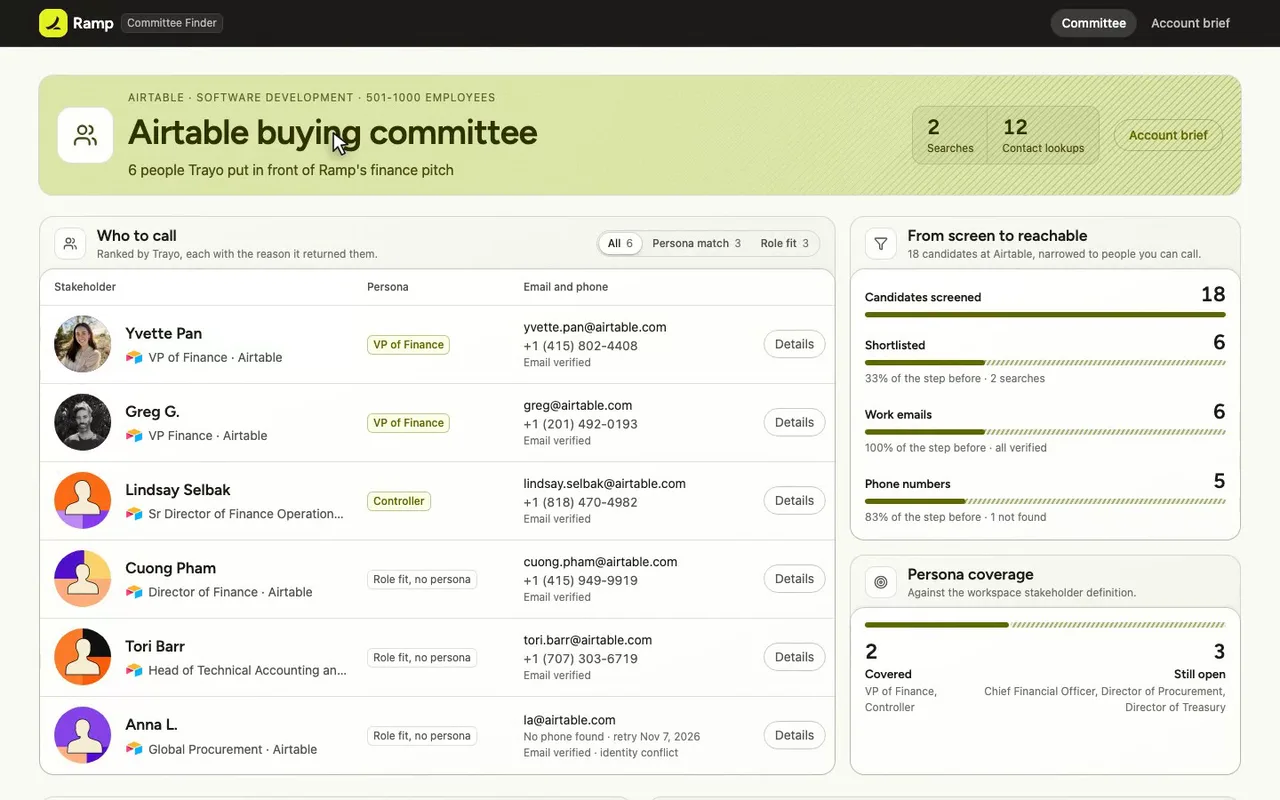
Airtable's buying committee, built for a Ramp account executive.
-
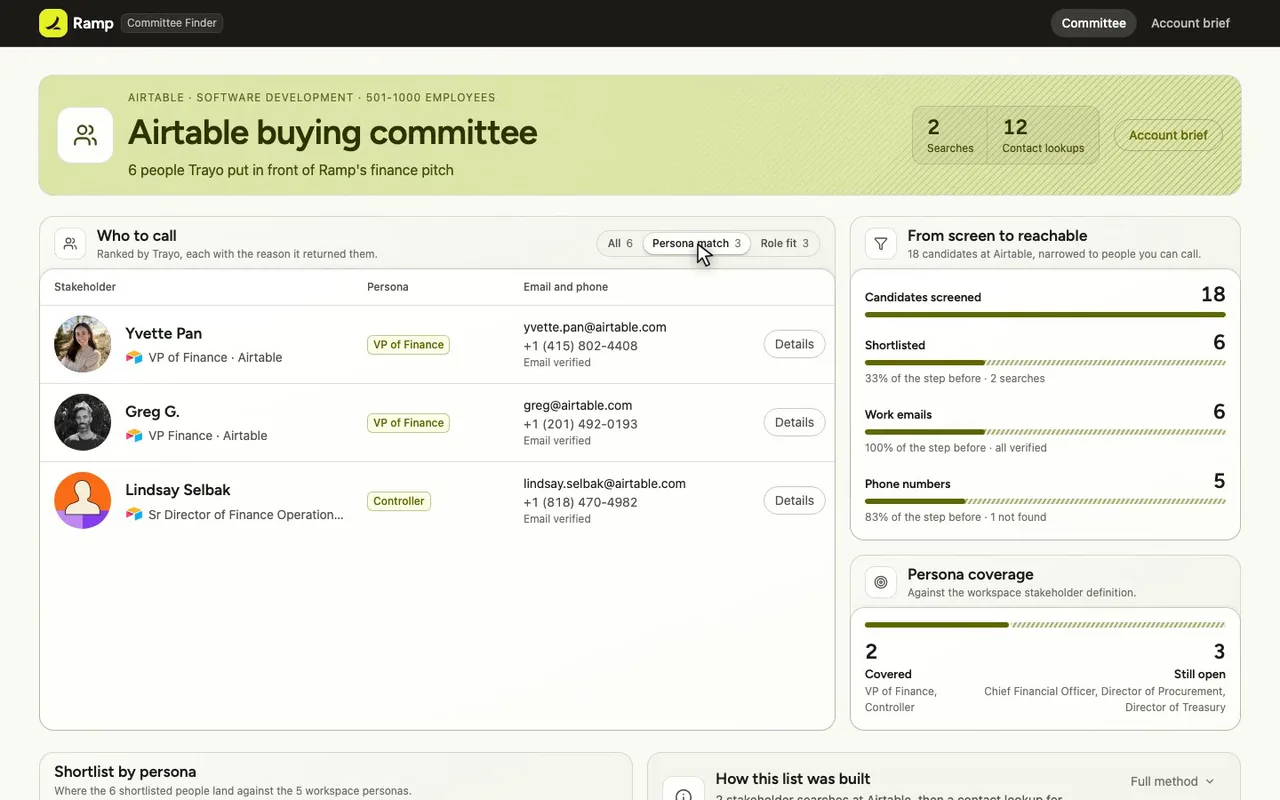
Filter to the three who match Ramp's personas.
-
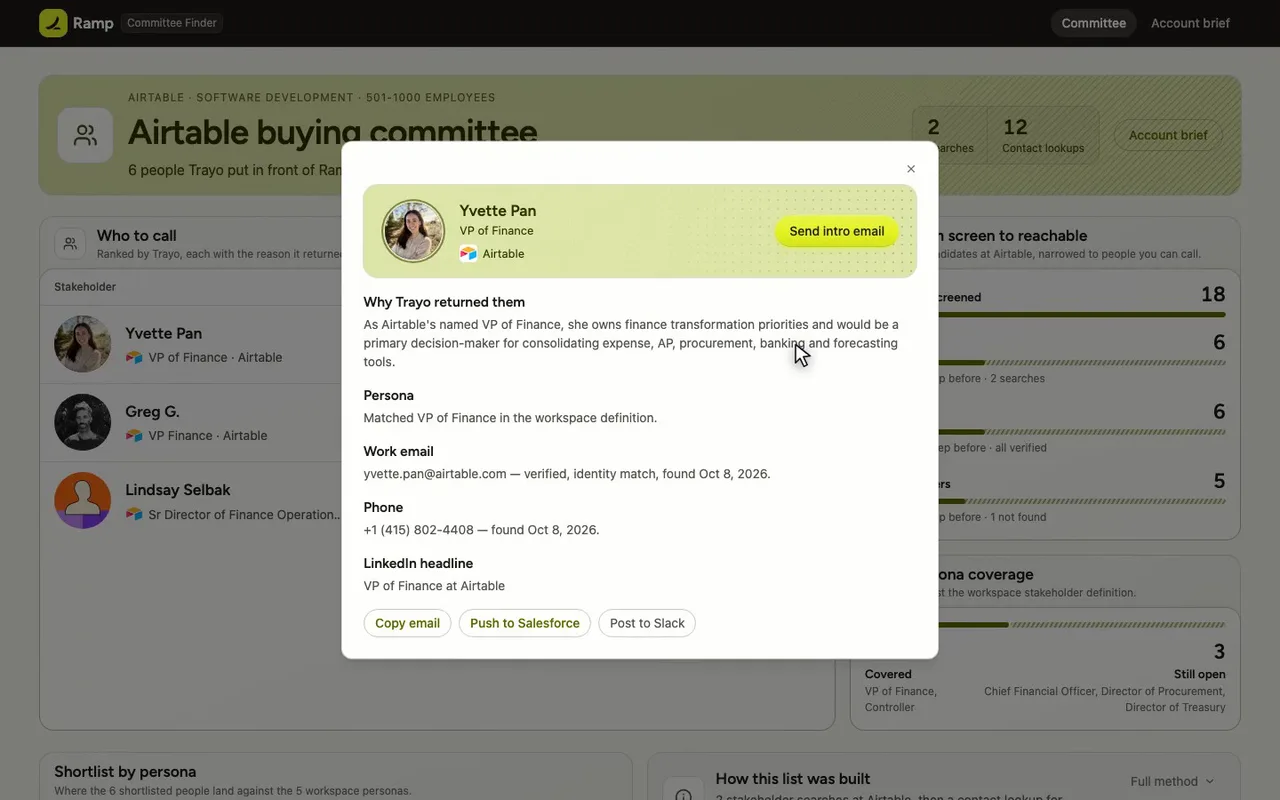
Open Yvette Pan, Airtable's VP of Finance.
-
Close her card, back to the list.
-
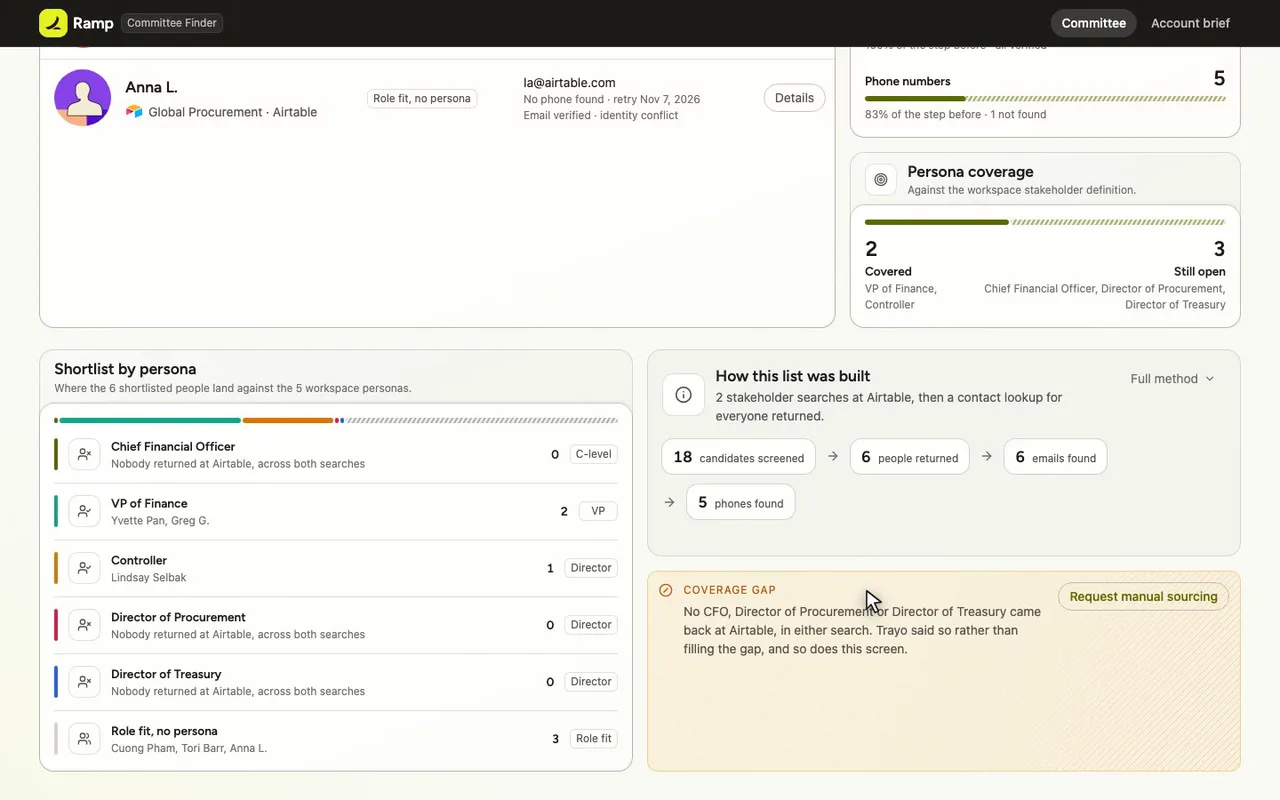
No CFO came back, and the screen says so.
-
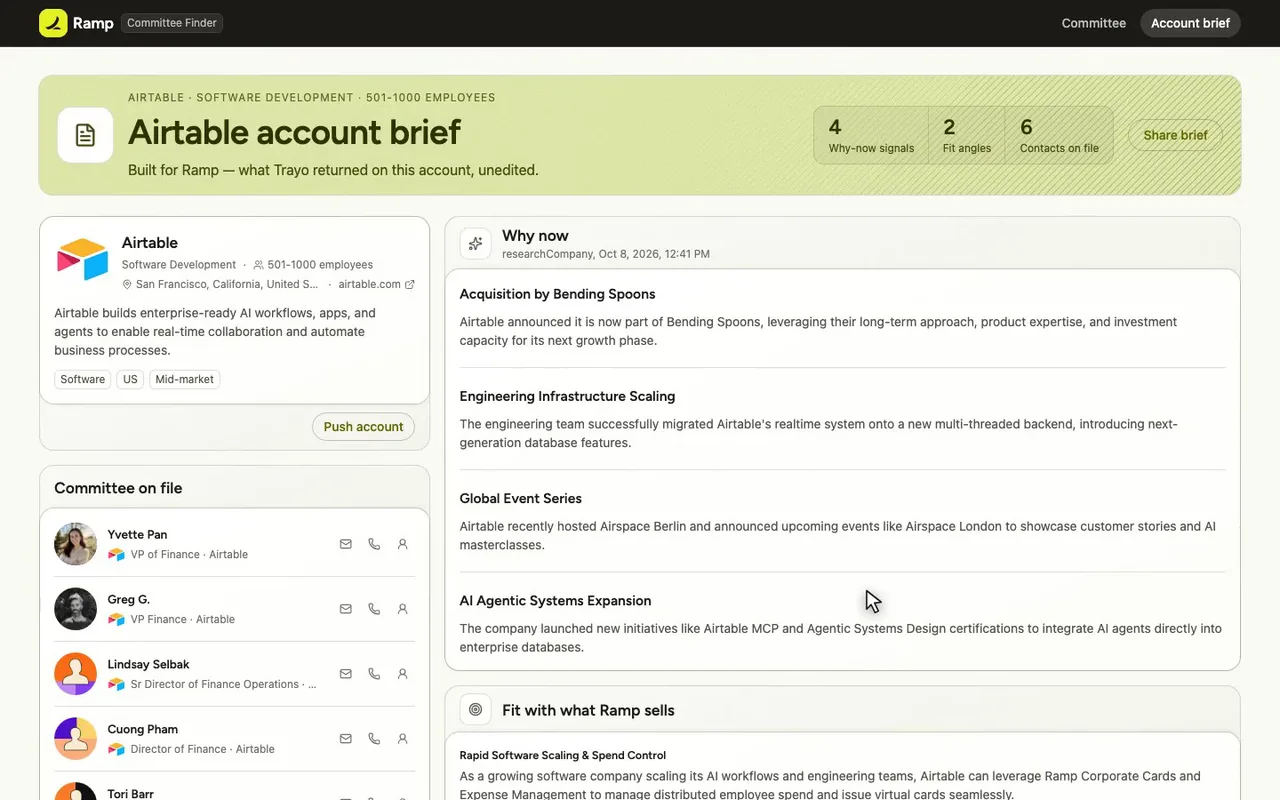
The account brief carries four why-now signals.

The prompt
Paste it into any coding agent with the Trayo MCP connected.
- + any MCP client


You have the Trayo MCP server connected. Carry out this recipe against the real API.

# Find the right people at one company and get their contact details

When to use: You know the company and need the people who own or buy what you sell, with an email or phone to reach them.
Cost: One use of your usage quota per company overview and per stakeholder search that returns. One lookup per field started (email, phone), found or not, against the plan's allowance — check `lookups` on `GET /v1/whoami`.

## Steps - researchCompany: A few seconds: what the company does, `whyNow`, and `fit` against what you sell. [optional]
- searchStakeholders: Any company by website, or an account of yours. Synchronous, read-only, best first, each with a reason. Omit `definition` to use the workspace's.
- batchCreatePeople: Import the ones you want; a person must belong to an account, so create it first if needed.
- enrichPerson: Explicit, asynchronous (202), idempotent. Re-sending never double-runs or spends twice; `skipped` says why a field was not started.
- getPersonContact: Free to read. Each field is `in_progress`, then `found` or `not_found`. (repeat until: No field is `in_progress`. Poll every few seconds with backoff and a finite cap; never a tight loop.)
Take the tour
A narrated walkthrough of the app.
The building blocks
What this app asked Trayo for
Every name, number and email on the page came back from one of these. None of it was typed in.
Reads your workspace
What you sell, who you sell to, and the buyer personas already saved in Trayo.
Researches an account
A live snapshot per company — size, stack, why-now signals and why it fits.
Finds the right people
Named stakeholders at an account, matched to the buying roles you care about.
Gets verified emails
Work addresses with a confidence signal, so a bad match is visible rather than sent.
Builds your account list
Imports, updates and organises accounts so the work survives the session.
How it was built
The data behind each screen, and what's faked for the demo.
Built in 11 min · 5 capabilities · 16 live API calls
Committee Finder is for a Ramp AE who already knows the company and needs the finance people who would own or buy Ramp, with a way to reach them. The Committee screen lists the six stakeholders Trayo returned, each with the reason it returned them, the persona it matched, and the contact details that were looked up; a filter separates the three who matched a workspace persona from the three returned on role fit alone, and opening a row shows the full reason, the lookup state of each field, and the caveats Trayo attached. The Account brief screen carries the research Trayo wrote on the account and the provenance of everything on the two screens.
The workspace was empty, so the target account was chosen from Ramp’s own ICP — the generation angle “US software and AI companies with 50-1000 employees and lean finance teams” — and Airtable was picked because it fits that and is not on Ramp’s existing-customer list. Trayo supplied all of it: researchCompany returned four why-now points (including the Bending Spoons acquisition) and two fit points against Ramp’s product line; searchStakeholders screened 18 candidates at airtable.com against the workspace’s five saved personas and returned 5 people; a second searchStakeholders pass with a definition naming only CFO, Procurement and Treasury screened the same 18 and returned 1 more, Anna L. in Global Procurement. The 6 people were imported with importAccounts and addPeople, then enrichPerson started 6 email and 6 phone lookups; getPersonContact settled every field, finding 6 of 6 emails (all verified) and 5 of 6 phones. All of that was written to one JSON file the app reads at load — there is no live backend and no live API call from the browser.
Two things are worth saying plainly. Trayo found nobody at Airtable for three of the five personas — Chief Financial Officer, Director of Procurement and Director of Treasury — across both searches, and the screen says so rather than filling the gap; two rows also carry data caveats that are shown rather than hidden (Greg G.’s LinkedIn headline reads “Co-founder & CEO” and lists an outside employer, and Anna L.’s email came back with identityConfidence “conflict”). Every outbound action — push to Salesforce, push to HubSpot, send intro email, post to Slack, share brief, request manual sourcing — is a preview: there is no integration wired, and each one raises the library’s preview toast saying what would have been sent. Copying an email to the clipboard is the only button that really does something. On brand: brandFromWorkspace took both supplied colors, making #E4F222 the primary and #1C1B18 the text, on-primary and top-bar shell; applyBrand reported that no background was given so a white page tinted to #FAFBF5 is assumed, and that #E4F222 is under 4.5:1 as text, so accent text, links and focus rings use a derived #626800 instead. Those notes are rendered on the Account brief screen.
More recipes
 Vercel
 Report
Review your setup
A read-only review of a Trayo workspace in five bullets — what it sells, who buys, the target companies its ICP resolves to, the ten signals it tracks and its zero accounts —…
You provide: A Trayo workspace
 Salesforce
 List
Buying committee finder
Type an account name and get the people who decide there, grouped by buying role, with work emails.
You provide: An account name
 Supabase
 Board
Competitor complaint radar
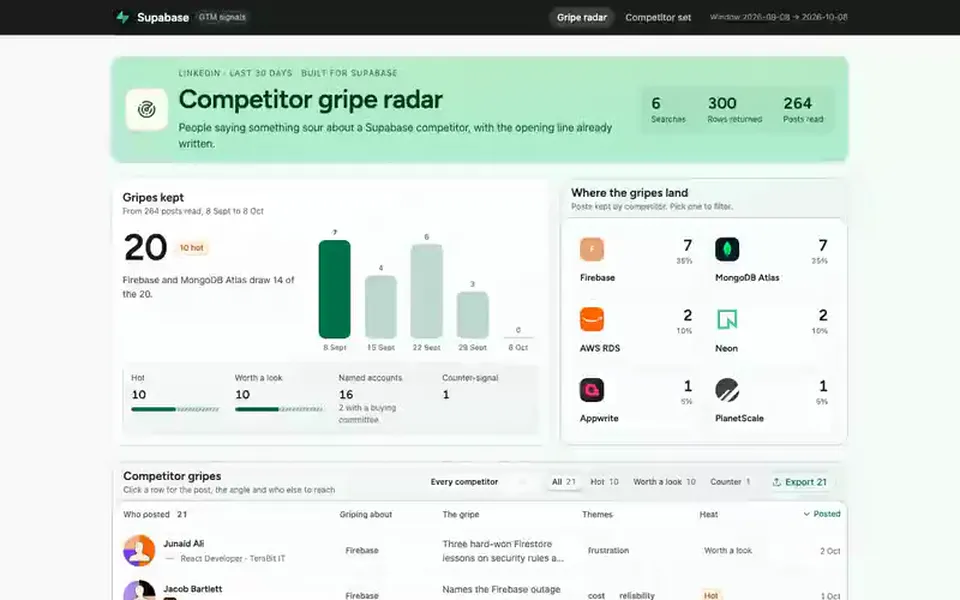
Shows recent LinkedIn posts where people complain about your competitors, with a suggested opener for each.
You provide: Your competitors, saved in your workspace