Review your setup
A read-only review of a Trayo workspace in five bullets — what it sells, who buys, the target companies its ICP resolves to, the ten signals it tracks and its zero accounts —…
- Built in
- 9 min
- Capabilities
- 5
- Live API calls
- 8

The prompt
Paste it into any coding agent with the Trayo MCP connected.
- + any MCP client


Use Trayo to summarize my workspace in 5 bullets: what I sell, who buys, my target companies, the signals I track, and my account count. Ask what to fix. Don't change anything.
What this app asked Trayo for
Every name, number and email on the page came back from one of these. None of it was typed in.
- Reads your workspace
What you sell, who you sell to, and the buyer personas already saved in Trayo.
- Finds companies
Surfaces accounts that match your ICP, plus lookalikes of the ones already working.
- Finds the right people
Named stakeholders at an account, matched to the buying roles you care about.
- Builds your account list
Imports, updates and organises accounts so the work survives the session.
- Watches for buying signals
Standing watches for job changes, funding and the other moments worth a reply.
Take the tour
The same run as the video above, one stop at a time.
- 01
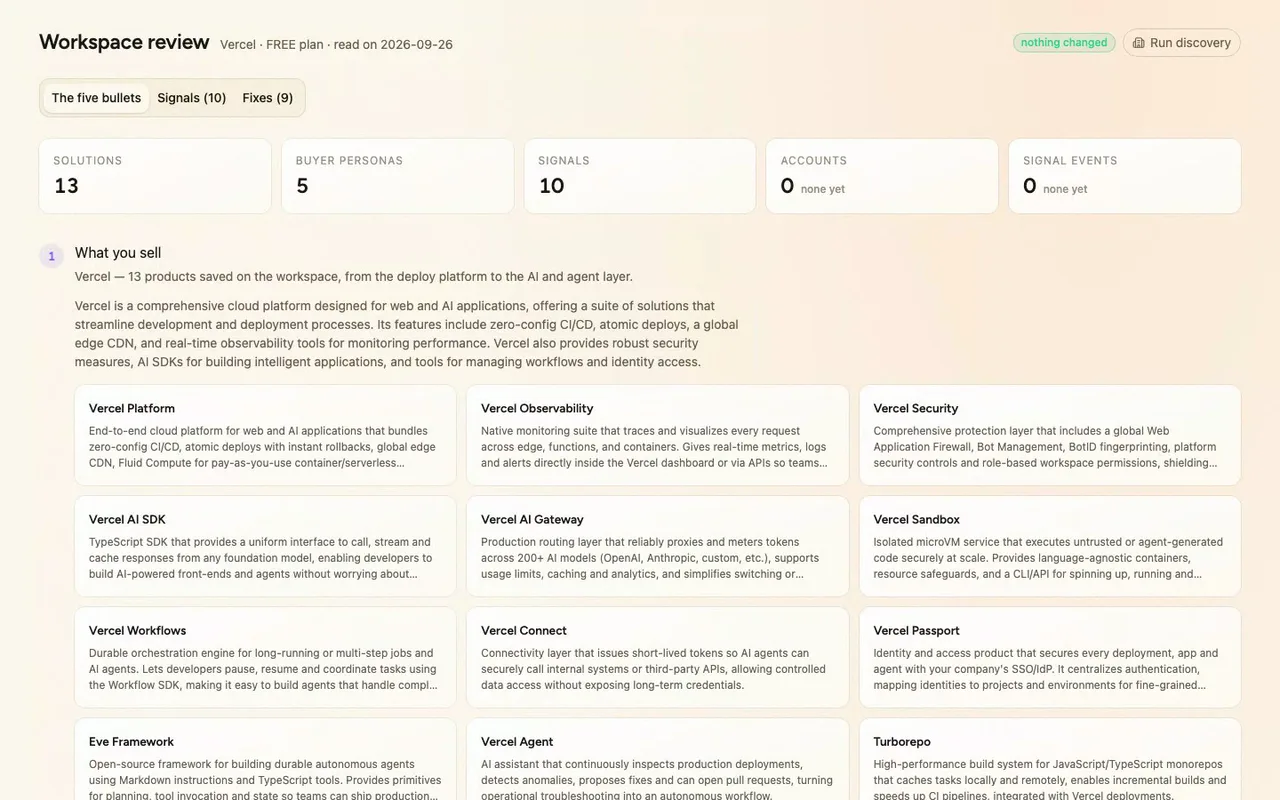
Today we're building a workspace review for anyone on our team who owns a Trayo workspace. It reads the workspace, read-only, and tells you in five bullets what's there, then ranks nine things worth fixing. Here it is on Vercel's own.
- 02
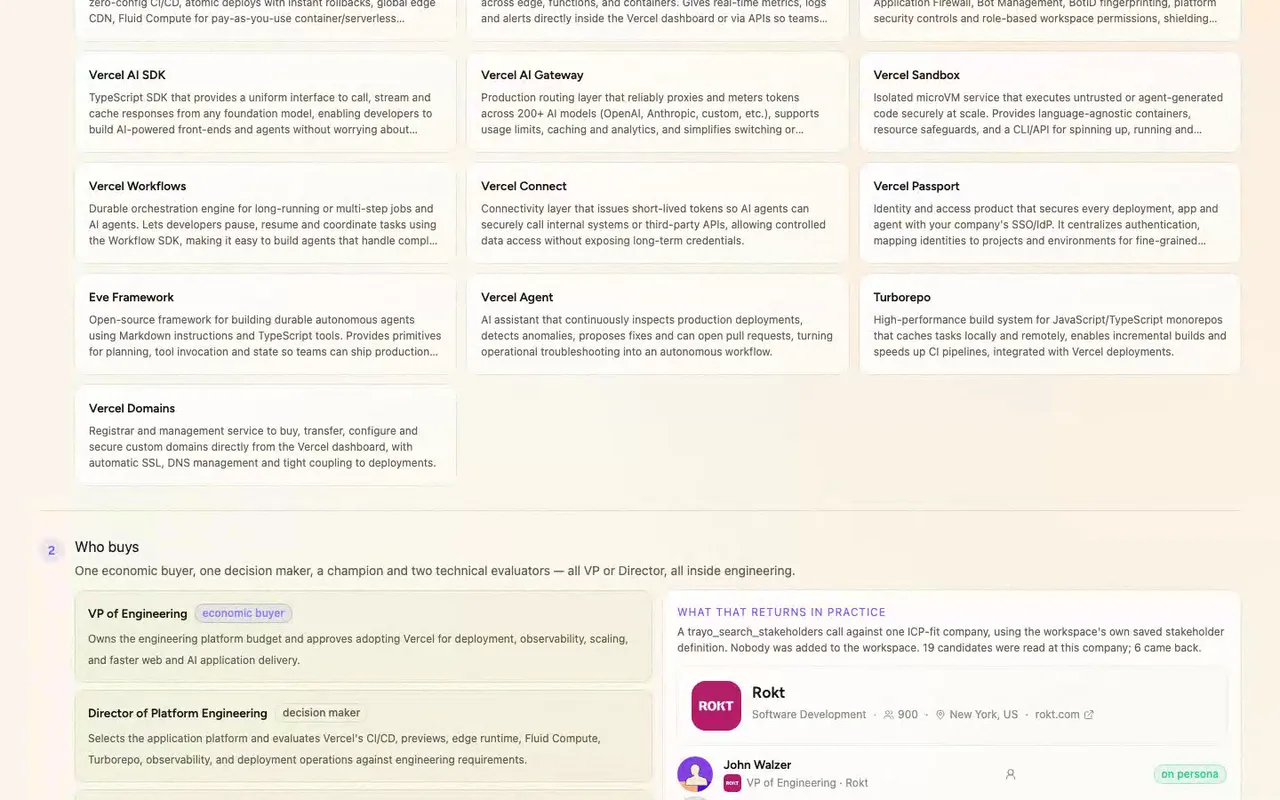
Five questions, in order. What we sell: Trayo returned the saved ICP, thirteen solution cards.
- 03
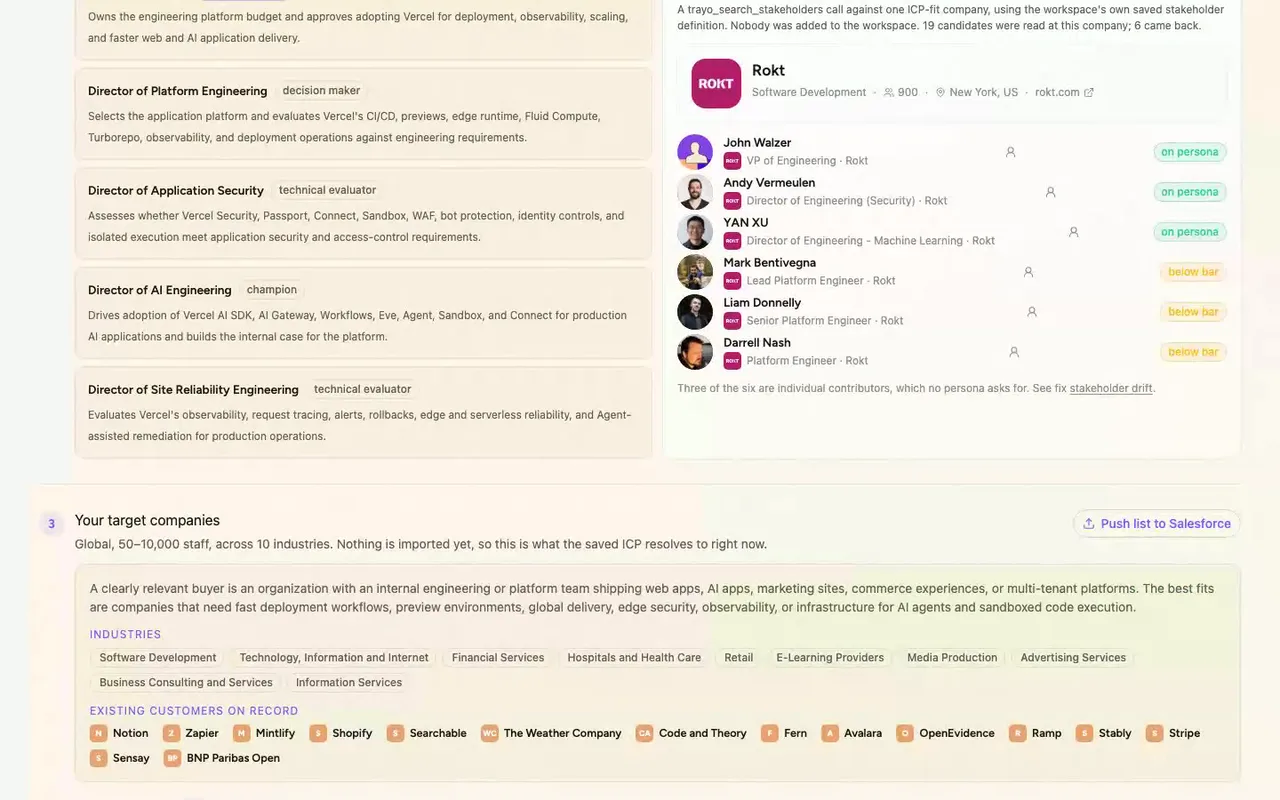
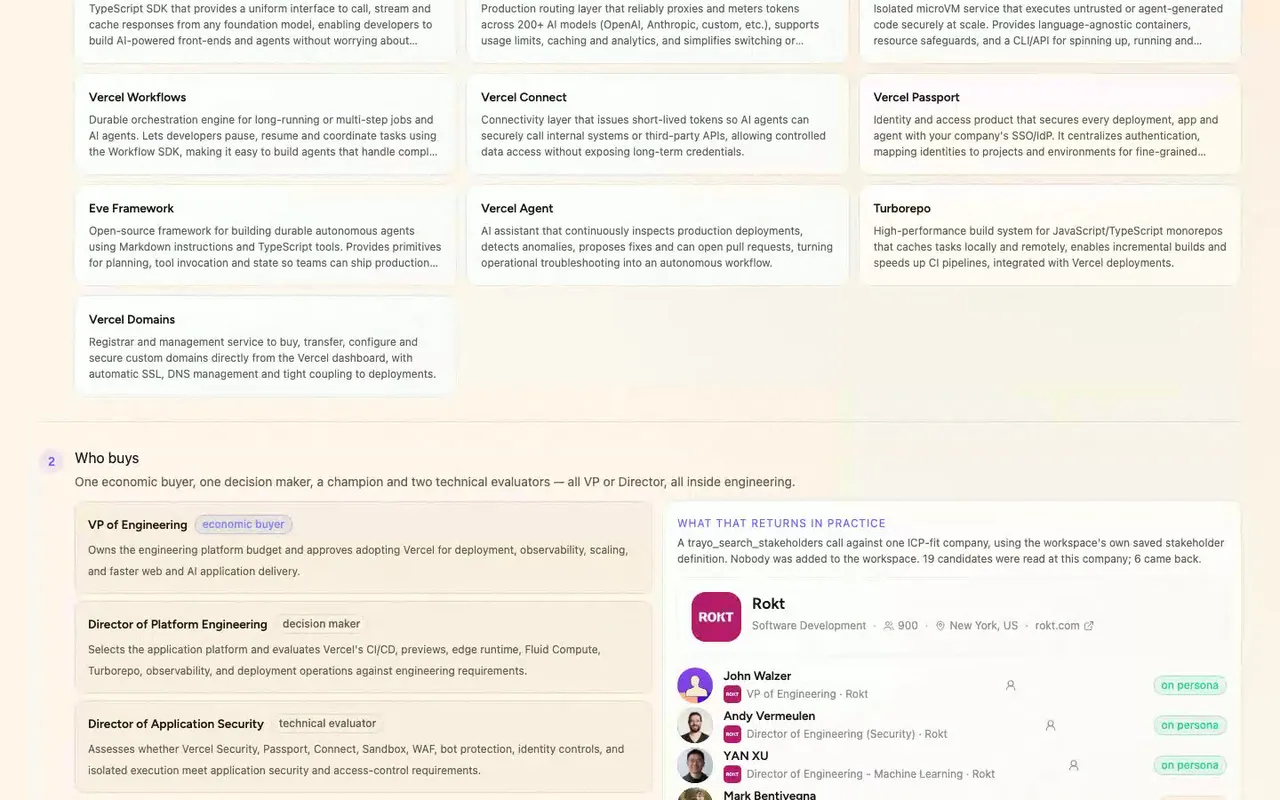
Who buys: five personas, one VP economic buyer and four Directors. For a live look, Trayo's stakeholder search read Rokt and returned six real people.
- 04
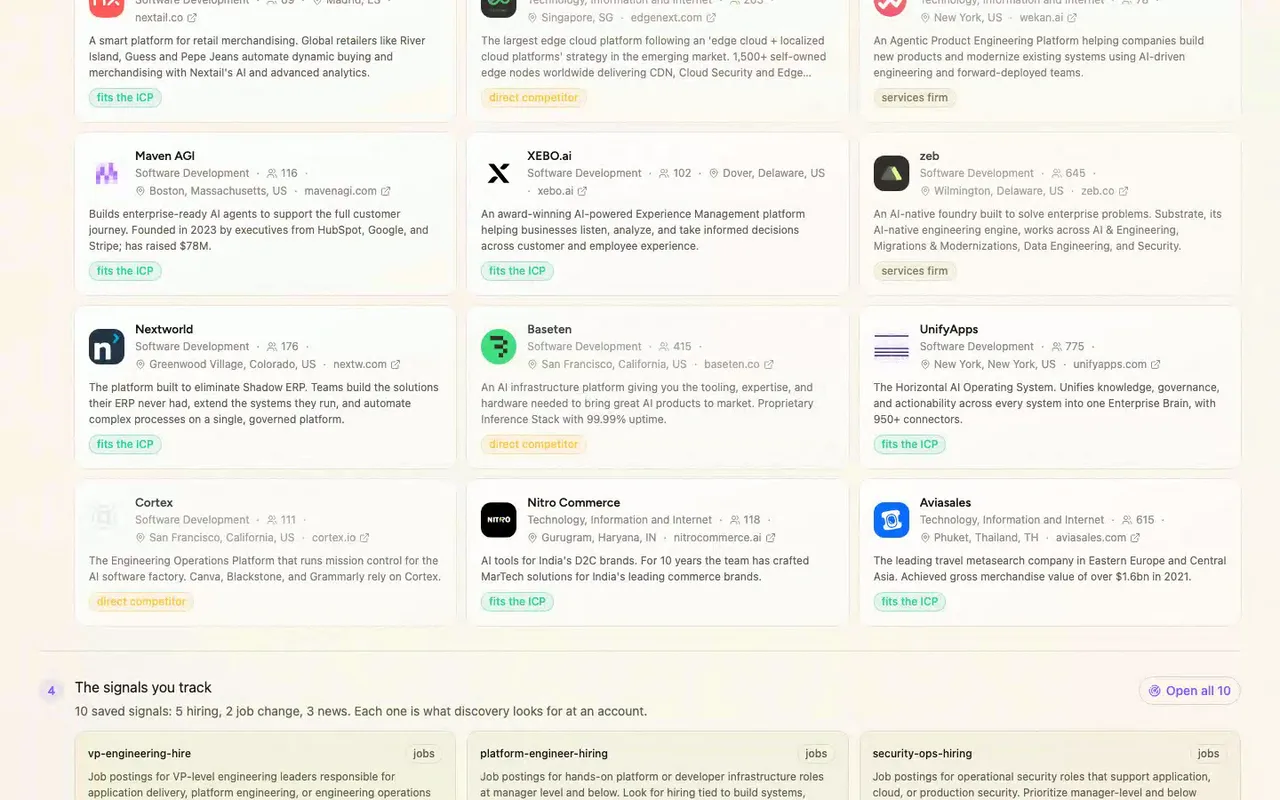
Target companies: the workspace has no accounts, so we ran Trayo's company find against the saved ICP. Eighteen real companies, nothing imported.
- 05
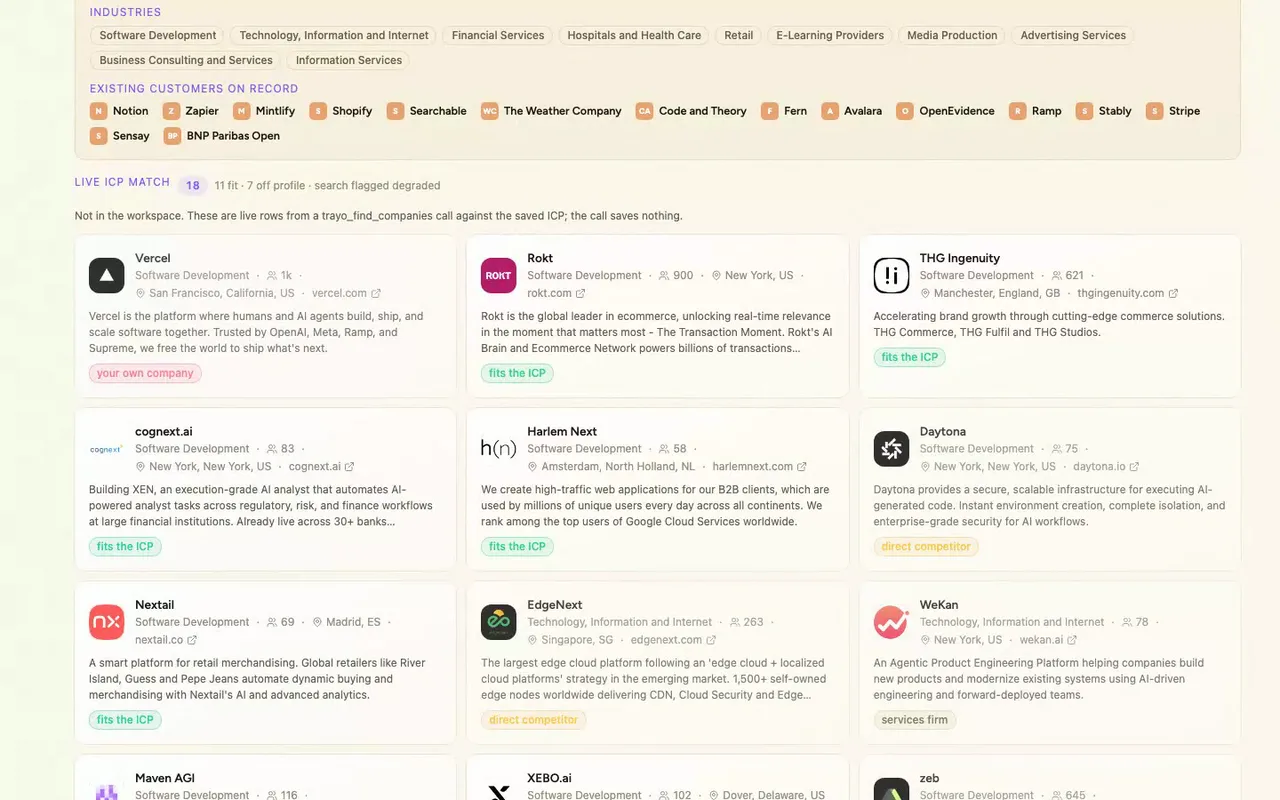
That find came back flagged degraded, one data source was down, so these rows are thinner than a healthy run. It's listed as a finding, not hidden.
- 06
Last bullet, accounts: zero. That's the blocking finding, and we re-checked it at the end. The header's 'nothing changed' badge is true.
How it was built
The data behind each screen, and what's faked for the demo.
If you own a Trayo workspace and want to know what state it’s really in, this is the review you’d open before deciding what to fix. It answers five questions in order: what you sell, who buys, which companies you’re targeting, which signals you track, and how many accounts you have. Then a Signals tab shows every signal’s full definition, and a Fixes tab ranks nine things worth a decision, each citing the call it came from. It’s built for the Vercel workspace, and it only reads. The header carries a “nothing changed” badge.
The alternative is clicking through the workspace screens one at a time and holding the picture in your head, or keeping a spreadsheet that goes stale the moment someone edits an ICP card. Here the five answers come straight from what’s saved, and the problems are ranked instead of scattered. The biggest one is blunt: the workspace has zero accounts, so nothing downstream has anything to run on.
The workspace call returned the saved Vercel ICP: 13 solution cards, 5 buyer personas (one VP economic buyer and four Directors), a buyer thesis, 10 target industries and 15 named existing customers. The signals call returned 10 signals: 5 hiring, 2 job-change and 3 news. The accounts call returned 0 rows, which became the fifth bullet and the blocking finding. Because the account list was empty, the target-companies bullet needed a stand-in. I ran a company find against the saved ICP (software development plus technology/internet, 50–10,000 staff), and it returned 18 real companies, shown with their own logos and firmographics. Nothing was imported, since a find saves nothing. For “who buys” I had no account to pick from either, so I chose Rokt myself, as the best non-competitor fit in those results. I searched it with the workspace’s own stakeholder definition. It read 19 candidates and returned 6 real people, shown with their real photos, and I didn’t add any of them. The find came back flagged degraded, because one of its data sources was unavailable for this workspace. That makes the 18 rows thinner than a healthy run would give, so I listed it as a finding instead of hiding it. At the end I re-checked the account count and it was still zero.
The workspace data is real, and so are the companies, logos, firmographics and people. The Salesforce, Slack, email and “run discovery” buttons are stubs, with no integration behind them. Each one opens a toast tagged “demo” that says what would have been sent and states plainly that nothing left the browser. I left them in so you can see where those actions would sit, but clicking one does nothing outside the page.