Build a buying committee app
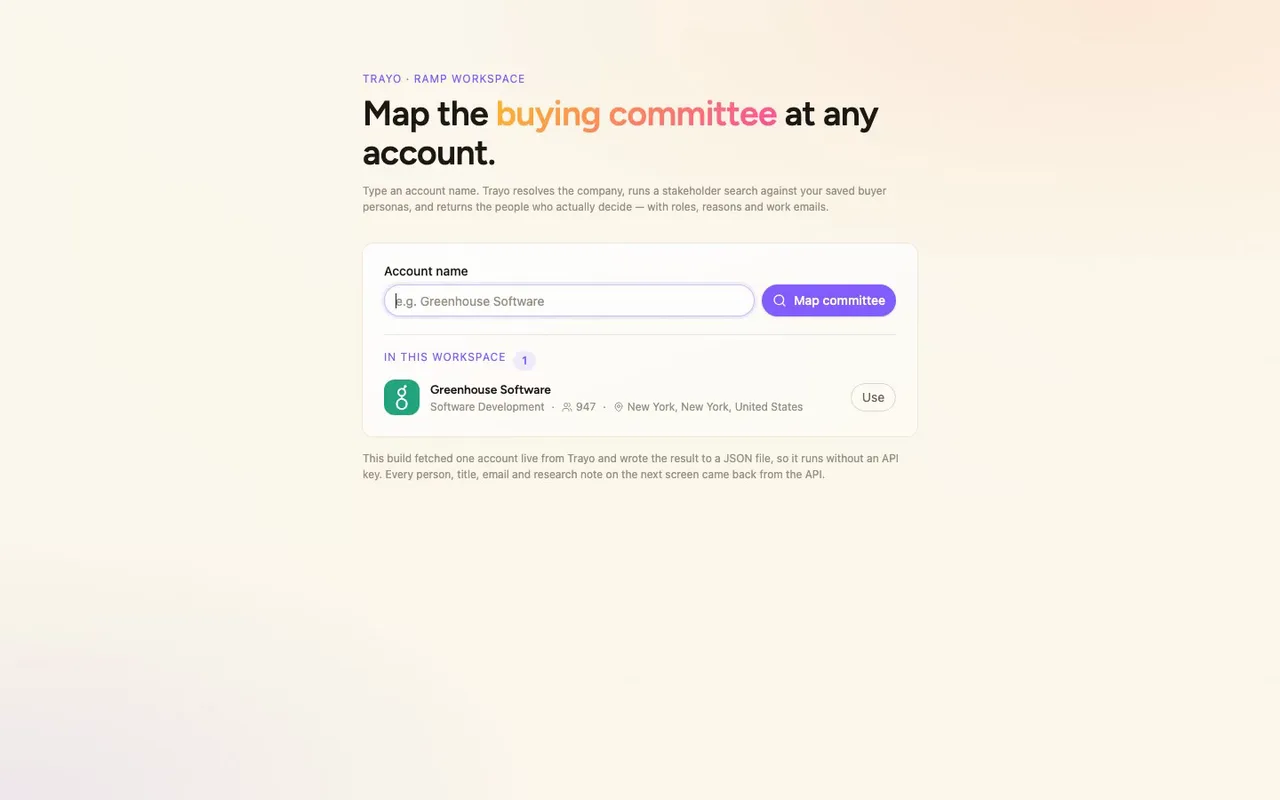
A rep types an account name and gets the finance buying committee at that account — 16 real people from Trayo, sorted into three tiers by buying role, each with a work email and…
- Built in
- 11 min
- Capabilities
- 6
- Live API calls
- 15

The prompt
Paste it into any coding agent with the Trayo MCP connected.
- + any MCP client


Use Trayo to build an app that takes an account name, then finds and maps the buying committee at that account.
What this app asked Trayo for
Every name, number and email on the page came back from one of these. None of it was typed in.
- Reads your workspace
What you sell, who you sell to, and the buyer personas already saved in Trayo.
- Finds companies
Surfaces accounts that match your ICP, plus lookalikes of the ones already working.
- Researches an account
A live snapshot per company — size, stack, why-now signals and why it fits.
- Finds the right people
Named stakeholders at an account, matched to the buying roles you care about.
- Gets verified emails
Work addresses with a confidence signal, so a bad match is visible rather than sent.
- Builds your account list
Imports, updates and organises accounts so the work survives the session.
Take the tour
The same run as the video above, one stop at a time.
- 01
Built on Trayo — every person here came from its API.
How it was built
The data behind each screen, and what's faked for the demo.
An account executive at Ramp who has a meeting coming up with a finance team, or is about to start working an account, types the account name and gets the finance buying committee back: 16 people sorted into three groups. Those groups are the people who sign, the people who run the evaluation, and the practitioners who feel the pain every month. Each card opens into a dossier with the person’s career history, why Trayo put them on the committee, and what they are probably fighting. A table tab lists all sixteen and lets you sort and select them, a Gaps tab names the personas that matched nobody, and a Calls tab shows every Trayo call that produced the page. From there you can export a CSV or trigger the demo actions described below.
The manual version of this is a LinkedIn search for finance titles, a guess at who owns what, a separate tool for emails, and a spreadsheet that is stale the week after. Here the list, the emails and the reasoning for each person sit in one place, and the reason each person is on the list is written next to their name. The Gaps tab covers something a spreadsheet usually hides: Trayo found no procurement and no treasury title at Greenhouse, so two of Ramp’s five personas have no owner to sell into.
The account is Greenhouse Software. I ran trayo_find_companies over the saved Ramp ICP (software development, New York HQ, 200 to 1,200 staff), got fifteen rows back, and picked a clean fit. trayo_research_company gave me the one-liner, three why-now items and two fit lines at the top of the page. trayo_search_stakeholders, run against the workspace’s own persona definition, found 6 candidates and returned only 2 of them, Paul Todgham (CFO) and James Walker (VP, Corporate Controller). That was too thin for a committee, so I ran trayo_find_people with a finance and accounting title set over greenhouse.com, and it returned all 16 people on the page. trayo_add_people saved all 16 with no duplicates. trayo_enrich_emails found verified work emails for 15 of them. Colleen Lawson’s lookup returned not_found, and it can be retried from 26 October 2026. One email came back with identityConfidence “conflict”: Jason Cohen’s address resolves to his own consultancy, which matches the research showing he has been its CEO since 2005. I flagged him as an outside contact instead of presenting it as a Greenhouse mailbox. Two trayo_research_person_batch calls returned the career histories and per-person reasoning. I fetched all of it once and wrote it to src/data/committee.json, so the app runs with no key and no backend.
The Salesforce push, the sequence enrolment and the email draft are stubs. There is no CRM or mail integration here, so each button shows a toast tagged demo that says exactly what would have been sent, and it sends nothing. The CSV export is real and is built in the browser. Everything on the page is real Trayo output for Greenhouse Software. The search box only accepts that one account, because it is the only one this build fetched, and it says so when you type anything else.