Board
Job-change board
Lists people who changed company in the last 90 days, from the ones who left a rival to new hires in the roles you sell to.
- For
- SDRs and account executives
- You provide
- Your competitors and buyer personas
- You get
-
- People who left a competitor
- New hires in buyer roles
- A working list with work emails
-
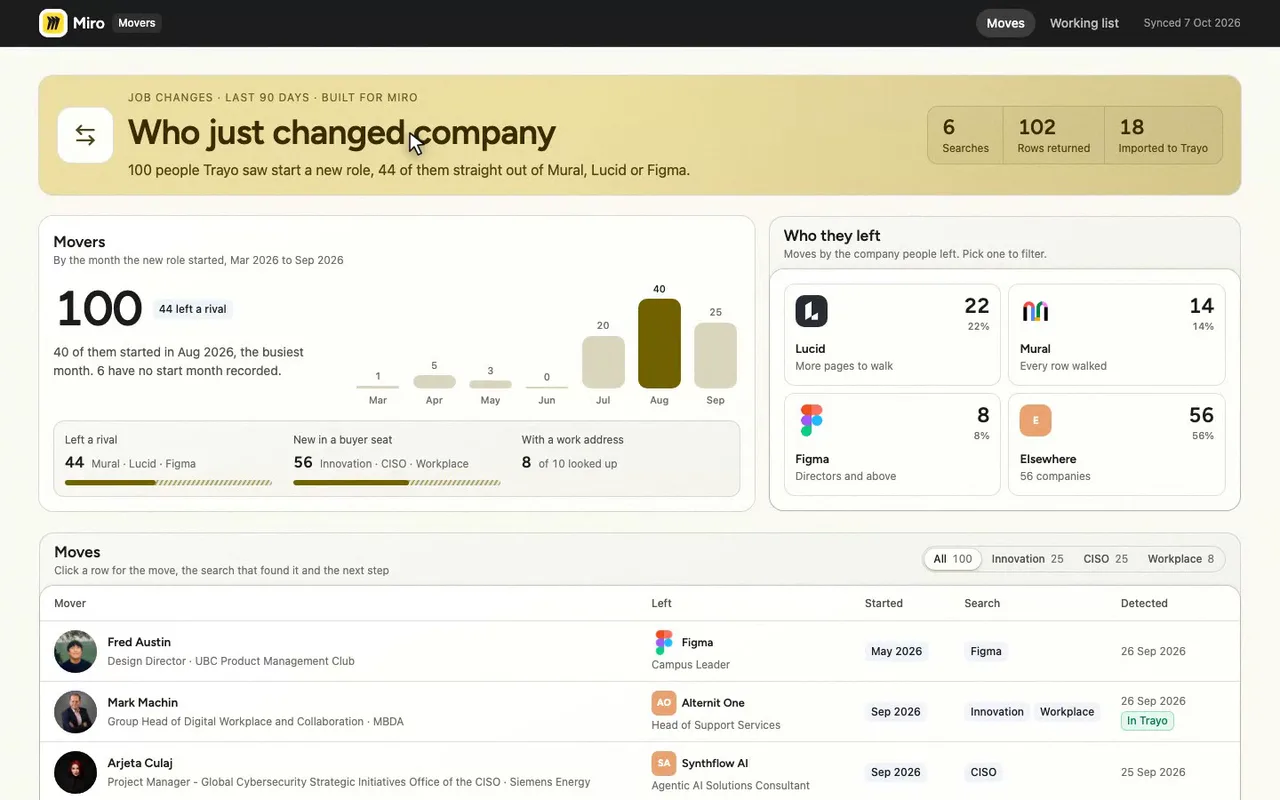
A job-change board for a Miro seller.
-
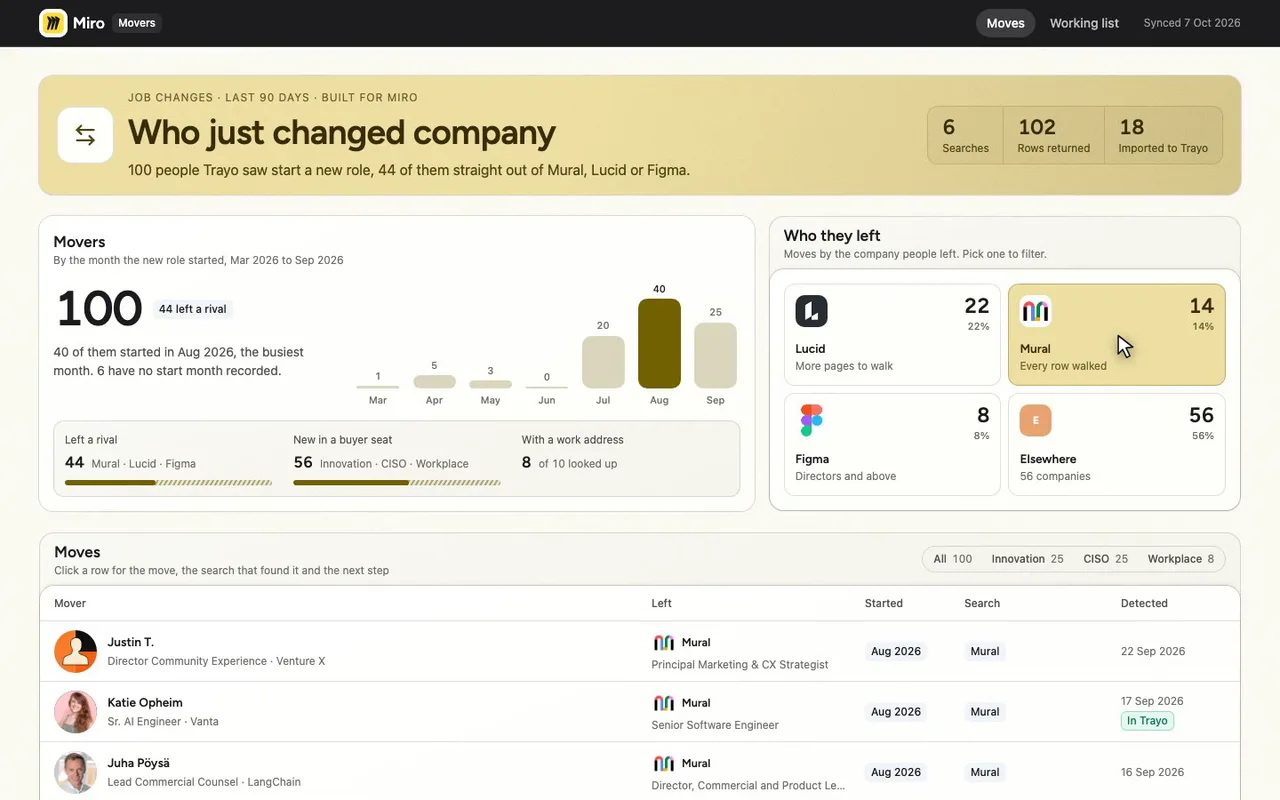
Fourteen left Mural. One tile filters the list.
-
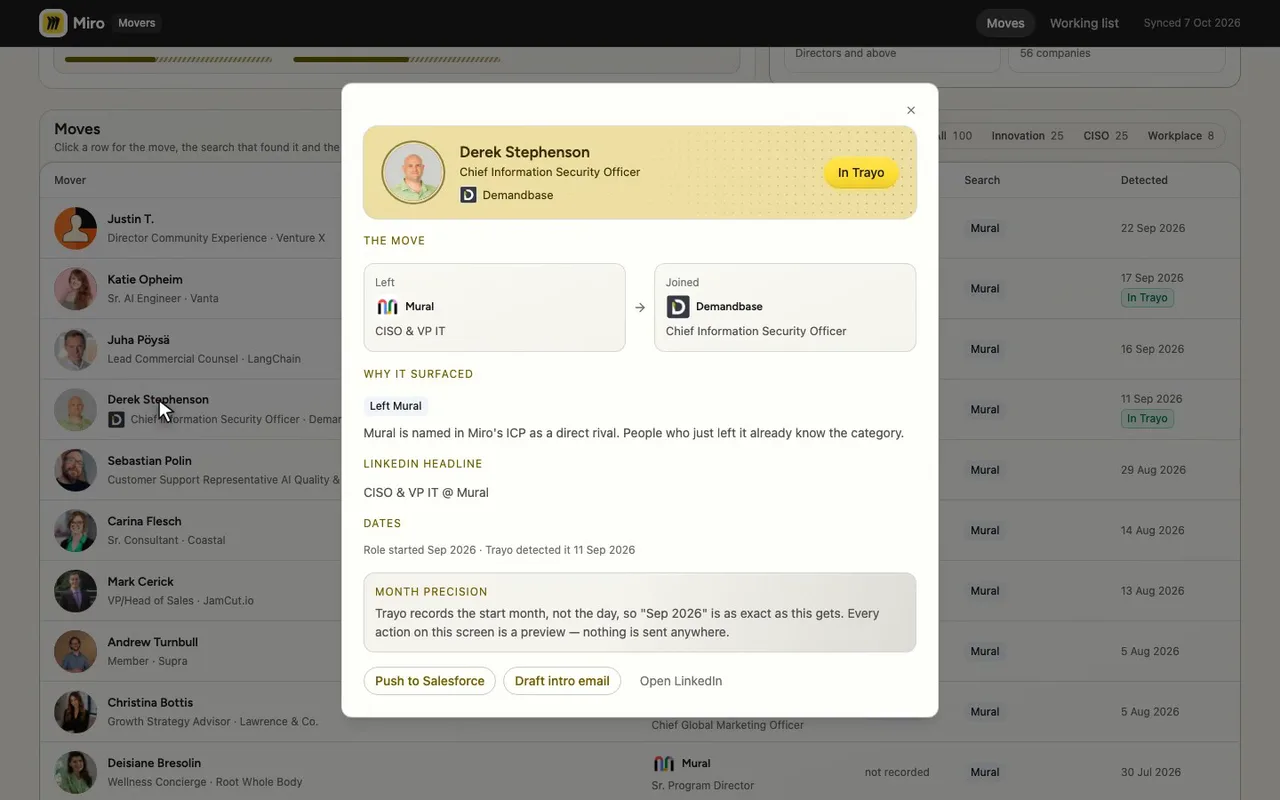
Derek Stephenson left Mural for Demandbase.
-
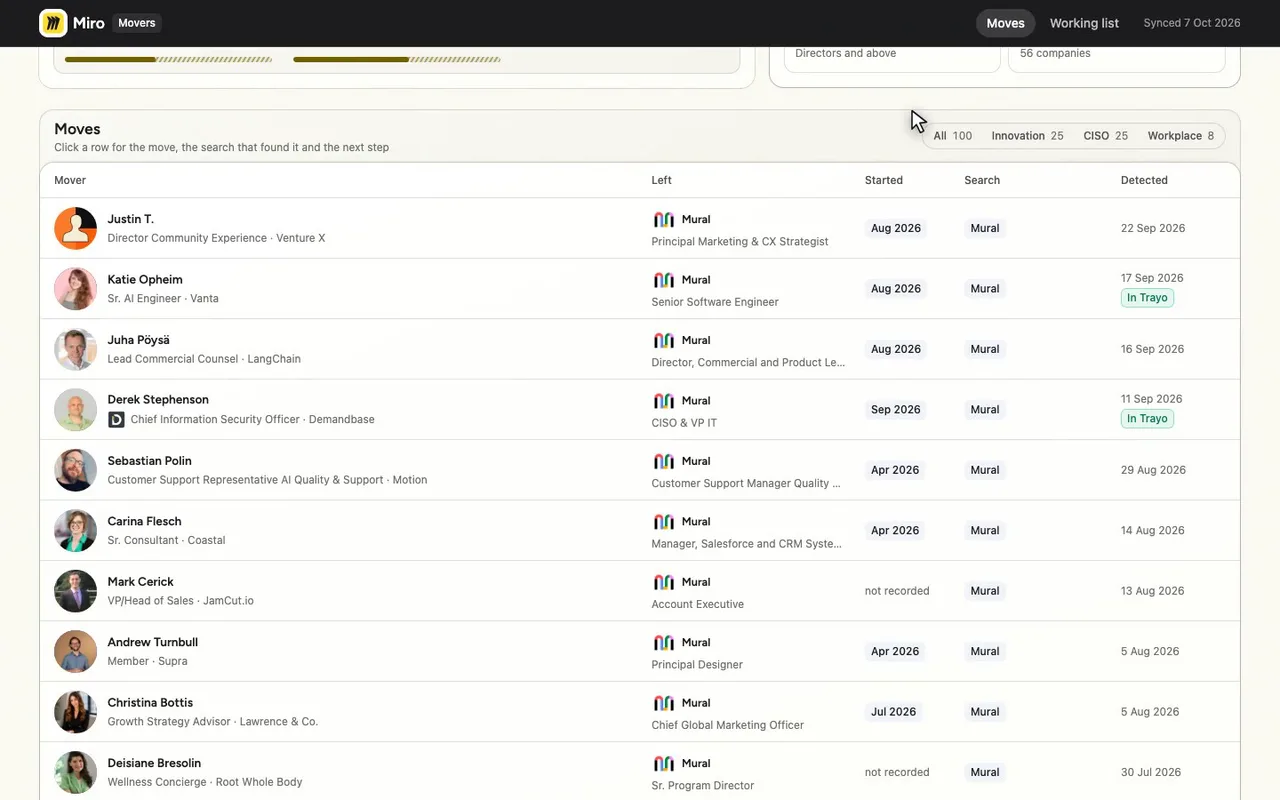
The green badge marks who I imported to Trayo.
-
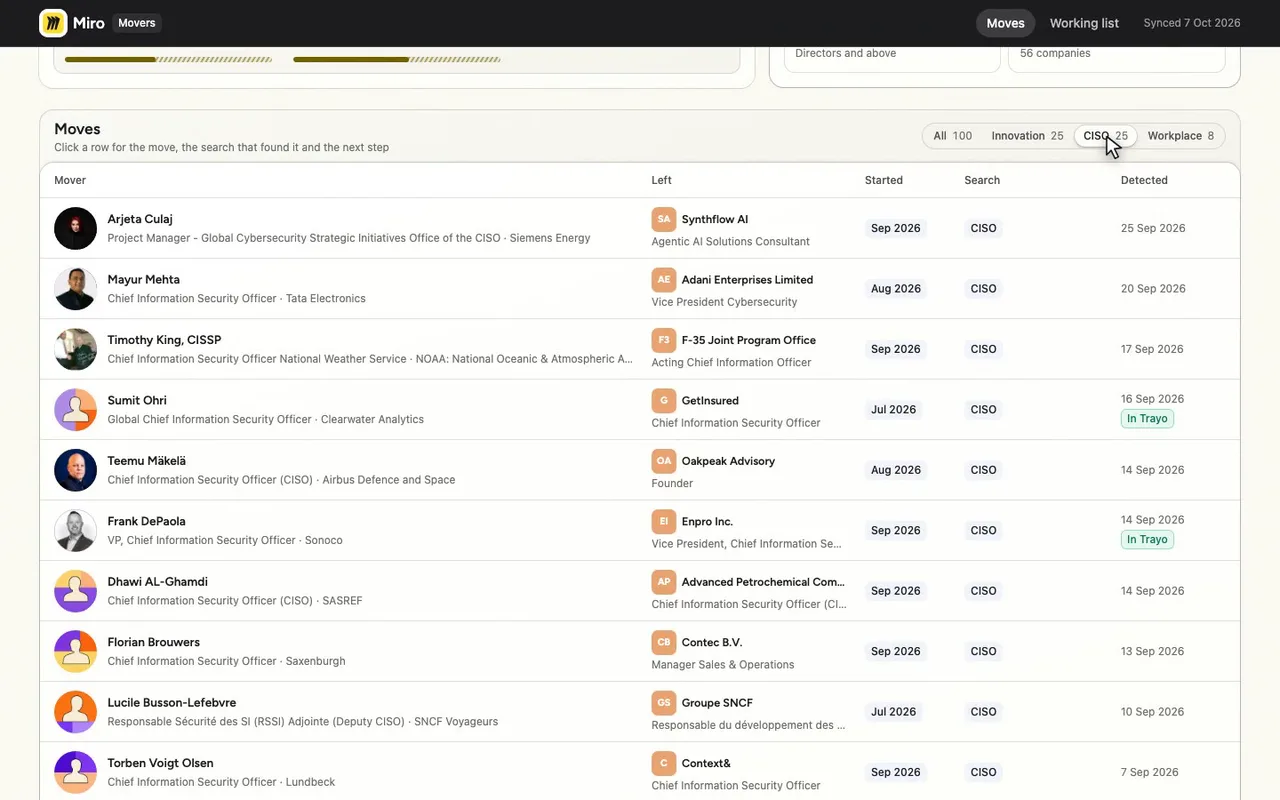
Or filter by title: 25 new CISOs.
-
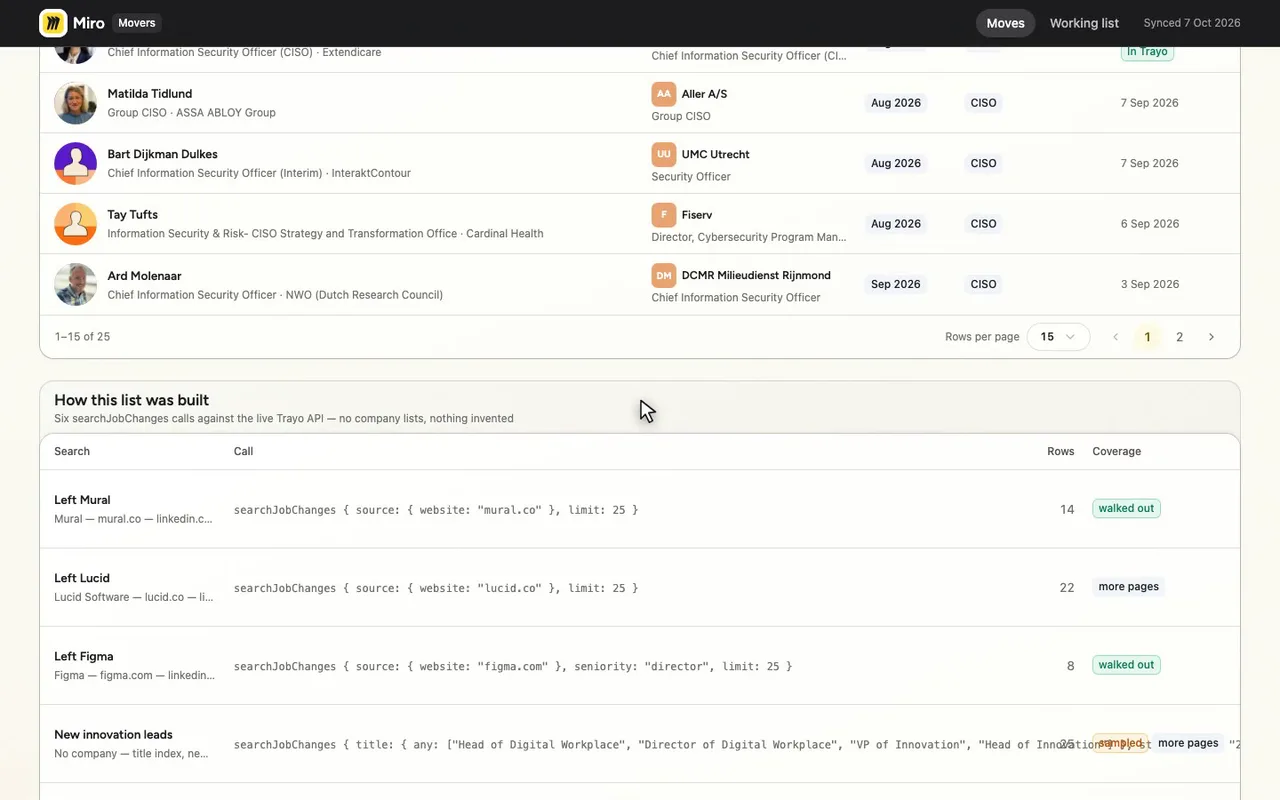
Six live Trayo searches built this list.

The prompt
Paste it into any coding agent with the Trayo MCP connected.
- + any MCP client


You have the Trayo MCP server connected. Carry out this recipe against the real API.

# People who just changed company

When to use: A champion left a customer, or a competitor's people are moving — you want who moved where in the last 90 days. Or you want everyone who recently started a role, such as a new CISO, at any company.
Cost: Nothing to search. One lookup per contact field you then look up.

## Steps - searchJobChanges: `source` (the company left), `destination` (the company joined), or both. Or, with no company, `title` plus `destinationFilters`. `startedSince` keeps roles started since a month, with or without a company. Up to 25 moves, read-only. A source-only search may read a bounded sample (`sampled: true`), so it is not exhaustive.
- batchCreatePeople: Import the movers you want to work. [optional] - enrichPerson: Then contact details, as in `stakeholders-at-a-company`. [optional]
Take the tour
A narrated walkthrough of the app.
The building blocks
What this app asked Trayo for
Every name, number and email on the page came back from one of these. None of it was typed in.
Reads your workspace
What you sell, who you sell to, and the buyer personas already saved in Trayo.
Finds the right people
Named stakeholders at an account, matched to the buying roles you care about.
Gets verified emails
Work addresses with a confidence signal, so a bad match is visible rather than sent.
Builds your account list
Imports, updates and organises accounts so the work survives the session.
Watches for buying signals
Standing watches for job changes, funding and the other moments worth a reply.
How it was built
The data behind each screen, and what's faked for the demo.
Built in 18 min · 5 capabilities · 13 live API calls
Movers is an internal screen for a Miro AE or SDR who wants a reason to call someone this week. The first route lists every person Trayo saw change company in the last 90 days, filterable by the search that found them — people who left Mural, Lucid or Figma, and people who just started as a CISO, a head of innovation, or a head of digital workplace and collaboration. Clicking a row shows the move itself, why that search is relevant to Miro, and the next step. The second route is the working list: the 18 movers that were imported into the Trayo workspace, with the work email for each one that has one.
Everything on both screens came from the live Trayo API. Six searchJobChanges calls returned 102 rows for 100 distinct people: 14 out of Mural, 22 out of Lucid Software, 8 directors-and-above out of Figma, 25 new innovation and digital-workplace leads, 25 new CISOs at companies over 1,000 staff, and 8 new collaboration and digital-workplace leads (two people matched two title searches). trayo_import_accounts created 18 destination accounts, trayo_add_people imported 18 movers against them, and trayo_enrich_emails ran on 10 — it returned a verified address for 8 and found nothing for 2, which it will retry from 6 November. The rivals and the titles were not chosen freehand: Mural, Lucid and Figma are on the competitor list in Miro’s own workspace profile, and the three title searches match three of its five stakeholder personas. The workspace had no accounts in it, so there was no customer list to start from.
Two honest caveats. Four of the six searches came back sampled or with more pages, so this is what Trayo saw first in its 90-day detection window, not an exhaustive list of who moved; the coverage table on the first screen shows which. And the email lookup returned addresses on the domain of the company people had just LEFT for two of the eight — [email protected] and [email protected], plus [email protected] — so the screen flags those rather than passing them off as current. Start dates are month-precision because that is all Trayo holds. Salesforce, sequences and email sending are not connected to anything: those buttons raise a preview toast describing what would have been sent. Destination logos only appear where the enrichment gave a real domain (Demandbase, CGI, Bicara, AlixPartners, Xylem) — name-only accounts render without one rather than with a guessed domain. The brand module reported six contrast adjustments on Miro’s palette: #FFDD33 is too light to read as text or a focus ring on a light page, so accent text and rings fall back to a darker gold (#7C6A00), and the page takes a soft yellow-tinted canvas; both supplied colours are in use, as primary and as ink.
More recipes
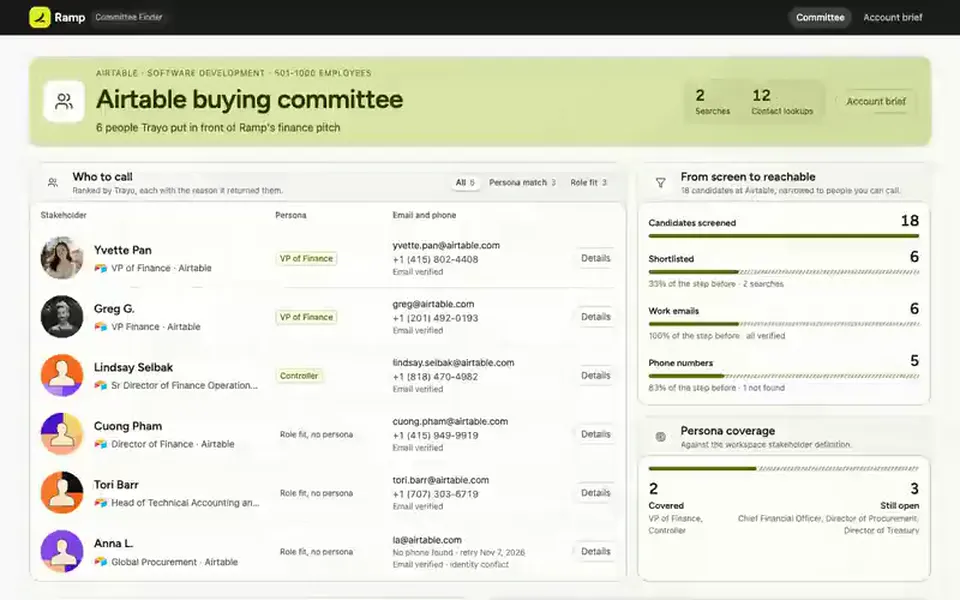
 Ramp
Ramp List
Committee finder
Names the people who own or buy what you sell at one target account, each with a verified work email and phone.
You provide: A target account
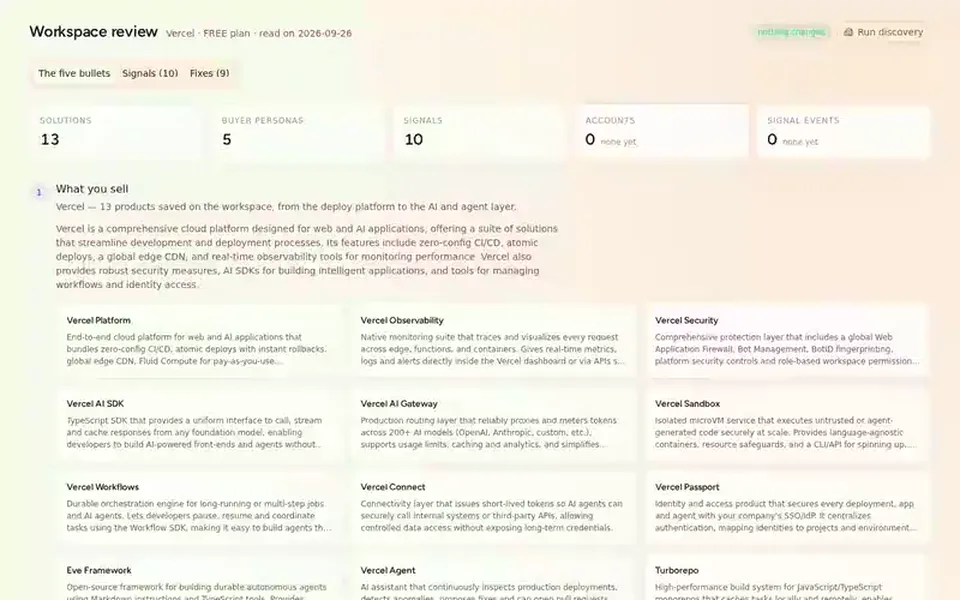
 Vercel
 Report
Review your setup
A read-only review of a Trayo workspace in five bullets — what it sells, who buys, the target companies its ICP resolves to, the ten signals it tracks and its zero accounts —…
You provide: A Trayo workspace
 Salesforce
 List
Buying committee finder
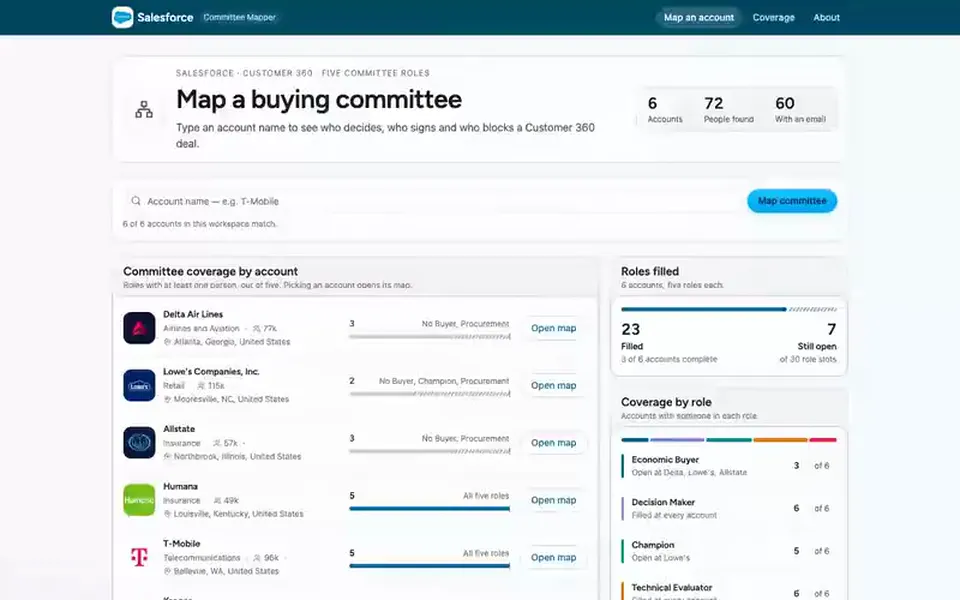
Type an account name and get the people who decide there, grouped by buying role, with work emails.
You provide: An account name