List
Prospect list builder
Finds companies that match a description, adds the executives who buy there, and saves both to a named list.
- For
- SDRs and account executives
- You provide
- A description of the companies you want
- You get
-
- Companies imported as accounts
- Executives grouped by persona
- A saved list of every account and person
-
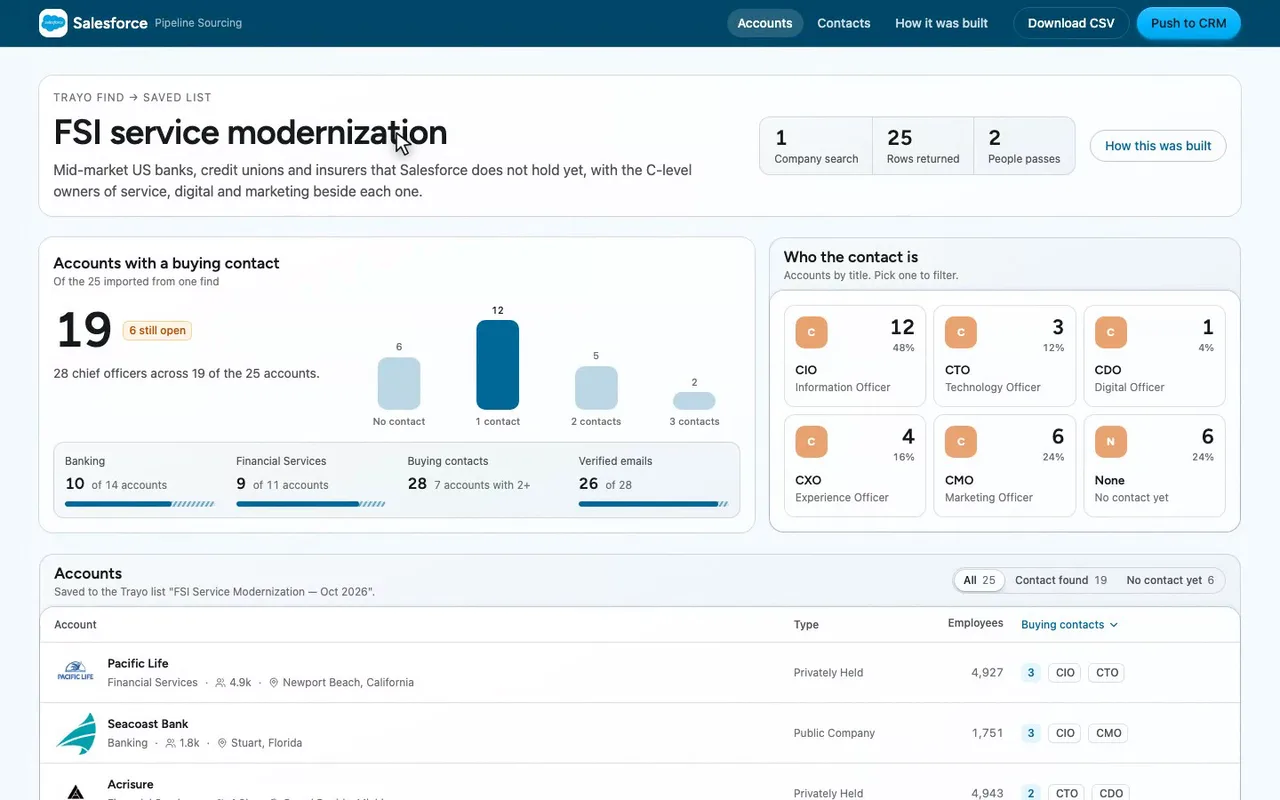
A sourcing desk for a Salesforce financial services rep.
-
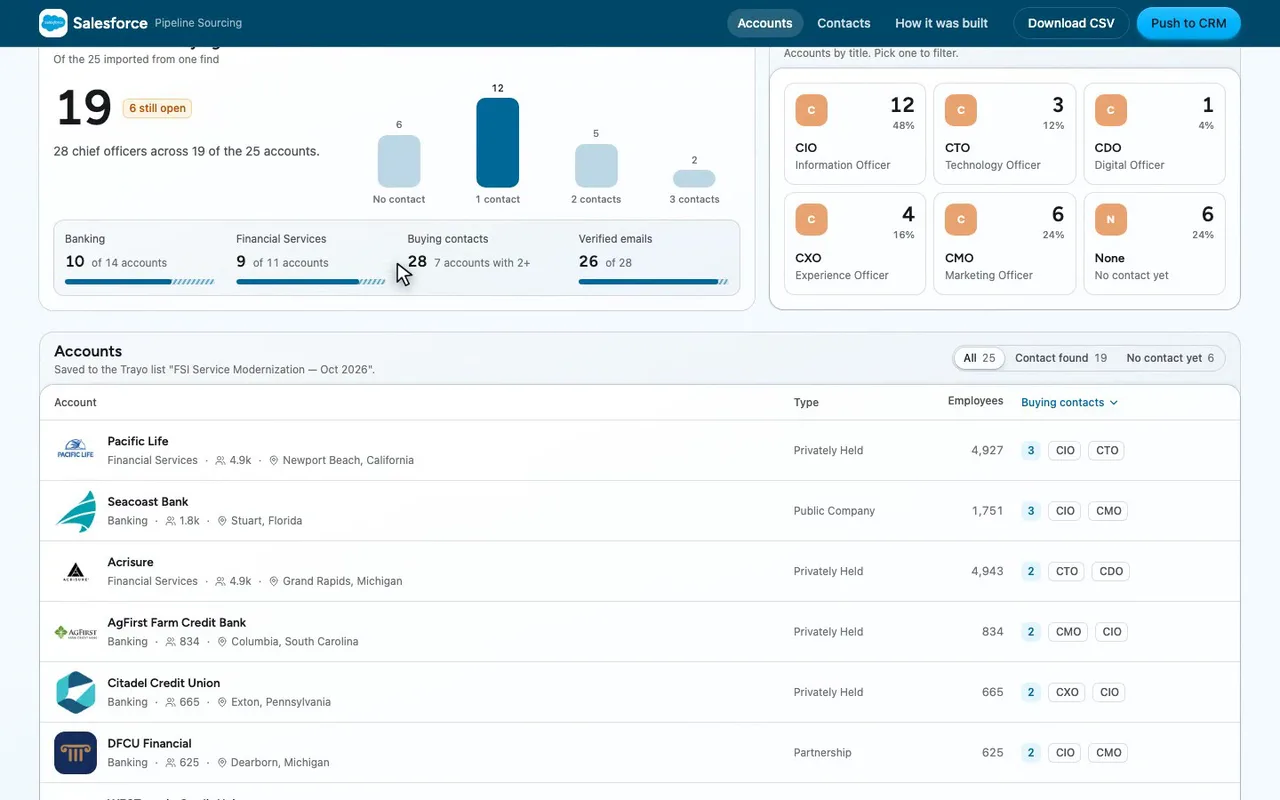
Twelve have one contact. Six are still open.
-
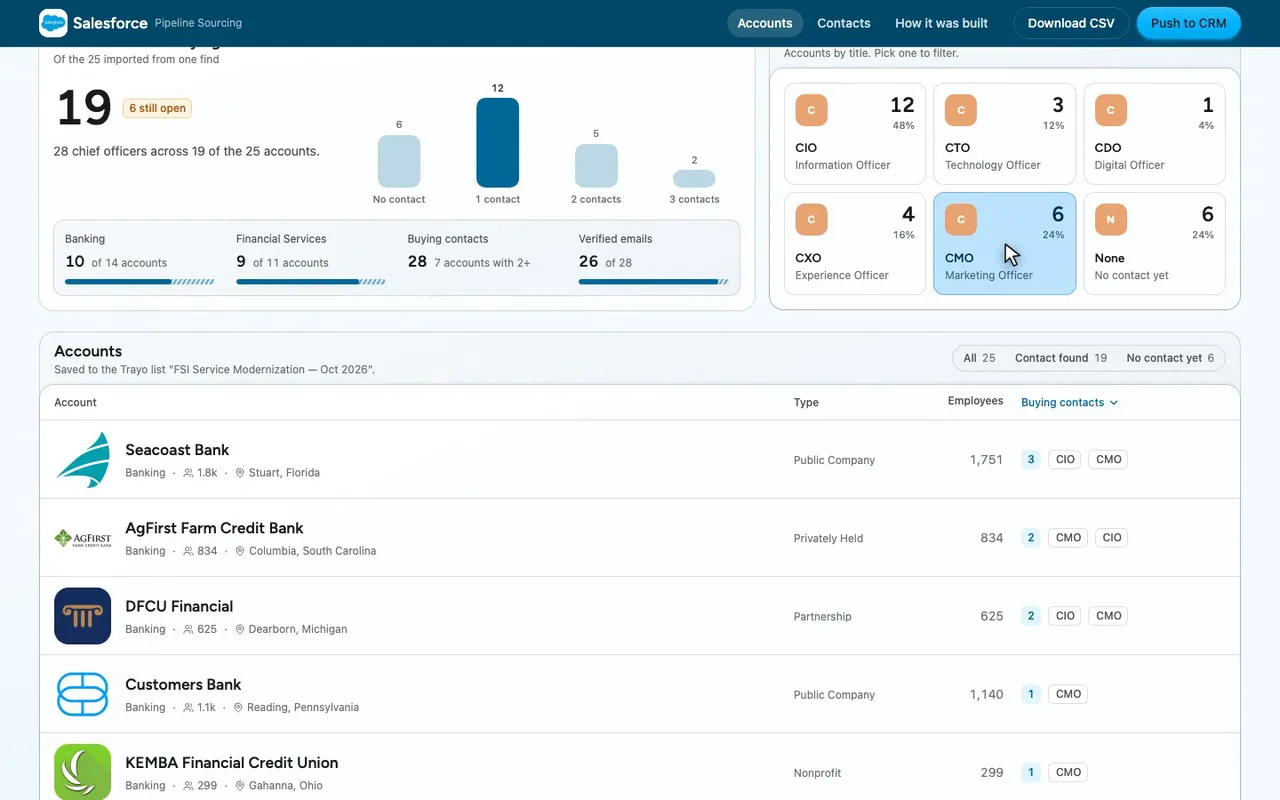
Pick CMO, and the list drops to six accounts.
-
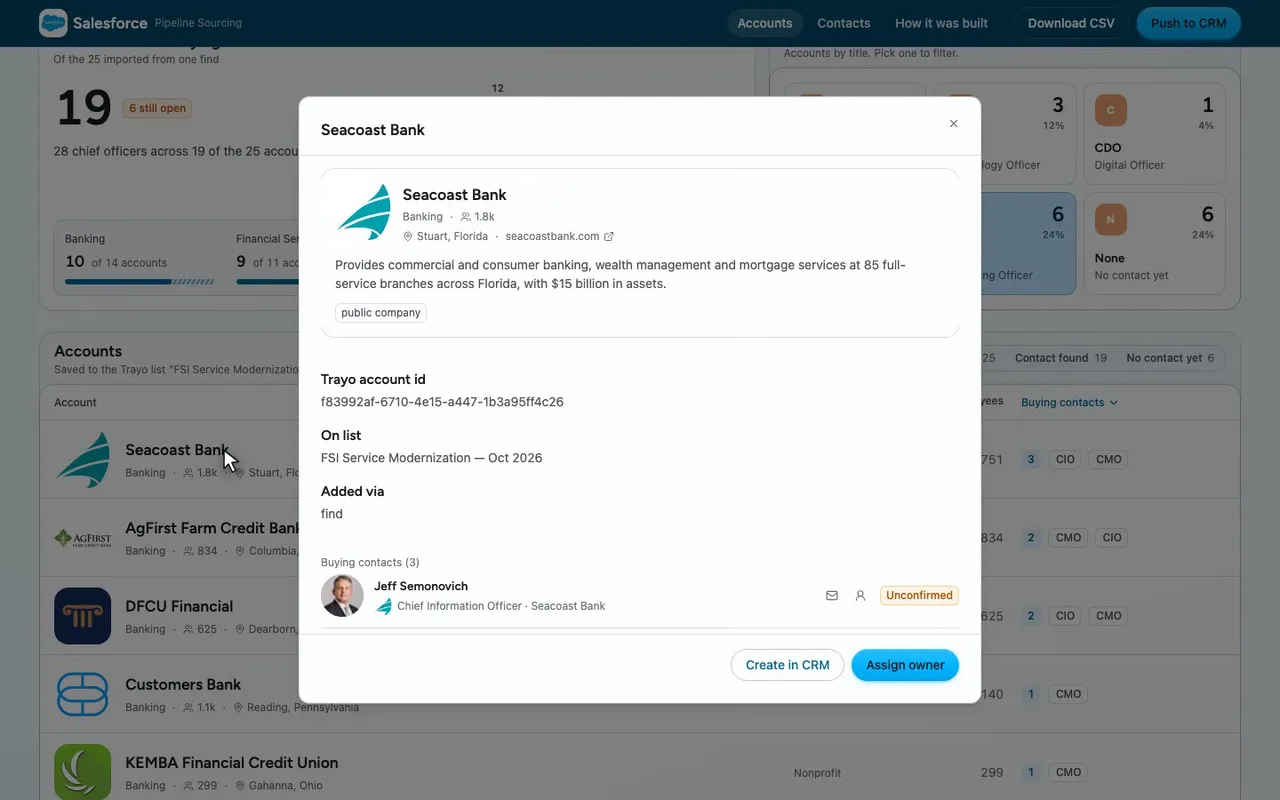
Open Seacoast Bank: its profile and three buying contacts.
-
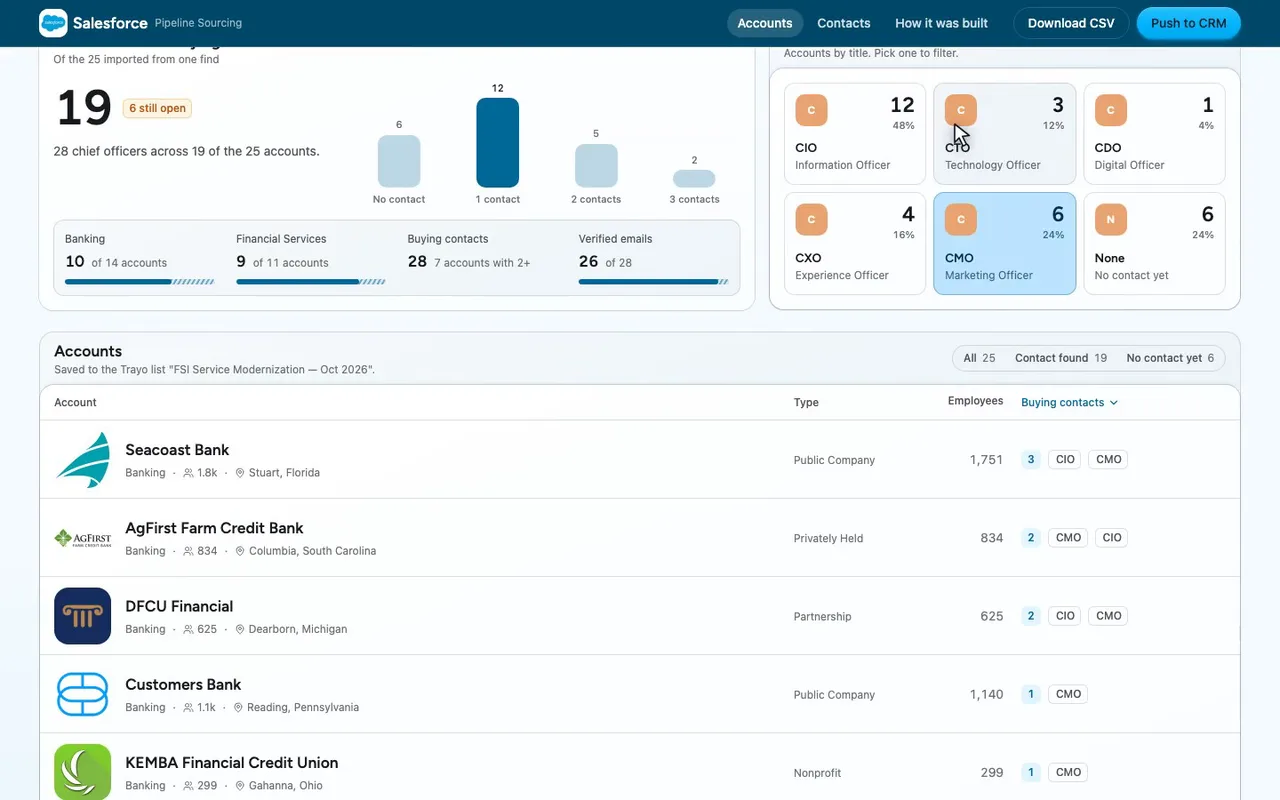
Close it. The filter stays put.
-
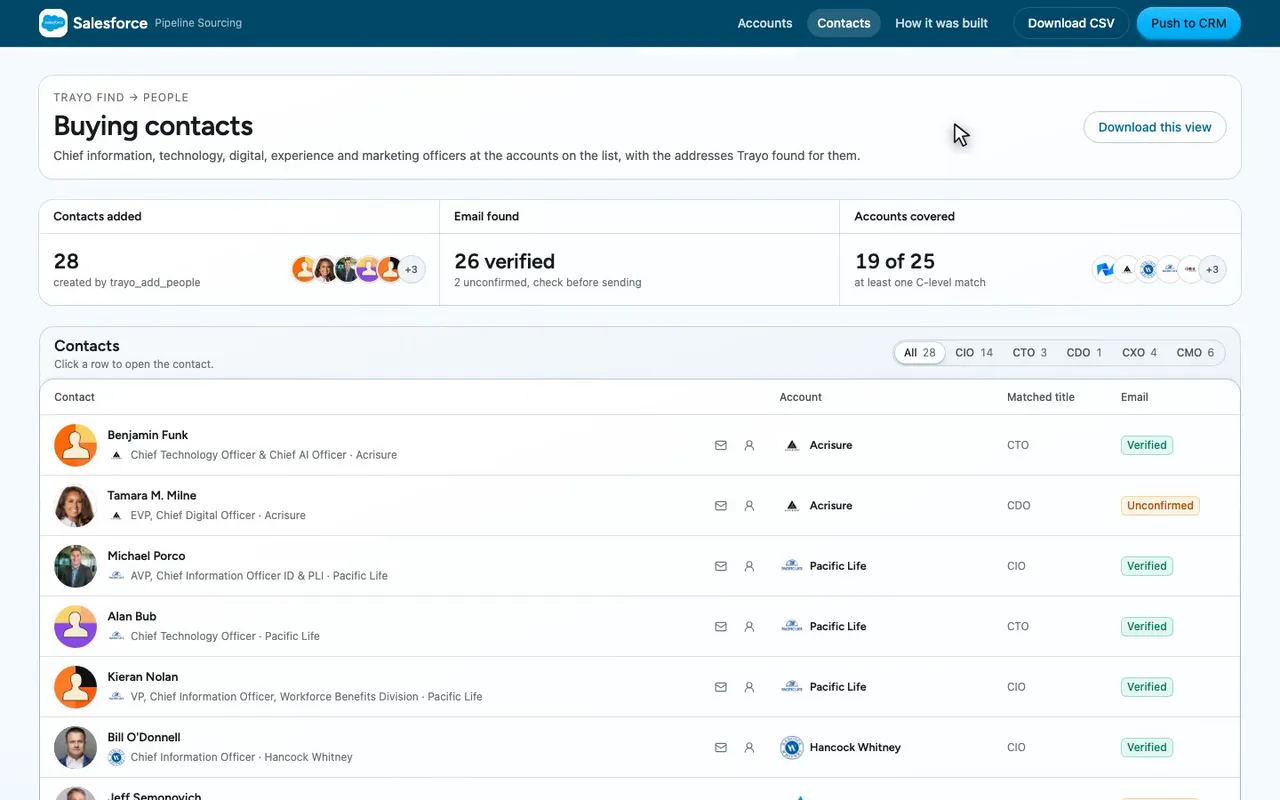
All twenty-eight chief officers sit on their own page.

The prompt
Paste it into any coding agent with the Trayo MCP connected.
- + any MCP client


You have the Trayo MCP server connected. Carry out this recipe against the real API.

# Find companies or people you do not have, and keep the good ones

When to use: You are starting from a description ("Series B fintechs in Europe", "heads of data at logistics companies") rather than from records you already hold.
Cost: One search against your quota per `POST /v1/find` that RUNS — a search that ran counts whether or not its results were useful, so read the response before sending a second one. Each account you then import draws on the same quota, as on `batchCreateAccounts`.

## Steps - find: `target` plus a natural-language `query`; add `filters` to make any criterion exact. One ranked page of at most 50. Read-only: nothing is written by finding. Before you re-run a disappointing search, read the three fields that say why it was thin. `interpreted` is what Trayo actually read out of your sentence — a criterion missing from `interpreted.filters` was NOT enforced, and resending `interpreted.filters` as `filters` makes the search exact and reproducible. `truncated: true` means more matched than this search can show, so narrow rather than page deeper. `degraded: true` means part of the search failed or timed out, so a thin page may be an outage rather than an absence of matches; `notes` then carries a `search_degraded` entry, which is the only account of what went wrong. Use what came back or refine what you send — do not just spend another search on the same words, because a repeat is billed as a new search and some causes persist for a workspace and degrade every repeat. An unqualified query is the usual cause of a thin page: "GPU cloud and AI compute providers" comes back dominated by companies over 27,000 people, because nothing in it says how big; say "startup", or send `filters.headcount`, and the same search returns the companies you meant. (`droppedUnaddressable` counts rows removed for having no website at all — a large one means the sentence swept up directories and institutions.) `notes` is the fourth, and the one to open whenever any of the other three says something went wrong: it names a filter whose values were not all scanned to the end, a bare city name that turned out to mean several places, or the degradation `degraded: true` reports. A bare city is `"dublin"`, Ireland and Ohio, or `"newark"`, New Jersey and California. Pin one as `"newark|california"` or `"dublin||IE"`. Several values of one filter are a union, so one call with twenty industries returns what twenty single-industry calls return; you do not need to split a search unless `notes` says a value ran out of budget.
- batchCreateAccounts: Bring the companies in. Deduplicated on hostname, then on `linkedinHandle`; a repeat is `alreadyAdded`, not an error. [optional]
- batchCreatePeople: Bring the people in. A person needs an account to belong to, so create accounts first. [optional]
- createList: A named working set that outlives this session and shows up in the Trayo app under the user your key acts as.
- addListMembers: By `personId` or `accountId`, with `via: "find"` recording how they got there. Re-adding a member is a skip, so the same batch is safe to send twice.

## Then Hand the LIST to whatever acts on it — a CRM push, a campaign, a person — rather than your session's memory of it.
Take the tour
A narrated walkthrough of the app.
The building blocks
What this app asked Trayo for
Every name, number and email on the page came back from one of these. None of it was typed in.
Reads your workspace
What you sell, who you sell to, and the buyer personas already saved in Trayo.
Finds companies
Surfaces accounts that match your ICP, plus lookalikes of the ones already working.
Finds the right people
Named stakeholders at an account, matched to the buying roles you care about.
Gets verified emails
Work addresses with a confidence signal, so a bad match is visible rather than sent.
Builds your account list
Imports, updates and organises accounts so the work survives the session.
How it was built
The data behind each screen, and what's faked for the demo.
Built in 15 min · 5 capabilities · 14 live API calls
This is a sourcing screen for a Salesforce rep working mid-market financial services. The Accounts view lists the 25 companies the run brought in, sortable, filterable by whether a buying contact was found, and each row opens to the company’s own description and the people attached to it. The Contacts view lists the 28 chief information, technology, digital, experience and marketing officers found at those accounts, with the address Trayo returned and whether it is verified. A third view, “How it was built”, states the search that produced the list and what it did not cover. I chose the segment myself: the workspace’s saved ICP lists financial services, banking and insurance among its industries and names “contact center modernization” and “customer self-service” as positive signals, so I searched for US banks, credit unions and insurance carriers of 200-5,000 employees modernizing service with AI agents, and picked the five chief-officer titles from the workspace’s own stakeholder personas.
Everything on screen came from the API on 12 October 2026. One trayo_find_companies call (the one search this spends) returned 25 companies, not degraded, nothing dropped for a missing website; trayo_import_accounts created all 25 with no duplicates. Two trayo_find_people calls in direct mode, filtered to the five titles, returned 28 people across 19 of the 25 accounts — the first pass resolved only 13 of the 25 domains and marked the other 12 “uncertain”, so the second pass re-ran the same filter against the 12 Trayo company ids the first pass had offered as alternatives. trayo_add_people created all 28 with no skips, trayo_enrich_emails found an address for every one of them (26 verified, 2 unconfirmed with a conflicting identity), and trayo_add_to_list saved 53 members — 25 accounts and 28 people, each recorded via “find” — to the list “FSI Service Modernization — Oct 2026”. That list, not this page, is the thing to hand on.
Two real limits are stated in the app rather than hidden. The company search came back truncated: more companies matched than one ranked page can return, so these 25 are the top of a longer list. The people search read at most three people per account and at least one account hit that cap, and six accounts returned no match under those five titles — which means none came back, not that none exists. Push to CRM, Create in CRM, Assign owner, Send intro email, Add to cadence and Share in Slack are stubs: they raise the library’s preview toast saying what would have been sent, because no CRM, mail or Slack integration is wired up. Download CSV is real and writes a file from the data on the page. On branding, brandFromWorkspace took the one supplied colour, #00B3FE, as the primary and left nothing out; applyBrand reported that with no background given it assumes a white page tinted to #f5fbff, and that the primary is under contrast as text or as a border on that page, so accent text, links and focus rings use a deeper step, #006897, and chart series 2 shifts slightly. Those adjustments are listed in the app’s Brand panel.
More recipes
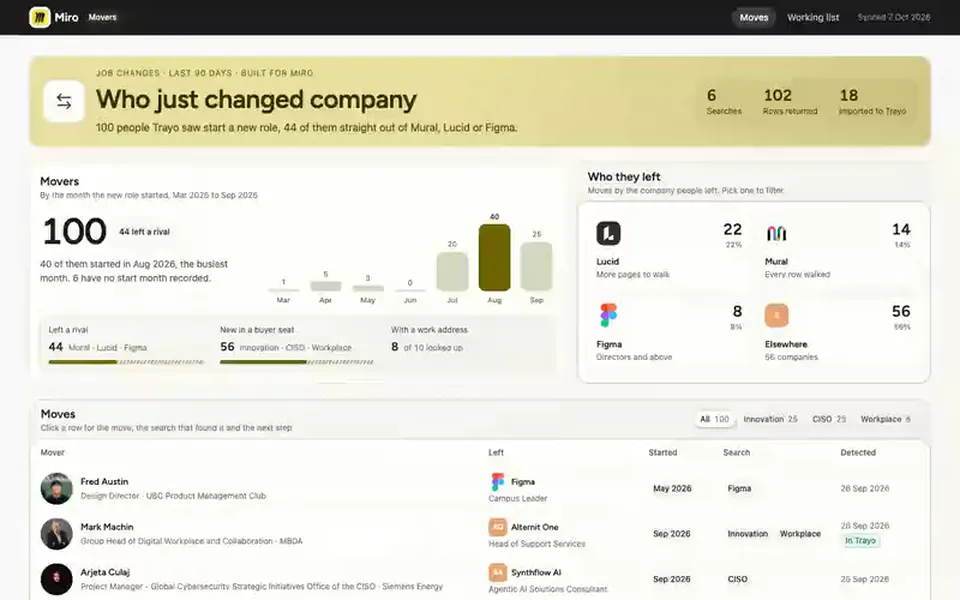
 Miro
Miro Board
Job-change board
Lists people who changed company in the last 90 days, from the ones who left a rival to new hires in the roles you sell to.
You provide: Your competitors and buyer personas
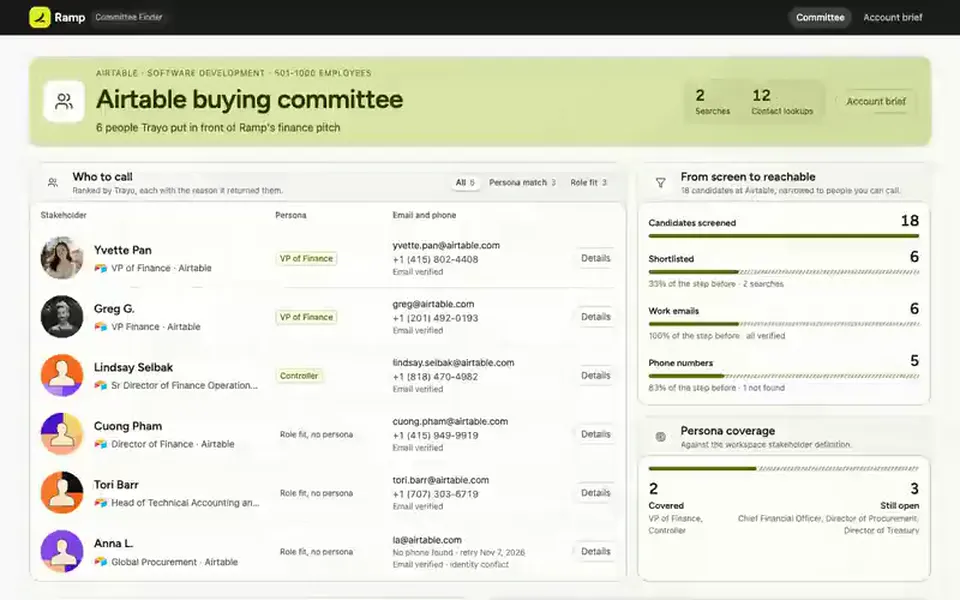
 Ramp
Ramp List
Committee finder
Names the people who own or buy what you sell at one target account, each with a verified work email and phone.
You provide: A target account
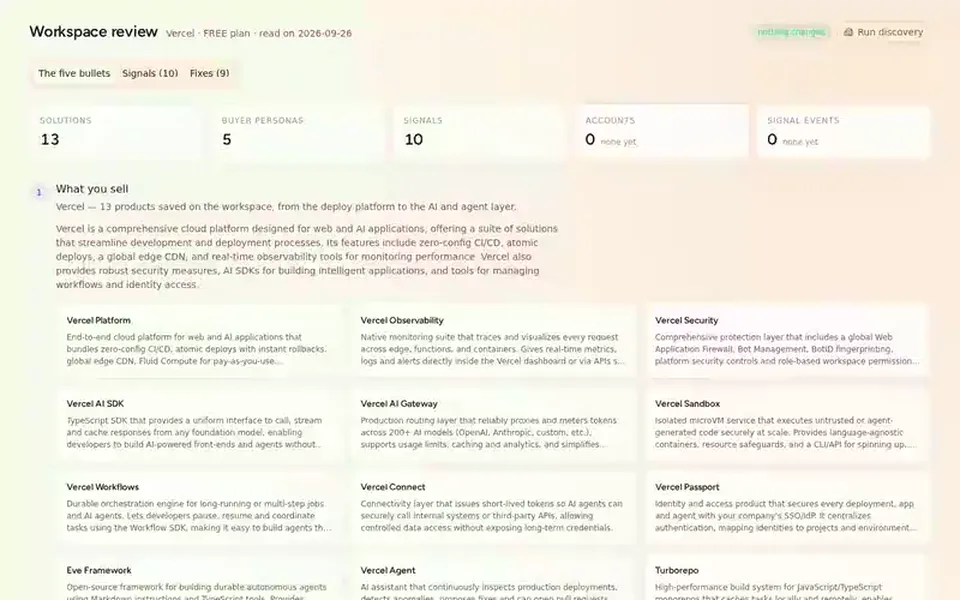
 Vercel
 Report
Review your setup
A read-only review of a Trayo workspace in five bullets — what it sells, who buys, the target companies its ICP resolves to, the ten signals it tracks and its zero accounts —…
You provide: A Trayo workspace