List
Segment builder
Turns an exact set of filters into the companies that match, then finds the buying group inside them.
- For
- SDRs and account executives
- You provide
- An industry, a headcount band and a country
- You get
-
- Companies matching the exact filters
- The buying group at the largest of them
- The API calls behind every number
-
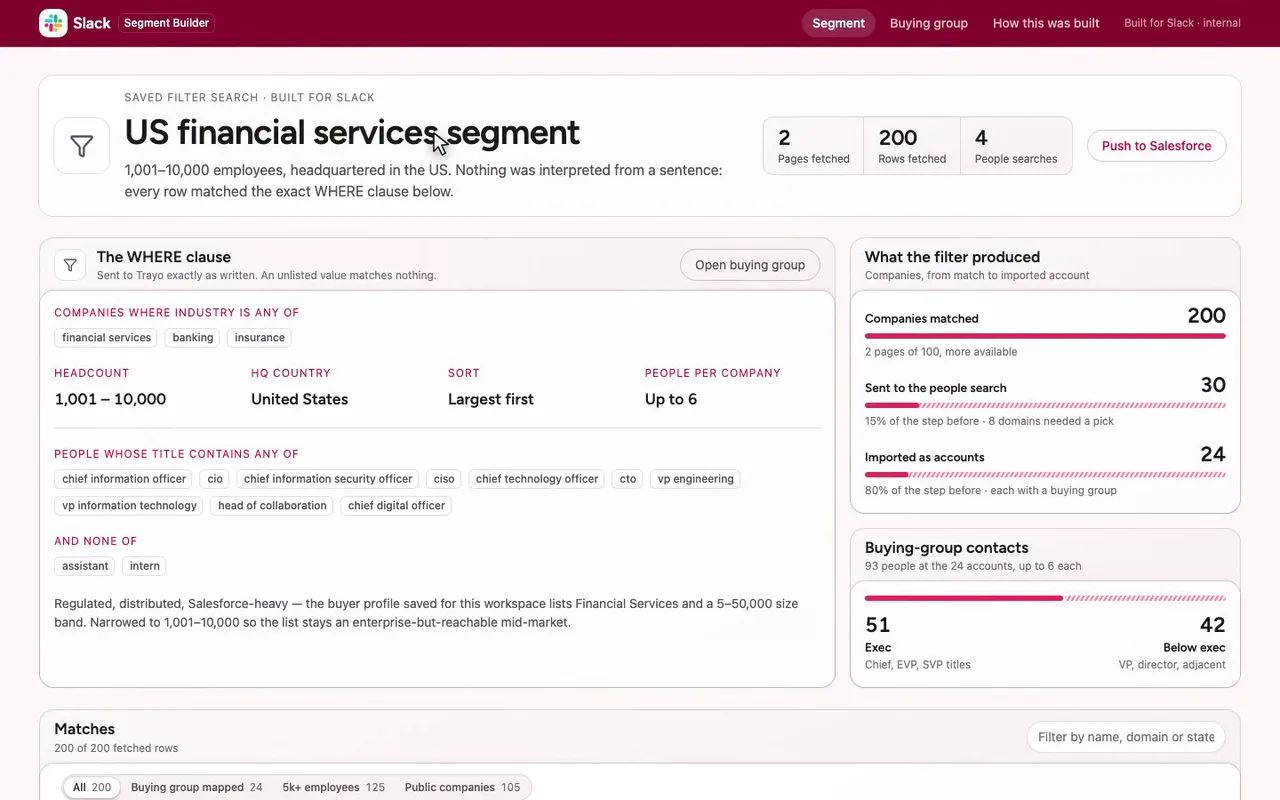
A segment builder for a Slack rep selling to finance.
-
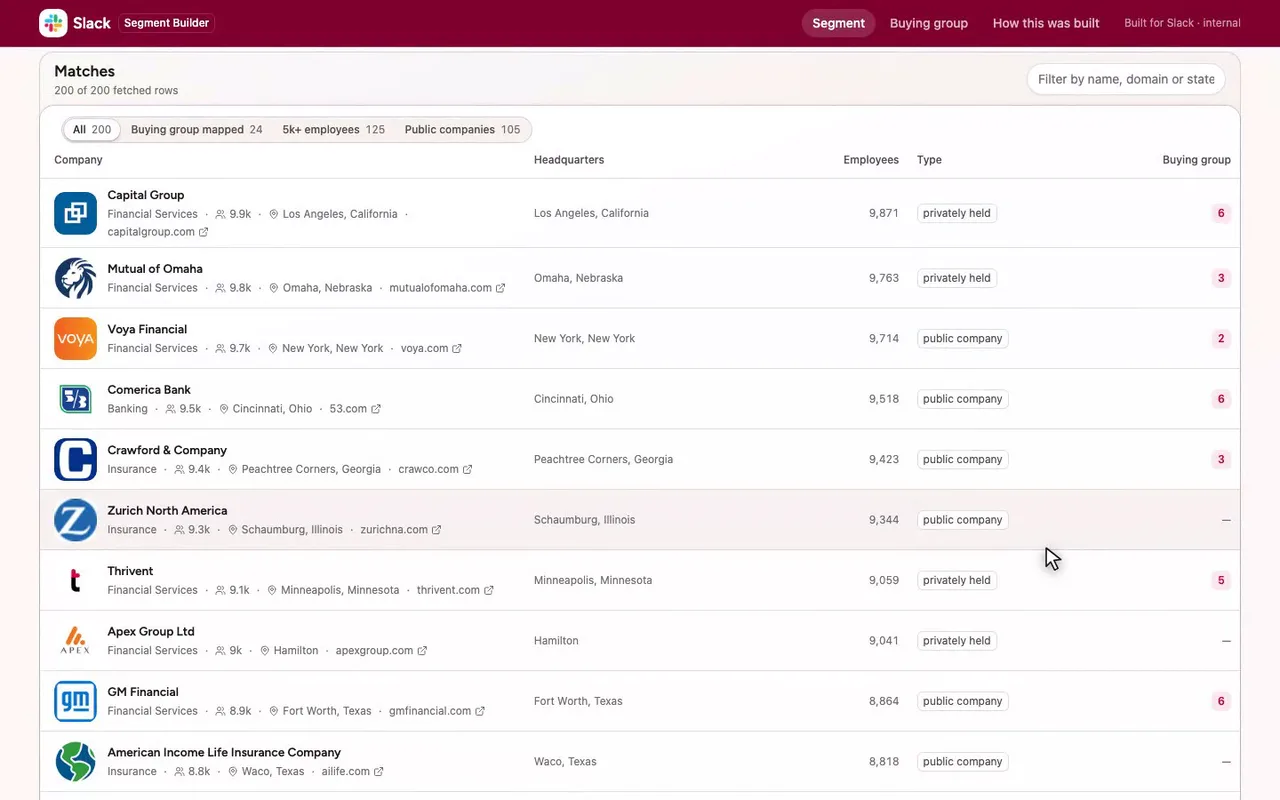
Below, all 200 matches, largest first.
-
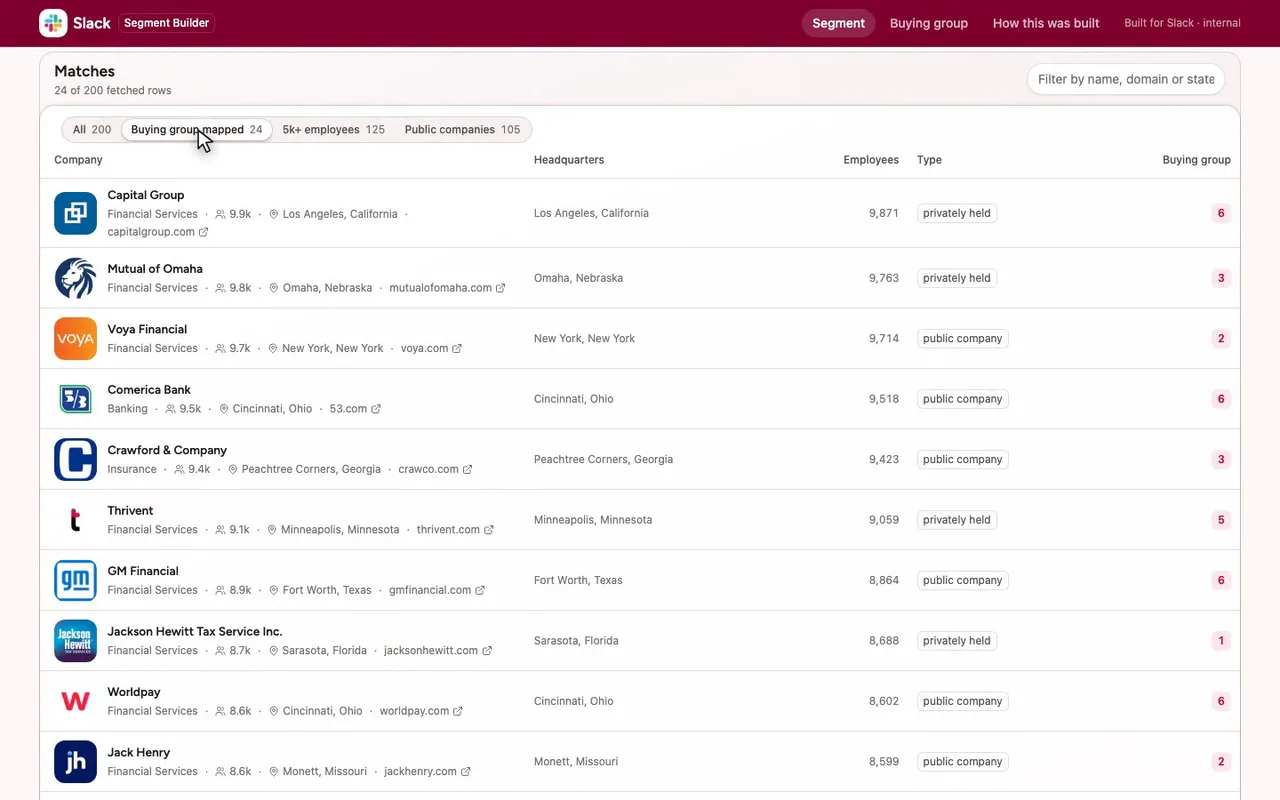
One click leaves the 24 accounts I can work today.
-
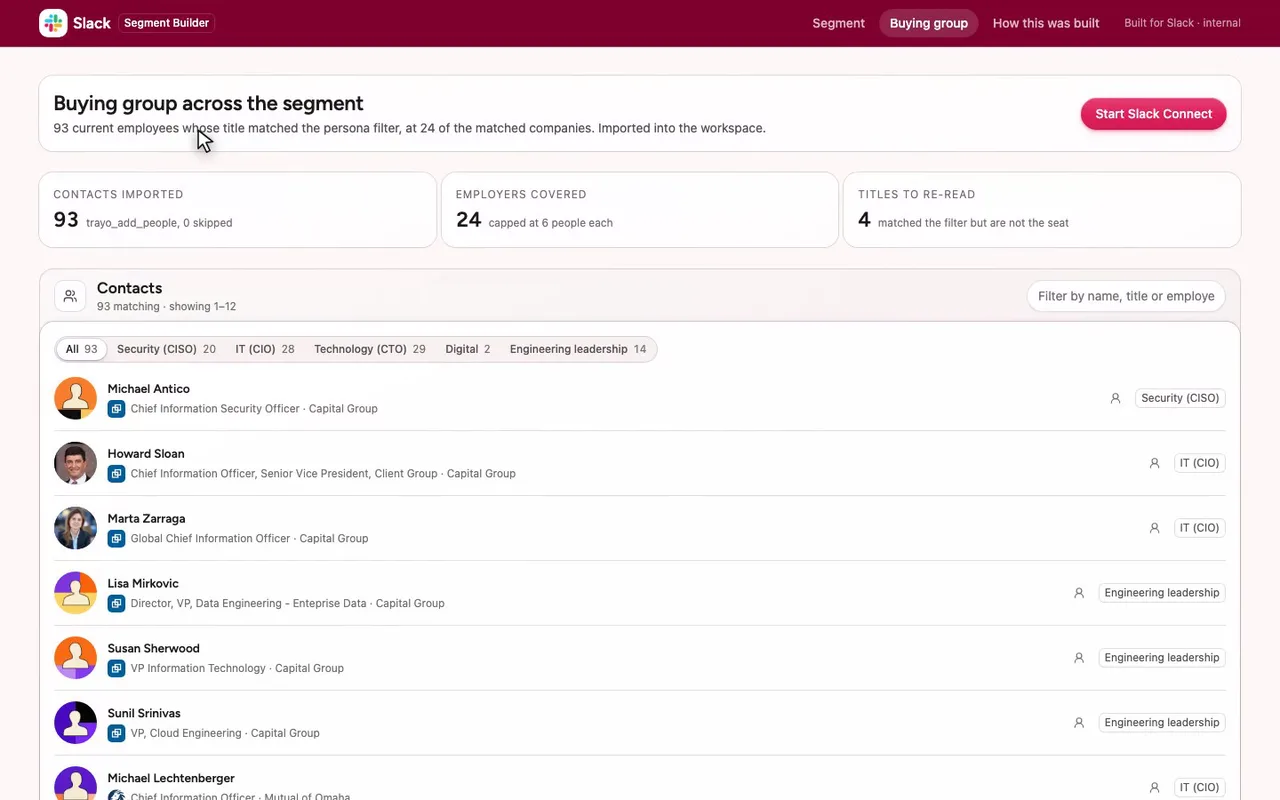
The buying group: 93 named people, all imported.
-
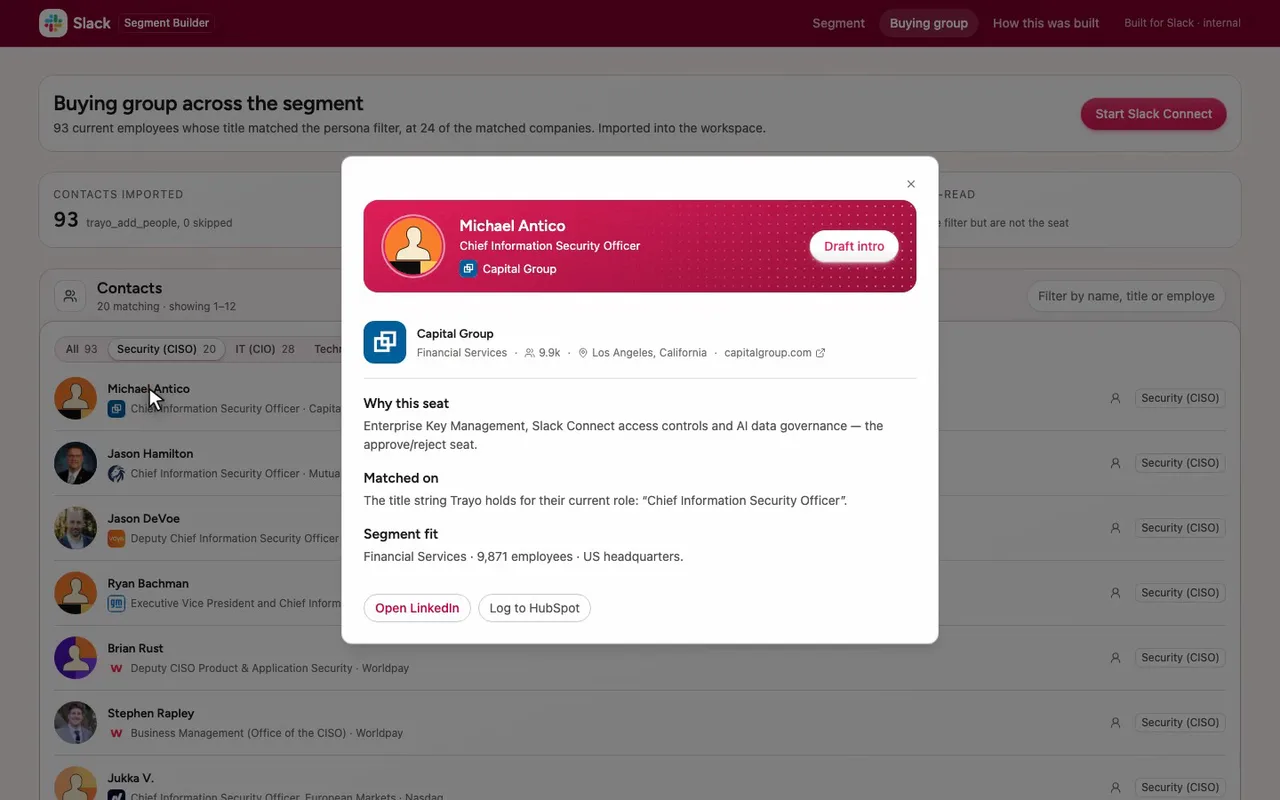
Michael Antico, security chief at Capital Group.
-
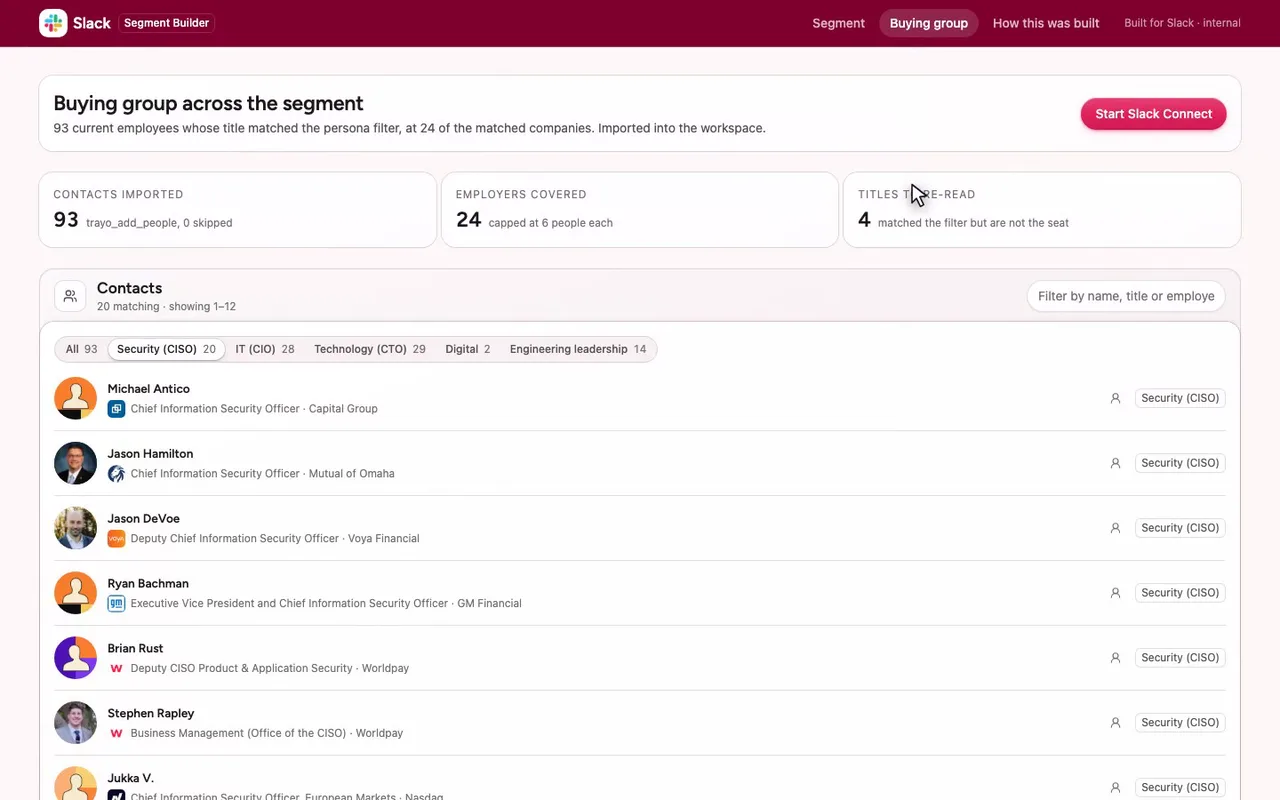
Close the card. Now the receipts.

The prompt
Paste it into any coding agent with the Trayo MCP connected.
- + any MCP client


You have the Trayo MCP server connected. Carry out this recipe against the real API.

# Companies and people by exact criteria

When to use: Your target is a WHERE clause — an industry, a headcount band, a country, a funding stage, a founded year, a title — and you want all available matches, paginated. Same route as `prospect-to-list`. send `filters` instead of (or as well as) `query`.
Cost: Nothing for a filters-only search. One search against your quota per search with a `query`, counted whether or not the results were useful. Each account you then import draws on the same quota.

## Steps - listFindIndustries: Industry is a closed taxonomy. Pick exact values here (`?contains=software`) — an unlisted value matches nothing.
- find: `target: "companies"` with `filters`. At least one of industries / hq.cities / hq.states / headcount. Page with `nextCursor`; if `truncated` is true, narrow the filters instead of paging deeper. The same three diagnostics apply here as in `prospect-to-list` — `interpreted`, `truncated`, `degraded` — and on a filters-only search `interpreted` is null and `degraded` always false, because nothing was interpreted and the sentence search did not run. [optional]
- find: `target: "people"` with the same company filters plus `filters.title`. To search inside companies you have already picked, name them instead: `filters.companyWebsites` with the `website` each row carried — the form you have without asking this API for anything. Other company filters narrow only these companies. Without `query`, read `resolvedWebsites` in the answer to see which company each one became before you trust the rows, and `unresolvedWebsites` for the ones left out of the search: `not_found` (no company on the domain) or `uncertain` (several possible companies, listed in `alternatives`; send the right one's `id` as `filters.companyIds`). A `404` only when none resolved. `perCompany` bounds how much one employer contributes. With a `query`, company filters instead check each ranked person's current employer; people whose employer cannot be checked are left out, and `query_page_filtered` explains a short page. That sentence-search page is not refilled.
- batchCreateAccounts: Track the companies: each row carries `name` and a ready `url`. [optional]
- batchCreatePeople: Import the people you want to work; `linkedinUrl` carries over. [optional]

## Then Contact details as in `contact-without-importing`; a brief as in `brief-before-outreach`.
Take the tour
A narrated walkthrough of the app.
The building blocks
What this app asked Trayo for
Every name, number and email on the page came back from one of these. None of it was typed in.
Reads your workspace
What you sell, who you sell to, and the buyer personas already saved in Trayo.
Finds companies
Surfaces accounts that match your ICP, plus lookalikes of the ones already working.
Finds the right people
Named stakeholders at an account, matched to the buying roles you care about.
Builds your account list
Imports, updates and organises accounts so the work survives the session.
How it was built
The data behind each screen, and what's faked for the demo.
Built in 14 min · 4 capabilities · 14 live API calls
Segment Builder is a small internal tool for a Slack AE working the financial-services patch. The first screen is a saved WHERE clause — industries financial services / banking / insurance, headcount 1,001–10,000, HQ in the United States — with the 200 companies it matched, filterable and paged. The second screen is the buying group found inside those companies: 93 named people grouped by the persona their title puts them in (CISO, CIO, CTO, digital, engineering leadership), each opening a card with the company, the title Trayo matched on, and why that seat cares about Slack. The third screen is the receipts.
Everything on the first two screens came from the Trayo API in one session. trayo_list_industries supplied the three exact taxonomy values; a filters-only trayo_find_companies returned 200 companies over two pages (interpreted null, truncated false, degraded false, hasMore still true — these are the first two pages of a larger set, not the whole segment). Four trayo_find_people calls returned 93 unique people: the first named 30 company websites and Trayo resolved 22 of them, hit its internal time limit after searching 7, and handed back the ids of the 15 it had not reached; two follow-up calls cleared those. Eight of the 30 domains came back as “uncertain” — several companies sit on one domain — so a fourth call searched the largest alternative of seven of them by id. trayo_import_accounts wrote 24 accounts and trayo_add_people wrote 93 people, none skipped. fisglobal.com was dropped outright: its best alternative, FIS, has about 52,000 employees and falls outside the headcount band the segment is defined by.
Four things are not real and the UI says so. Push to Salesforce, Start Slack Connect, Draft intro and Log to HubSpot are buttons with no integration behind them; each raises the library’s preview toast saying nothing was sent. The persona grouping and the “re-read” flag on four rows (a retired VP, an executive-support role, a chief of staff, a roundtable listing) are computed in this app from the title string Trayo returned — Trayo matched the literal strings we sent and did not judge seniority. No email or phone enrichment was run. The Slack palette went through the library’s brandFromWorkspace and applyBrand once: it took #E01E5A as primary (the most saturated of the three), used #36C5F0 and #2EB67D as chart accents, and reported five contrast adjustments — the page takes a soft #fff8f9 brand tint rather than Trayo’s cream, accent text drops to #c10049, the two accents move to #00a1c8 and #16a971 on light cards, and the top bar takes a deep #7f002d step of the primary because no shell colour was supplied. Those notes are printed verbatim on the “How this was built” screen.
More recipes
 Adobe
Adobe List
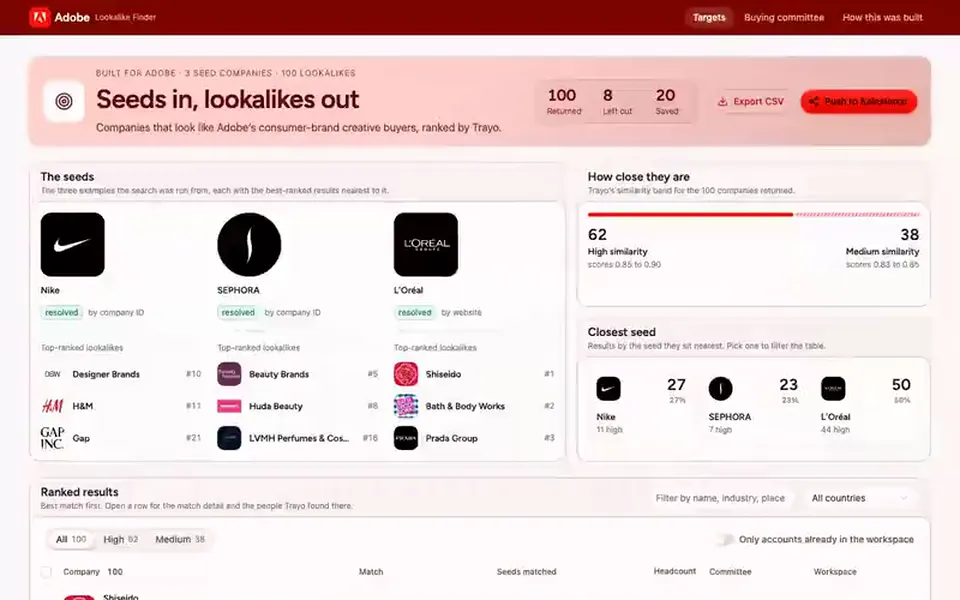
Lookalike finder
Ranks the hundred companies most like your best customers, and shows the buying committee at the top ten.
You provide: Two or three companies you already sell to
 Salesforce
 List
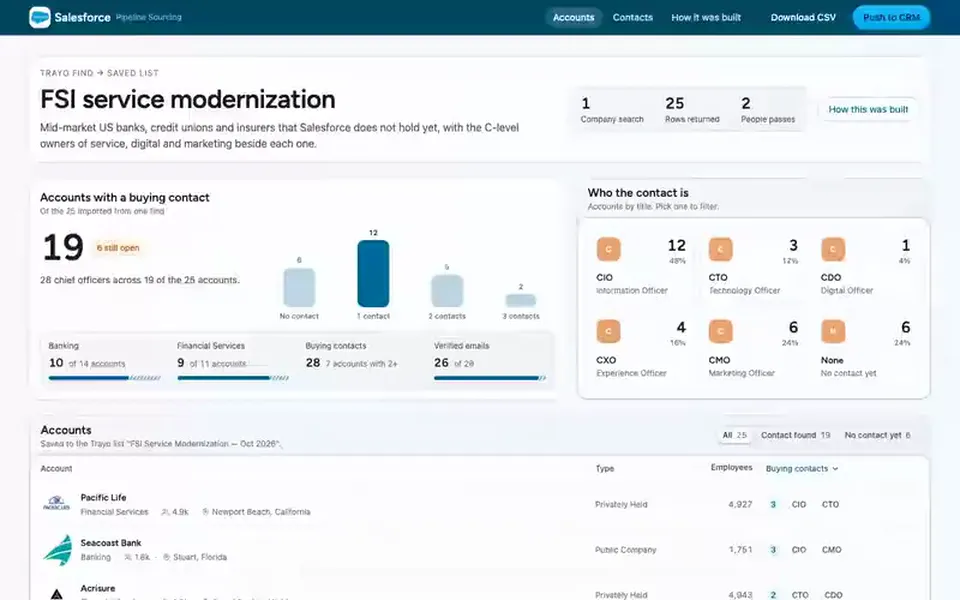
Prospect list builder
Finds companies that match a description, adds the executives who buy there, and saves both to a named list.
You provide: A description of the companies you want
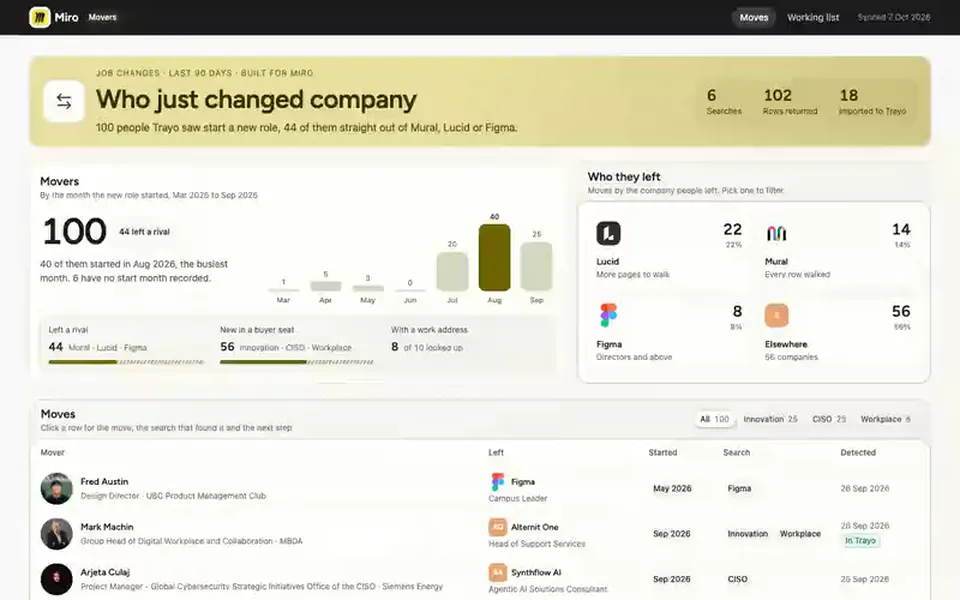
 Miro
Miro Board
Job-change board
Lists people who changed company in the last 90 days, from the ones who left a rival to new hires in the roles you sell to.
You provide: Your competitors and buyer personas