List
Competitor roster
Ranks the companies you compete with, each with a verdict, two alignment scores and the reason it is on the list.
- For
- Account executives and product marketers
- You provide
- Your own company, plus any rivals you want pinned
- You get
-
- 20 ranked competitors
- Product and ICP alignment scores
- A one-line reason per competitor
-
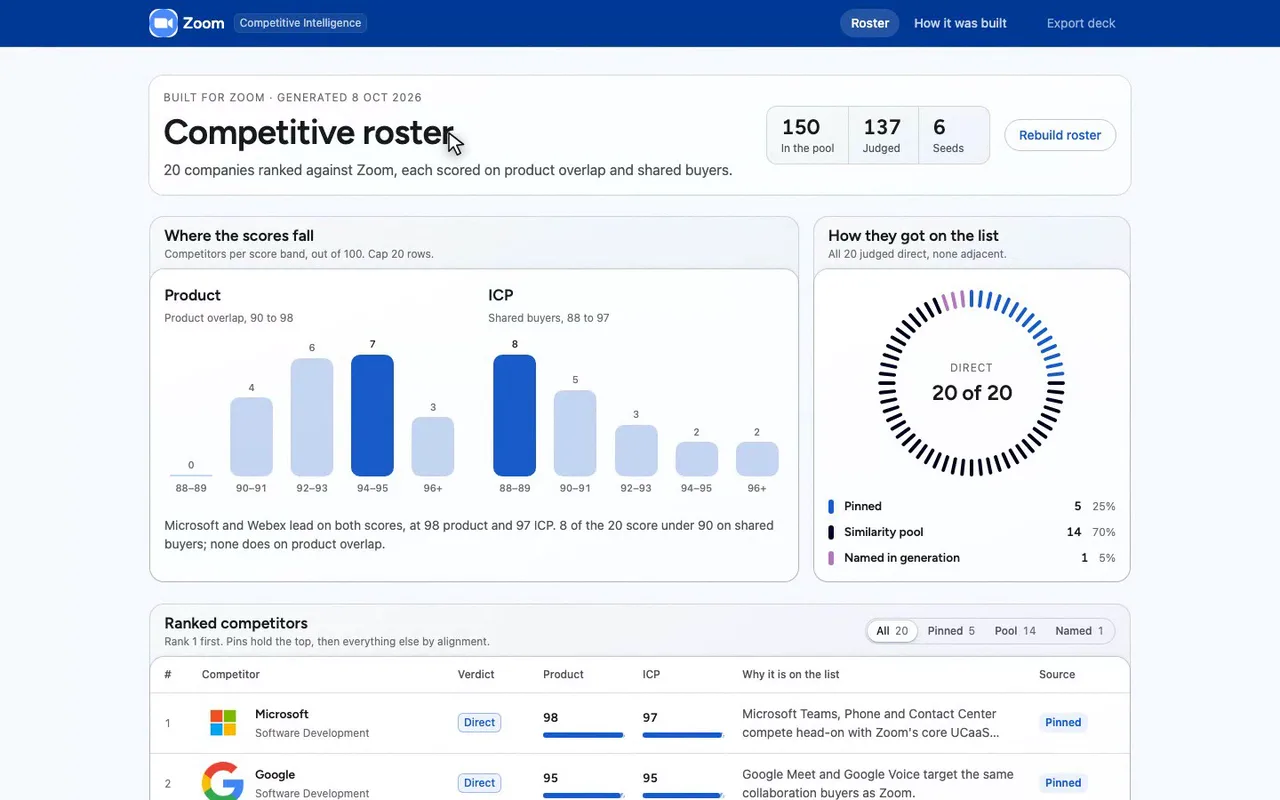
A competitor roster for a Zoom seller.
-
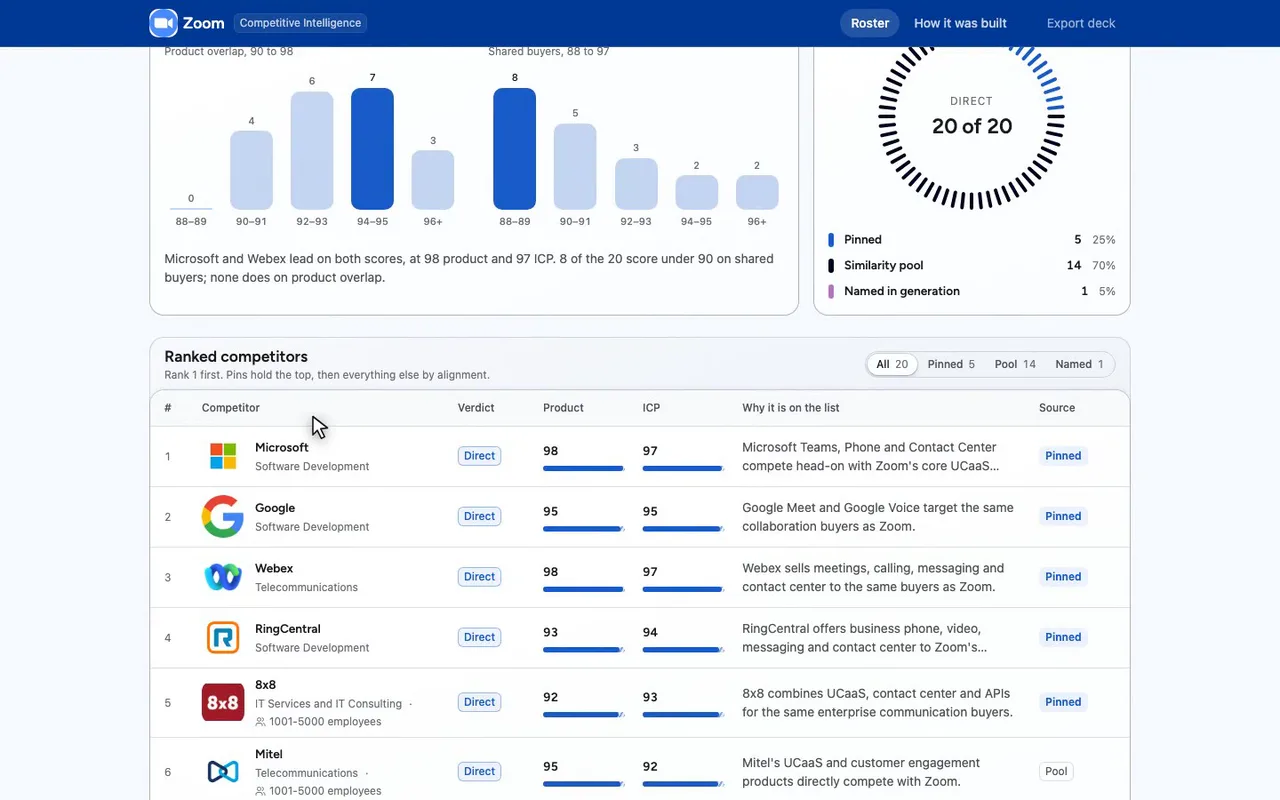
Five pinned, fourteen from the pool, one named.
-
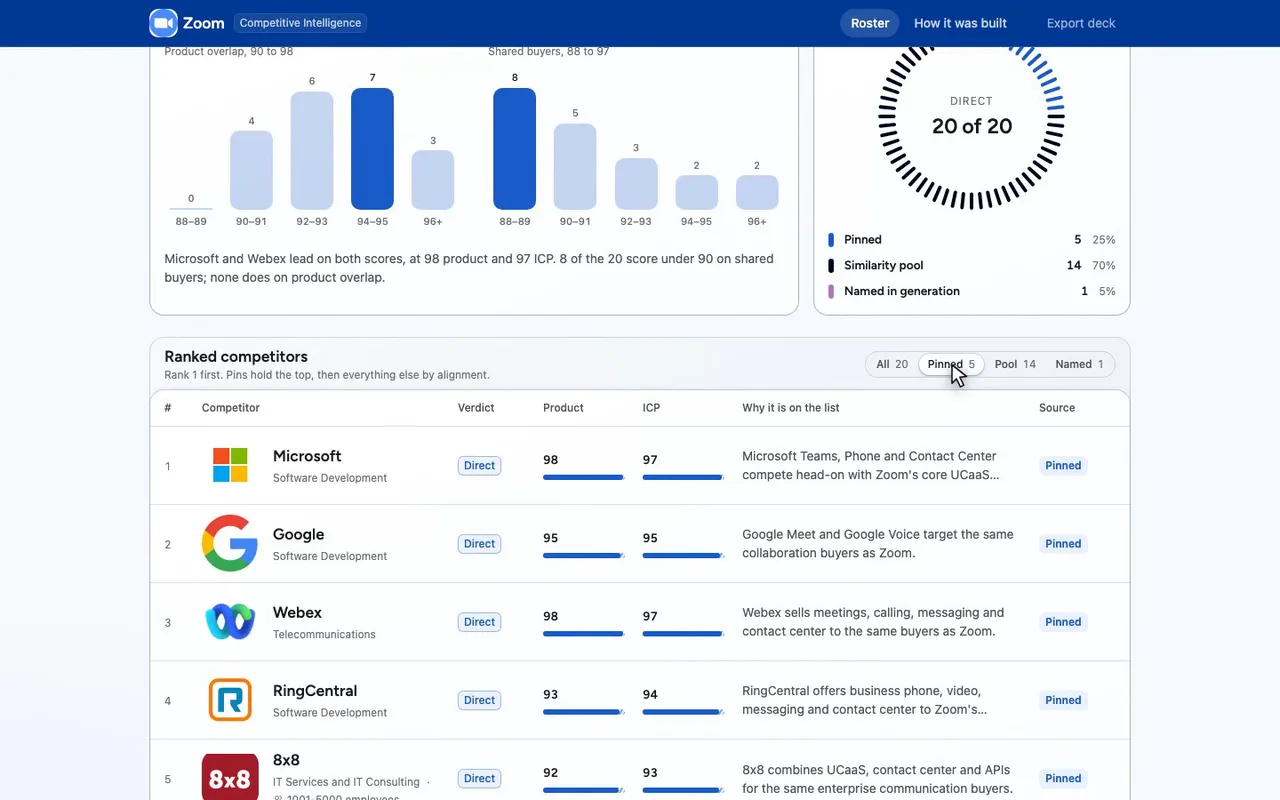
The pins: Microsoft, Google, Webex, RingCentral, 8x8.
-
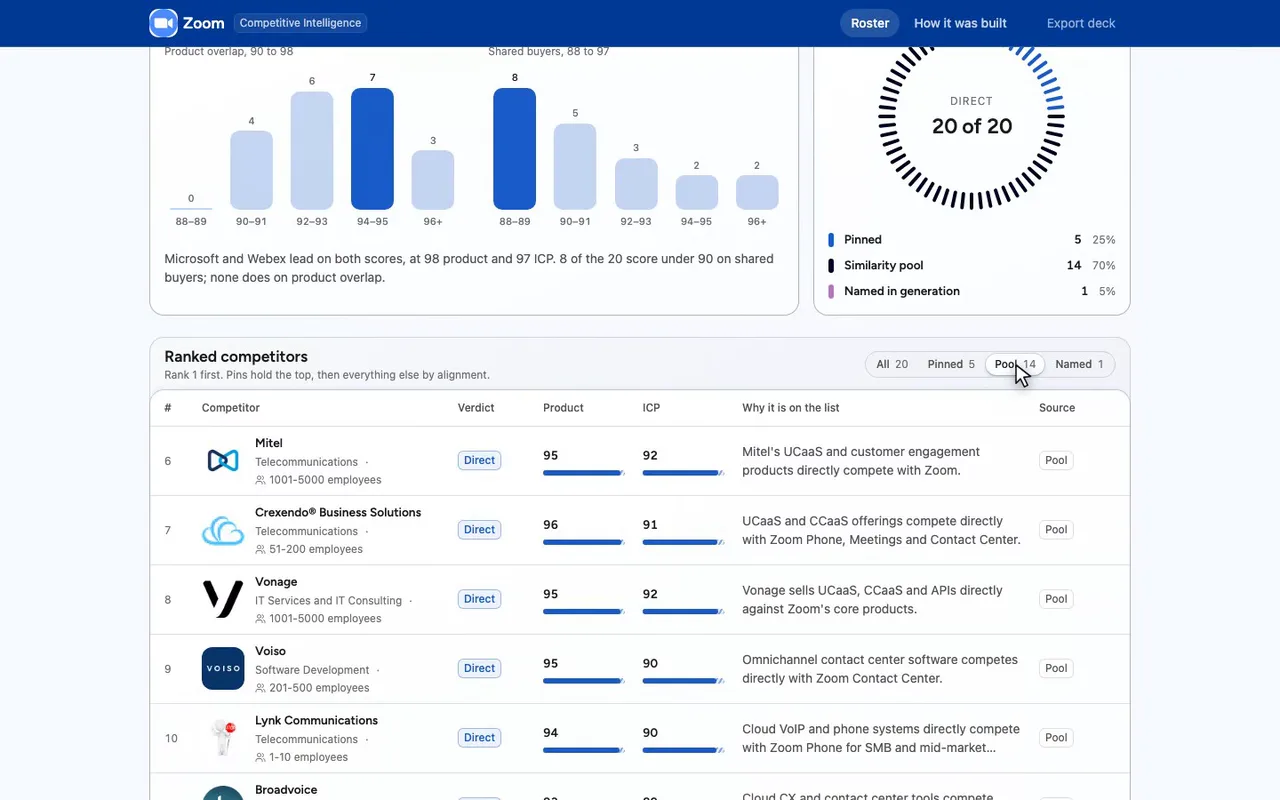
Fourteen more came from Trayo's similarity pool.
-
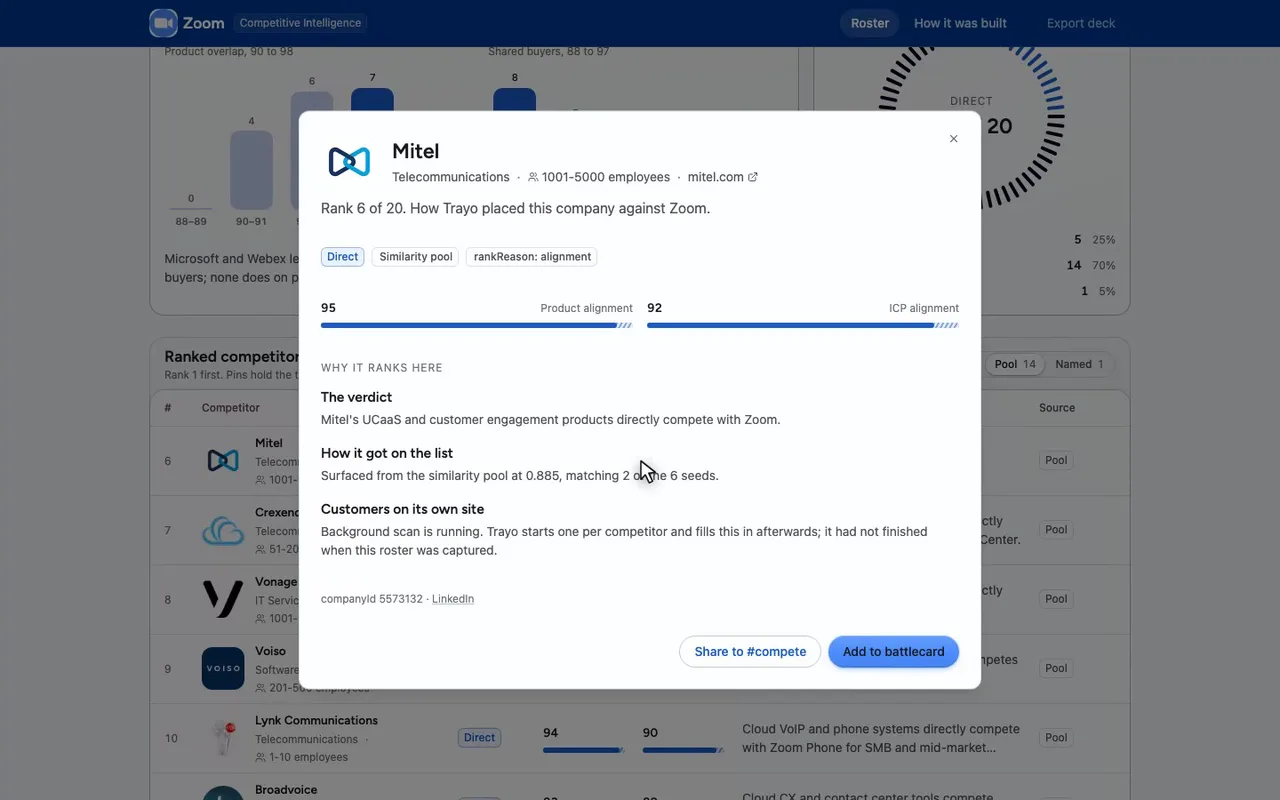
Open Mitel: 95 on product, 92 on shared buyers.
-
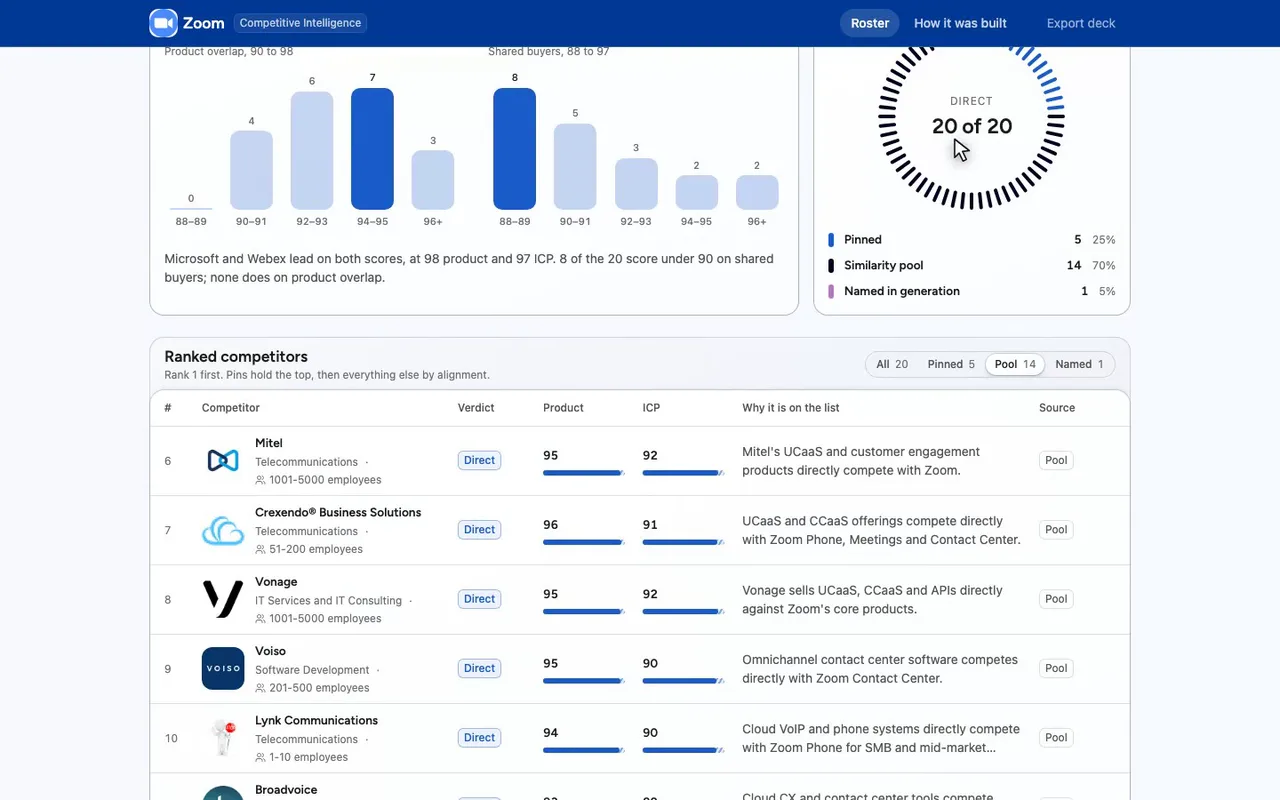
Every row opens the same way.

The prompt
Paste it into any coding agent with the Trayo MCP connected.
- + any MCP client


You have the Trayo MCP server connected. Carry out this recipe against the real API.

# Rank a company's competitors

When to use: You want a short, ranked list of who a company competes with, with the reason for each row.
Cost: Nothing metered. Generation typically takes 10 to 25 seconds; allow 45 seconds for the client timeout. A repeat call with the same pins returns the stored roster at once.

## Steps - generateCompetitorRoster: Send {"company":{"self":true}} for your own workspace, or {"company":{"website":"qodo.ai"}}. Add pins for competitors you already know, most important first; the first pin is rank 1. cap defaults to 15, maximum 50.

## Then Read subject.indexed: false means no similarity data was available for this company, so the roster came from your pins and the companies named while it was generated. Each entry carries source (pool, pin, nomination), rankReason (pinned, incumbent, alignment), the verdict and both alignment scores. unresolvedNominations lists names that matched no company in our data. A repeat call with the same pins and an equal or smaller cap answers from the stored roster with reused: true; send refresh: true to build a new one.
Take the tour
A narrated walkthrough of the app.
The building blocks
What this app asked Trayo for
Every name, number and email on the page came back from one of these. None of it was typed in.
Reads your workspace
What you sell, who you sell to, and the buyer personas already saved in Trayo.
Finds companies
Surfaces accounts that match your ICP, plus lookalikes of the ones already working.
How it was built
The data behind each screen, and what's faked for the demo.
Built in 11 min · 2 capabilities · 7 live API calls
This is a competitor roster for a Zoom seller who needs to know, before a call, who else is in the deal and why. The main screen ranks 20 companies against Zoom — rank 1 first, the five pinned names held at the top, everything below them ordered by alignment. Each row carries Trayo’s verdict (direct, adjacent, not a competitor), a product-alignment and an ICP-alignment score out of 100, and the sentence explaining the placement. The filter splits the list by where a row came from: pinned by the rep, surfaced from the similarity pool, or named by the model during generation. Clicking a row opens the full record — provenance, both scores, the similarity figure and the seeds it matched, and the status of Trayo’s scan of that competitor’s own customer page. A second route, /method, lists every API call behind the screen.
Trayo supplied all of it. trayo_get_workspace returned Zoom’s onboarded positioning — 14 solution cards and 5 buyer personas — which was condensed into the positioning string sent with the roster call. The roster itself came from one trayo_find_competitors call against companyId 1123141 with five pins (Microsoft, Google, Webex, RingCentral, 8x8, taken in that order from the workspace’s own buyerProfile.competitorTerms) and cap 20: it took 15.7 seconds, drew a 150-company similarity pool, judged 137 candidates in 6 batches, and returned 20 entries — 5 from pins, 14 from the pool and 1 (GoTo) nominated during generation, with 0 unresolved nominations. All 20 were judged direct competitors, with product alignment between 90 and 98. A repeat call with the same pins came back instantly with reused: true and identical rows, as the recipe describes. Company logos are resolved by the kit from each domain against Trayo’s brand-image endpoint.
Two things went wrong and are worth knowing. The recipe’s first step, {“company”:{“self”:true}}, resolves this workspace’s website zoom.us — and Trayo files zoom.us under Unity Bank Plc, a Nigerian bank. That first roster ranked Jaiz Bank Plc as a direct competitor and judged all five pins not_competitor on the grounds that none of them is a bank. It was discarded; Zoom’s real record was found with trayo_find_companies (zoom.com, companyId 1123141, 14,062 employees) and the roster regenerated against that. Second, Trayo starts a background scan of each competitor’s own site for named customers; after twenty minutes of re-polling, 19 of the 20 were still pending or running, so the detail panel reports the scan status rather than inventing logos. Microsoft’s scan had completed and found no named customers. Push to Salesforce, Share to #compete, Export deck and Rebuild roster are stubs — no CRM, Slack or document service is connected — and each confirms with the kit’s preview toast naming exactly what would have been sent. On brand: brandFromWorkspace read #4A8CFF as the primary and #FFFFFF as the page, but gave #00031F a chart-accent slot rather than the ink slot, because it carries enough hue not to count as a neutral. With no ink supplied, applyBrand derived the top bar from the primary (#003995), tinted the white canvas to #F7FAFF, and darkened the primary to #1A5BCA for accent text and focus rings, which #4A8CFF does not pass contrast for on a light page.
More recipes
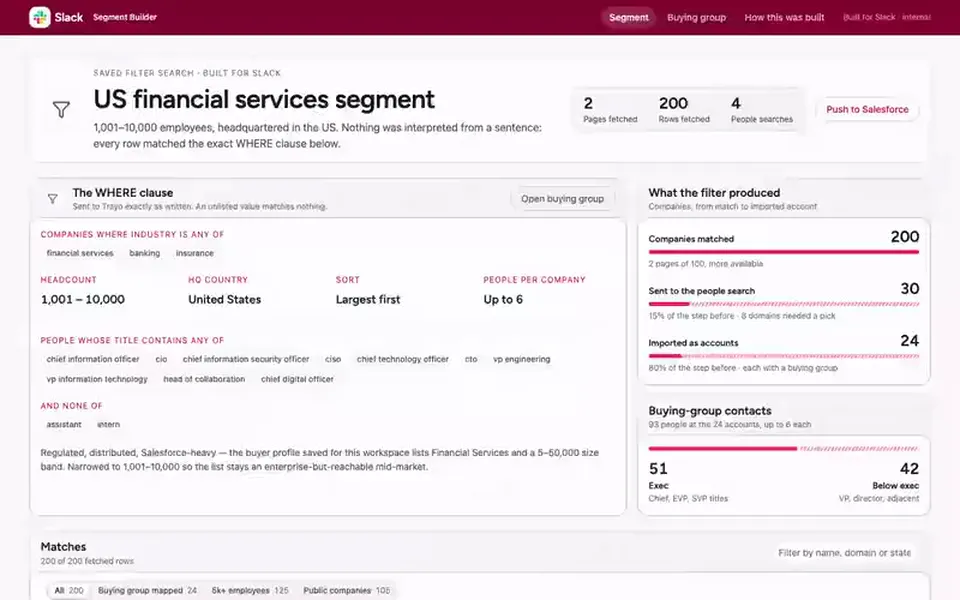
 Slack
Slack List
Segment builder
Turns an exact set of filters into the companies that match, then finds the buying group inside them.
You provide: An industry, a headcount band and a country
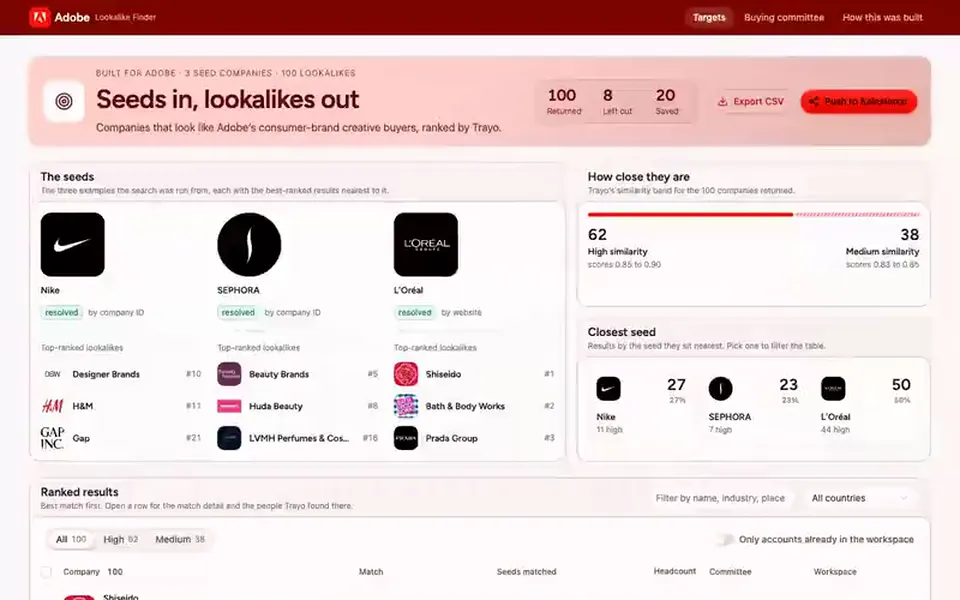
 Adobe
Adobe List
Lookalike finder
Ranks the hundred companies most like your best customers, and shows the buying committee at the top ten.
You provide: Two or three companies you already sell to
 Salesforce
 List
Prospect list builder
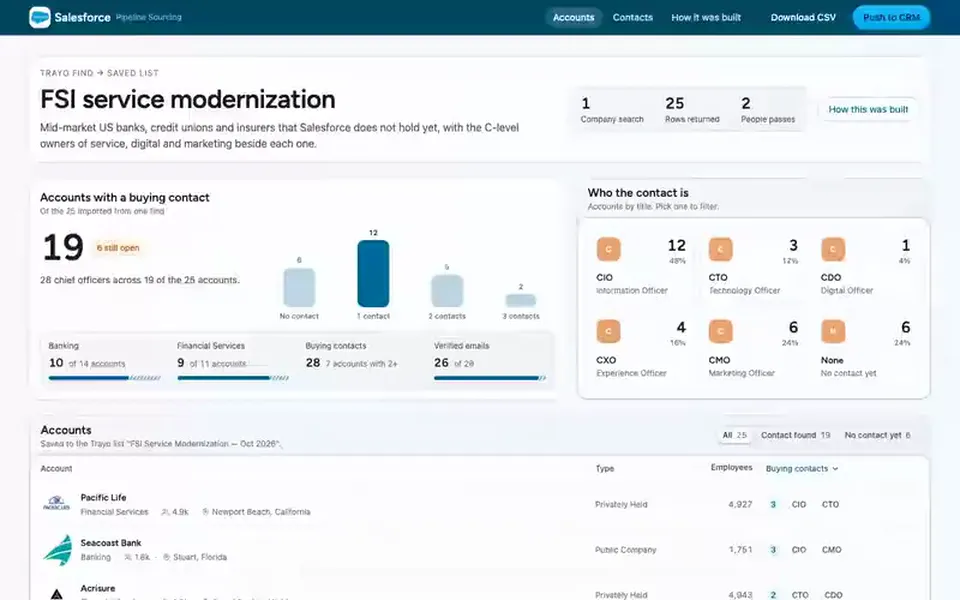
Finds companies that match a description, adds the executives who buy there, and saves both to a named list.
You provide: A description of the companies you want