Community seeding list
A ranked community-seeding list of 14 finance-ops practitioners posting publicly about spend management in the last 30 days, scored on the quality of the replies their posts drew…
- Built in
- 13 min
- Capabilities
- 5
- Live API calls
- 41

The prompt
Paste it into any coding agent with the Trayo MCP connected.
- + any MCP client


Use Trayo to build a community seeding list. Find the people posting publicly about my category over the last month, and rank them by how much genuine reach and engagement they have rather than follower count alone.

For each person show what they post about, their most-engaged recent post, and whether they are a practitioner or a vendor — I want practitioners. Then split the ranked list into three buckets: invite to the community, invite to the advisory board, invite onto the podcast, with a one-line reason for each placement.
What this app asked Trayo for
Every name, number and email on the page came back from one of these. None of it was typed in.
- Reads your workspace
What you sell, who you sell to, and the buyer personas already saved in Trayo.
- Finds companies
Surfaces accounts that match your ICP, plus lookalikes of the ones already working.
- Finds the right people
Named stakeholders at an account, matched to the buying roles you care about.
- Builds your account list
Imports, updates and organises accounts so the work survives the session.
- Reads social activity
Posts and the people engaging with them, for plays that start from a conversation.
Take the tour
The same run as the video above, one stop at a time.
- 01
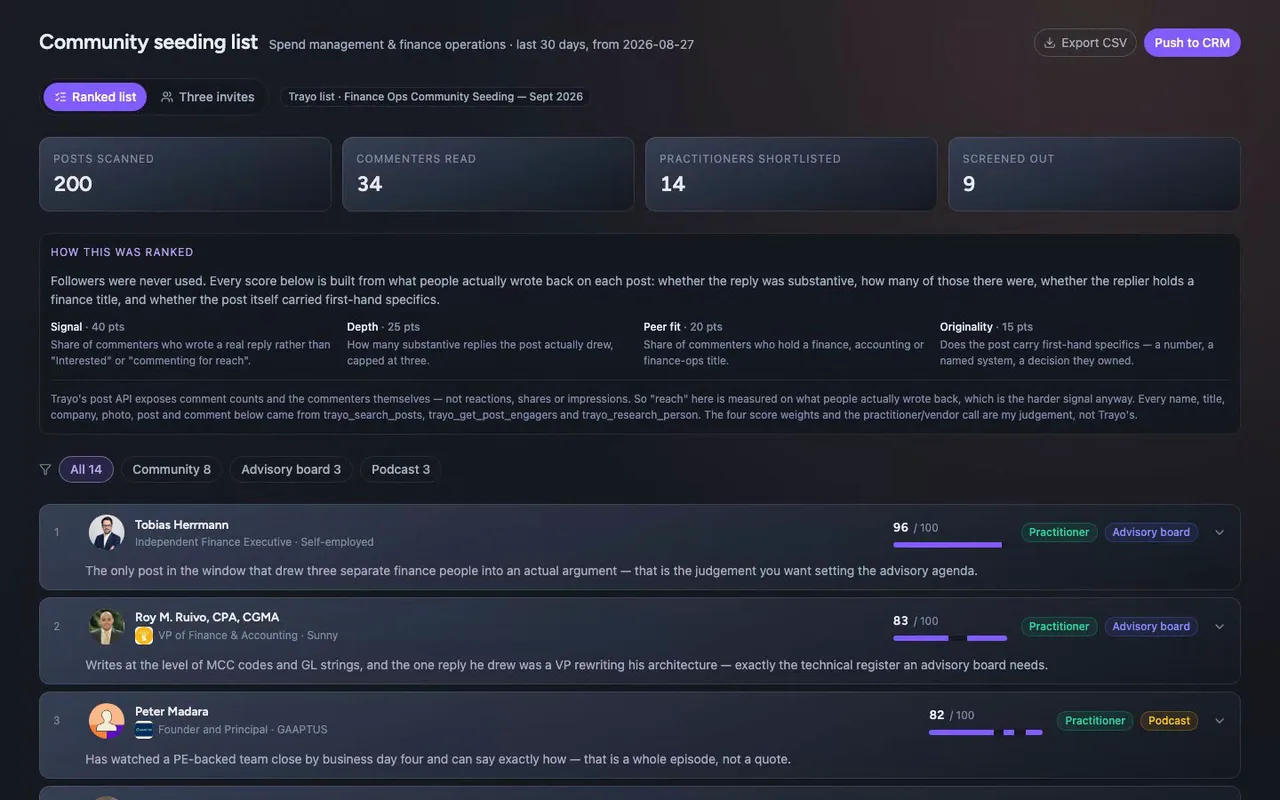
Today we're building a community-seeding list for the reps and GTM engineers building Ramp's finance-ops community. It ranks practitioners by the quality of replies their posts drew, not by follower count.
- 02
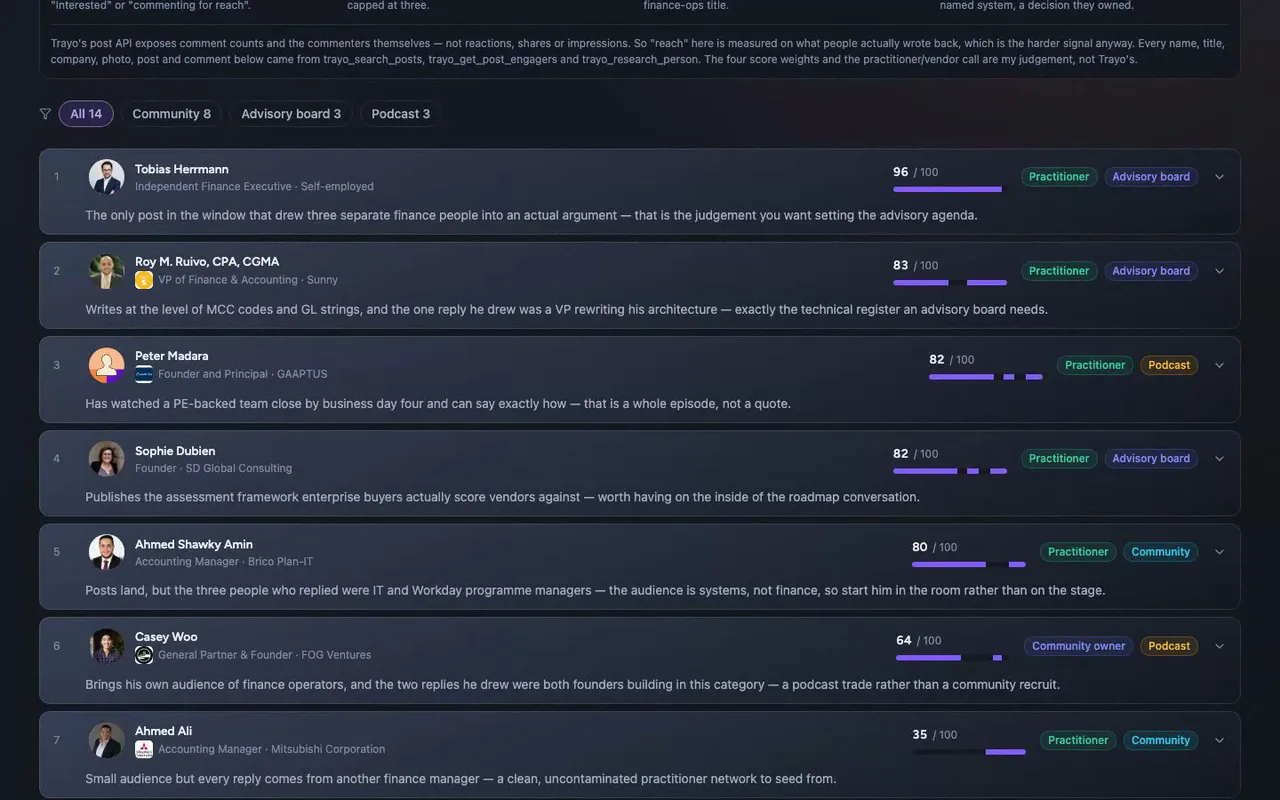
Trayo's post search returned 200 public LinkedIn posts, and we narrowed those down to this cohort.
- 03
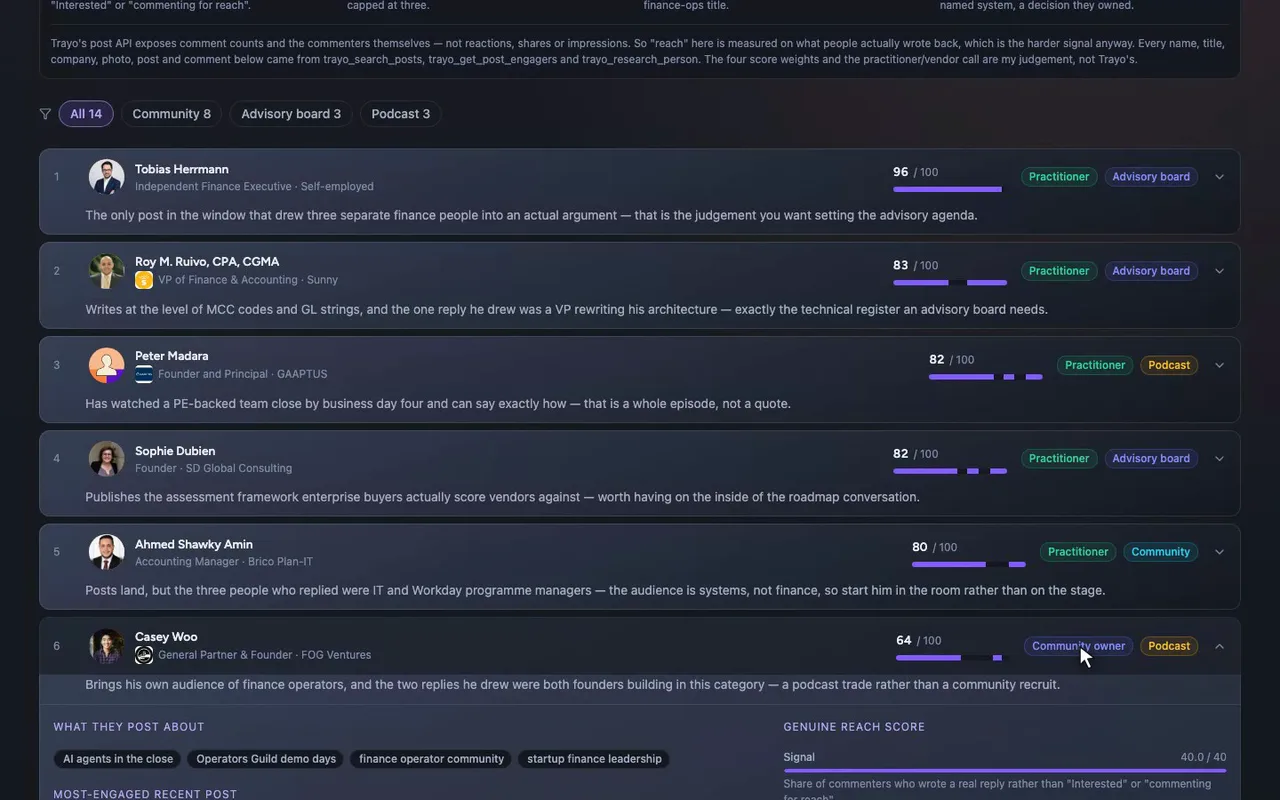
This is the community owner's view of the cohort.
- 04
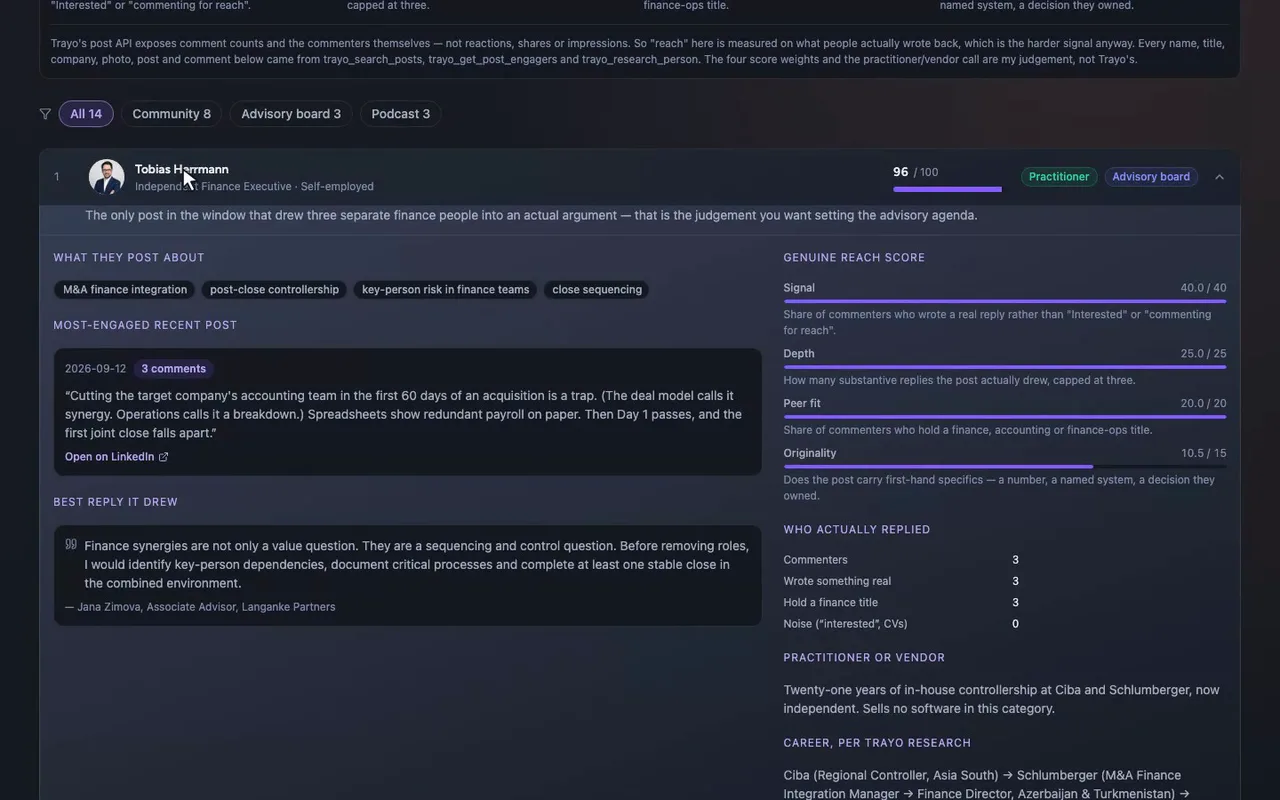
Open Tobias Herrmann and you get his top post, a link, and who actually replied.
- 05
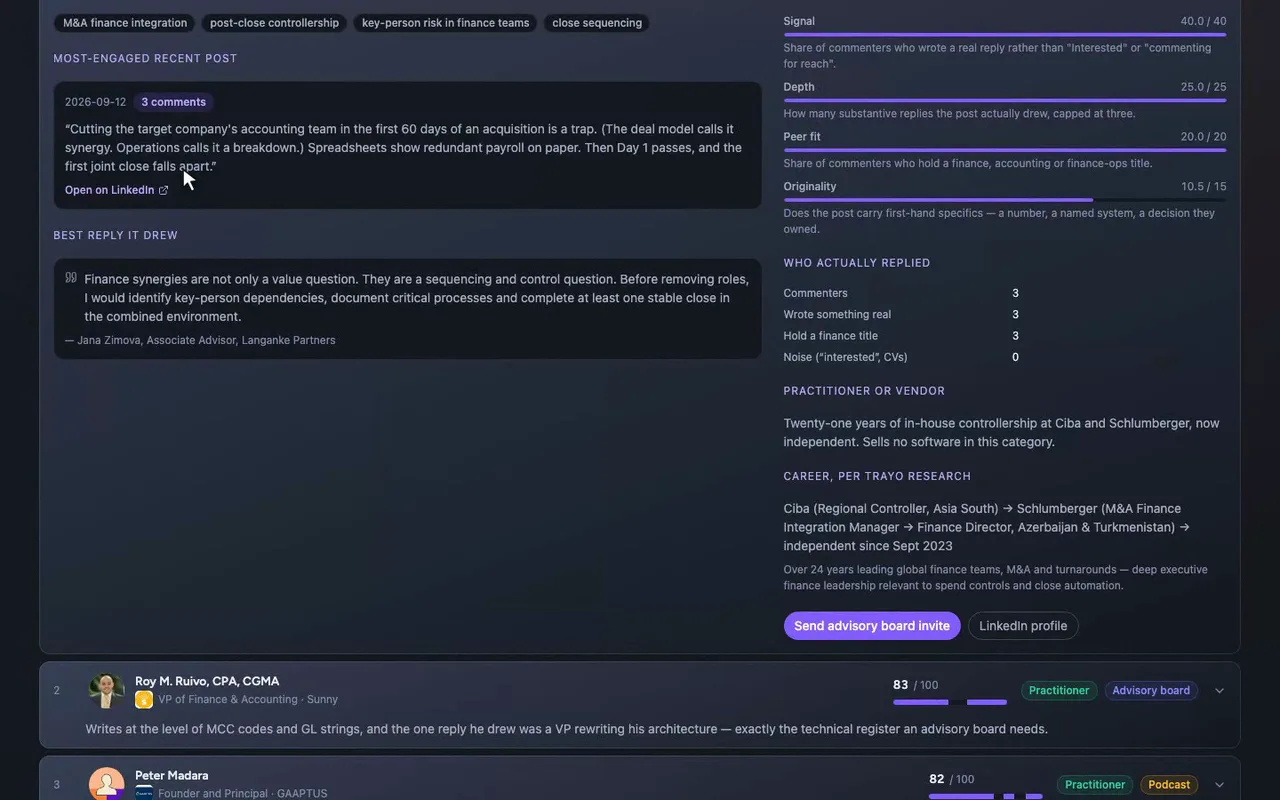
Five people have zero comments, so they score low by construction, and the app says so on their row.
- 06

Show them opens the screened-out panel, where a reposted template with mostly "Interested" replies gets cut.
How it was built
The data behind each screen, and what's faked for the demo.
The person who’d open this is whoever is building Ramp’s finance-ops community, at the point where they need a first batch of people to invite and don’t want to guess. They get fourteen practitioners who posted publicly about spend management, month-end close, AP and T&E in the thirty days to 26 September 2026, ranked and split into three asks: invite to the community, invite to the advisory board, invite onto the podcast. Each row opens to show what the person posts about, their most-engaged recent post with a link, who actually replied to it, and a one-line call on whether they’re a practitioner or a vendor. A “screened out” panel shows who I dropped and why.
The usual way to do this is to scroll LinkedIn, sort by follower count, and paste names into a spreadsheet that’s stale within a week. Follower count would have given the wrong list here. The top three posts by raw comment count all belonged to vendors selling against Ramp, so ranking by comments alone would have made the vendors the first names on the list. Reading the replies is the part that takes hours by hand, and it’s what separated a real thread from a pile of “Interested”.
I started with trayo_get_workspace, which returned the ICP that defines the category. It’s a saved Ramp buyer profile, not a placeholder, so I didn’t have to invent the category myself. Four trayo_search_posts calls returned 200 public LinkedIn posts across the 30-day window. I opened the 12 most promising threads with trayo_get_post_engagers, which returned 34 named commenters with their titles, companies and the text of what they wrote. From those I scored each person on four things: what share of commenters wrote a real reply, how many substantive replies there were, how many of the repliers hold a finance title, and whether the post carried first-hand specifics. Followers don’t enter the score. trayo_research_person then returned career histories for 11 of the shortlist. Last, I wrote the fourteen chosen people back with trayo_add_people and saved them as a Trayo list, “Finance Ops Community Seeding — Sept 2026”, with 14 members. Every name, title, company, photo, post excerpt and quoted comment in the app came back from one of those calls.
The comment data changed the ordering more than I expected. One practitioner with nine comments was reposting a template that four other accounts published word for word that week, and eight of his nine comments were “Interested” or a pasted CV, so he’s in the screened-out panel and not on the list. Jeremy Salles at Marvell had six comments, five of them job-seeker noise, which dropped him from a would-be top five to eighth. Trayo exposes comments and commenters but not reactions or impressions, so reach here is measured on replies only. That has a cost. The people with the most specific first-hand stories, like the Head of Finance who cut a four-country close from twelve days to six, had zero comments, so they score low by construction. Five of the fourteen are in that position, and the app says so on their row rather than hiding it.
The data is real and the judgement is mine. The ordering of the cohort, the practitioner/vendor call on each person and the four score weights are my calls layered on Trayo’s data, and the method panel says so. Export CSV is real and downloads client-side. The three outbound buttons, Push to CRM and the per-person invites, are stubs. They raise a toast tagged “Demo — nothing was sent” that describes what would have gone out, because this is a demo and nobody should get an invitation from it.