The signal wall
A full-screen signal wall for a sales floor TV: 16 real accounts from a Trayo workspace lighting up with the product and engineering leaders who just joined them, newest first,…
- Built in
- 17 min
- Capabilities
- 6
- Live API calls
- 56

The prompt
Paste it into any coding agent with the Trayo MCP connected.
- + any MCP client


Use Trayo to build a signal wall — a full-screen dashboard for a sales floor, meant to be left running on a TV.

Watch my accounts for the signals I care about and show them lighting up as they fire: company logo, the faces of the people involved, and one plain-English line saying why this matters now. Newest at the top, auto-refreshing, readable from across a room. Big type, high contrast, no chrome. It should be immediately obvious which three accounts deserve a call this morning.
What this app asked Trayo for
Every name, number and email on the page came back from one of these. None of it was typed in.
- Reads your workspace
What you sell, who you sell to, and the buyer personas already saved in Trayo.
- Finds companies
Surfaces accounts that match your ICP, plus lookalikes of the ones already working.
- Researches an account
A live snapshot per company — size, stack, why-now signals and why it fits.
- Builds your account list
Imports, updates and organises accounts so the work survives the session.
- Watches for buying signals
Standing watches for job changes, funding and the other moments worth a reply.
- Reads social activity
Posts and the people engaging with them, for plays that start from a conversation.
Take the tour
The same run as the video above, one stop at a time.
- 01
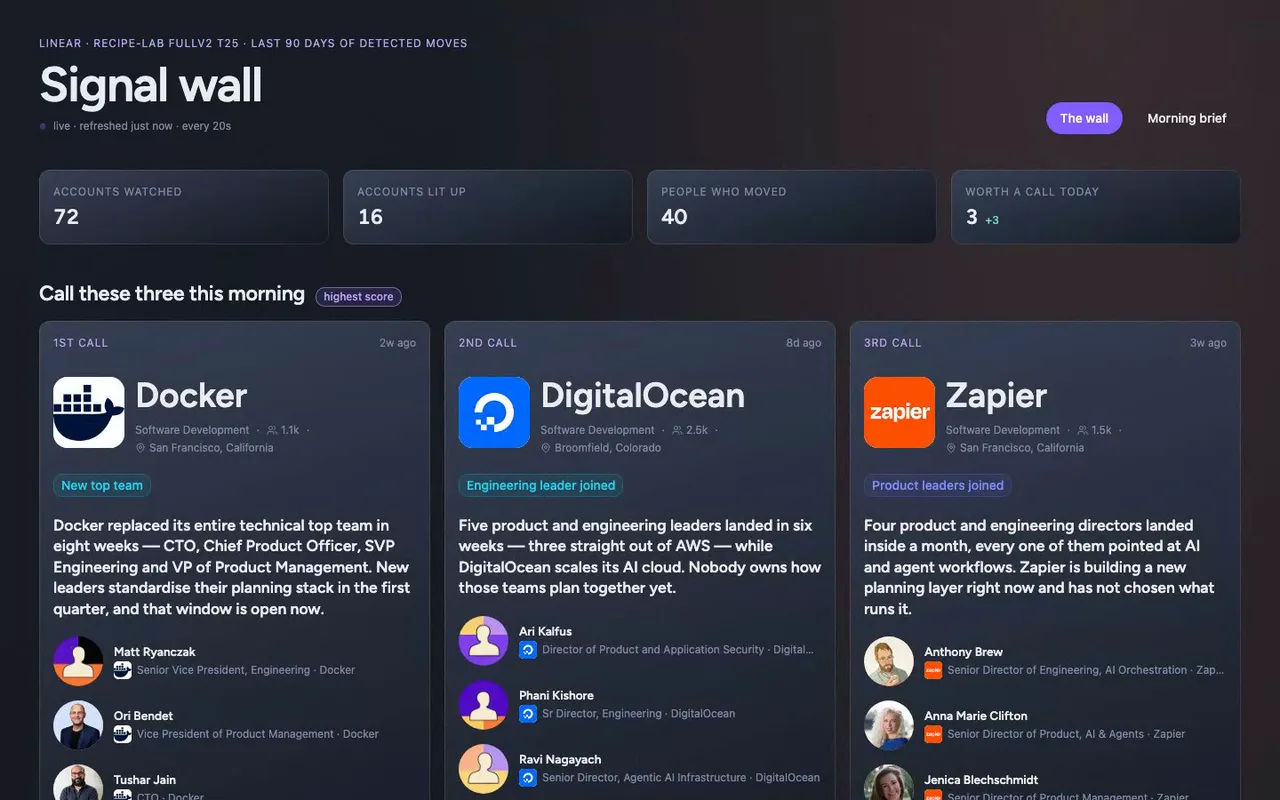
This is the signal wall for the Linear sales team, built to run full-screen on the floor TV. It watches a Trayo workspace and lights up when product and engineering leaders join our target accounts, so nobody starts the day guessing who to call.
- 02
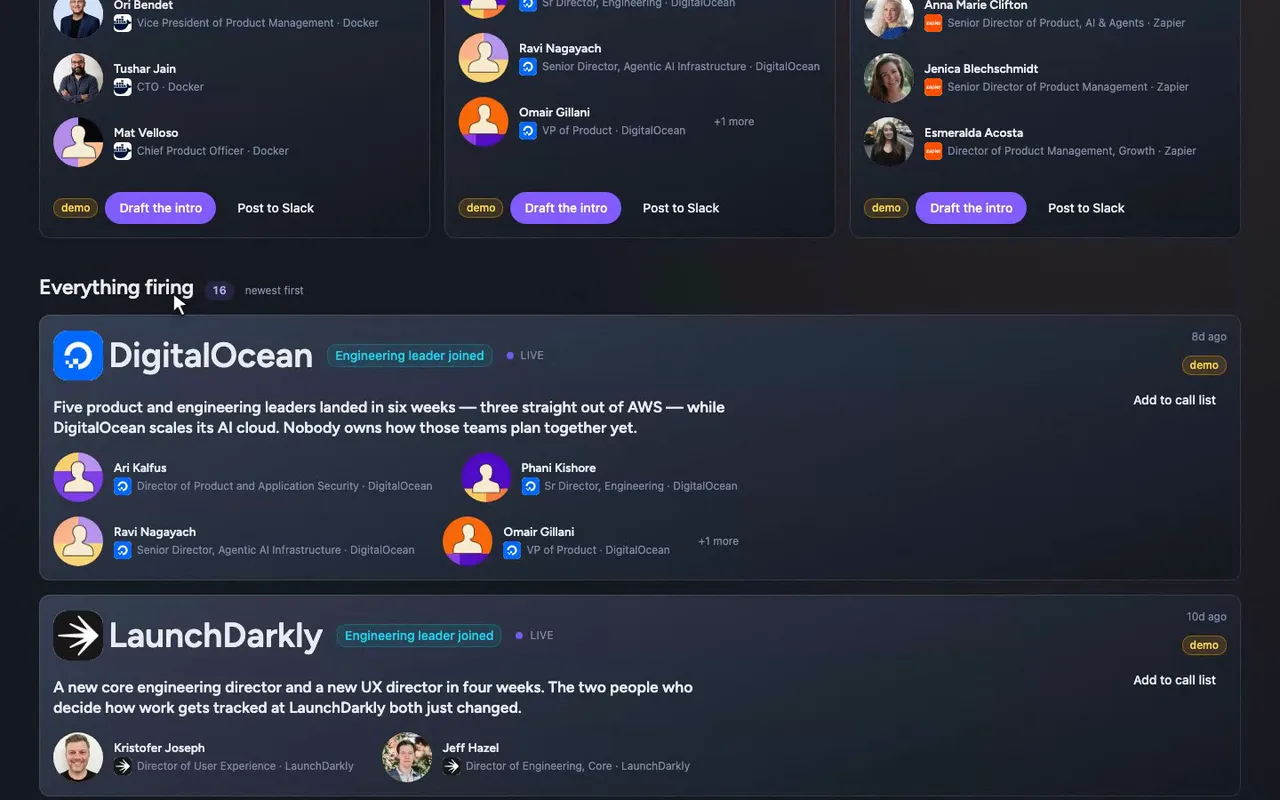
Below them is the wall, newest first, with the type sized to read from across the room.
- 03
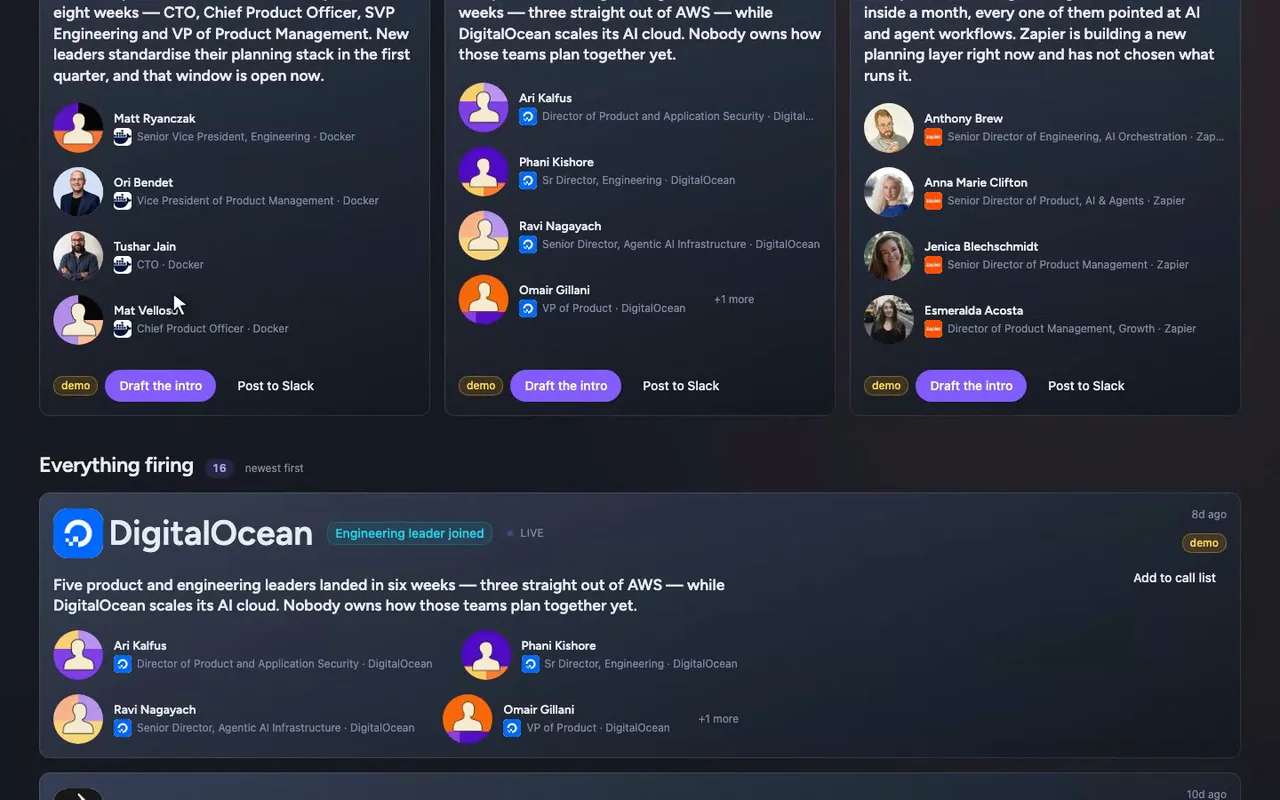
Sixteen accounts made it here, each with a logo, the faces who moved, and one plain line on why it matters.
- 04
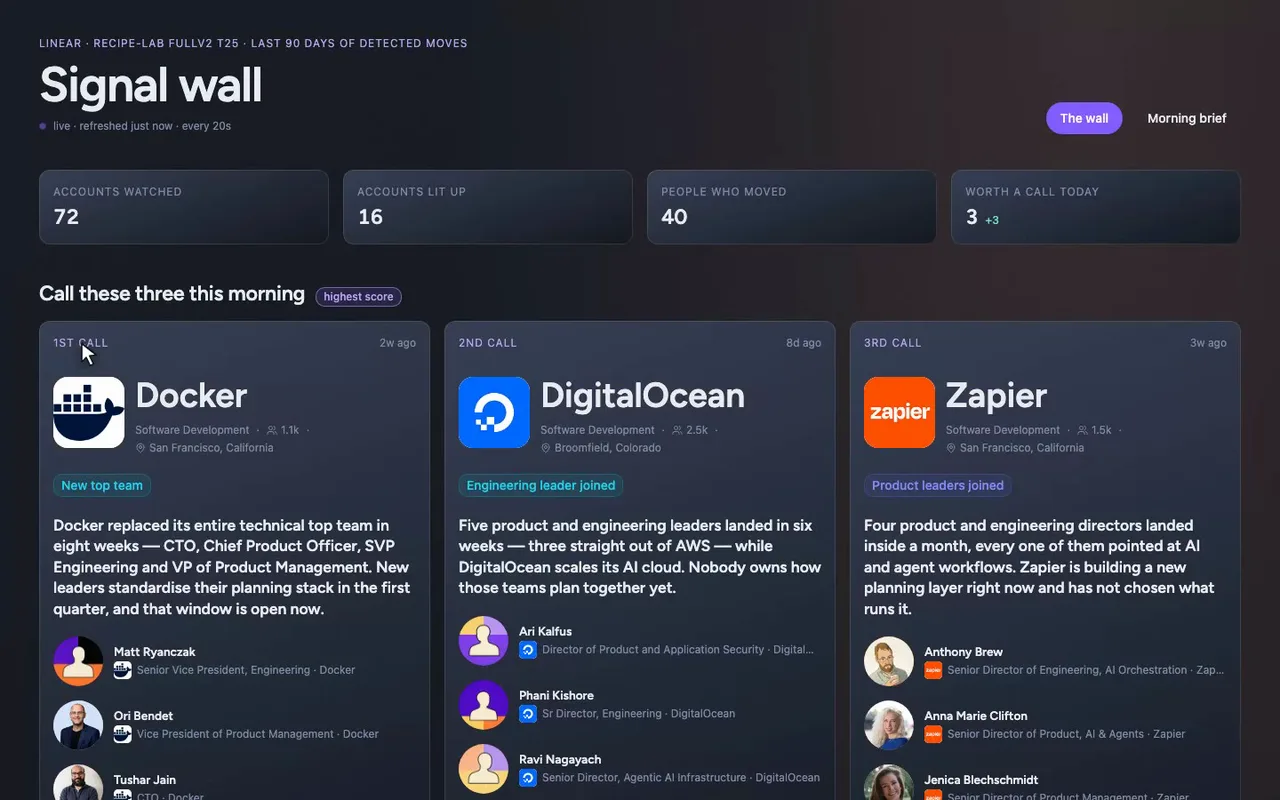
First call is Docker. The company, the people and the dates are Trayo's; the why-this-matters line is written over those facts.
- 05
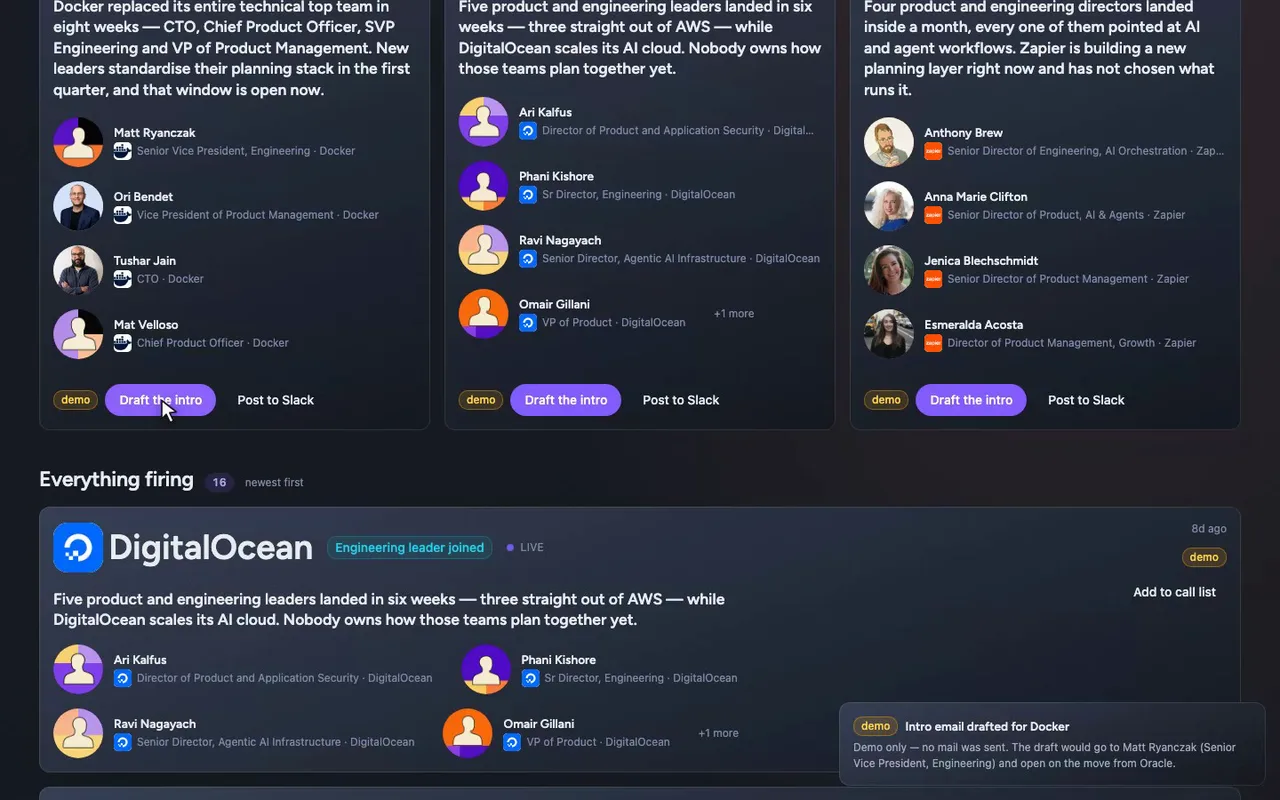
Draft the intro opens a toast saying exactly what would go out. We stubbed it, so nothing is sent.
- 06
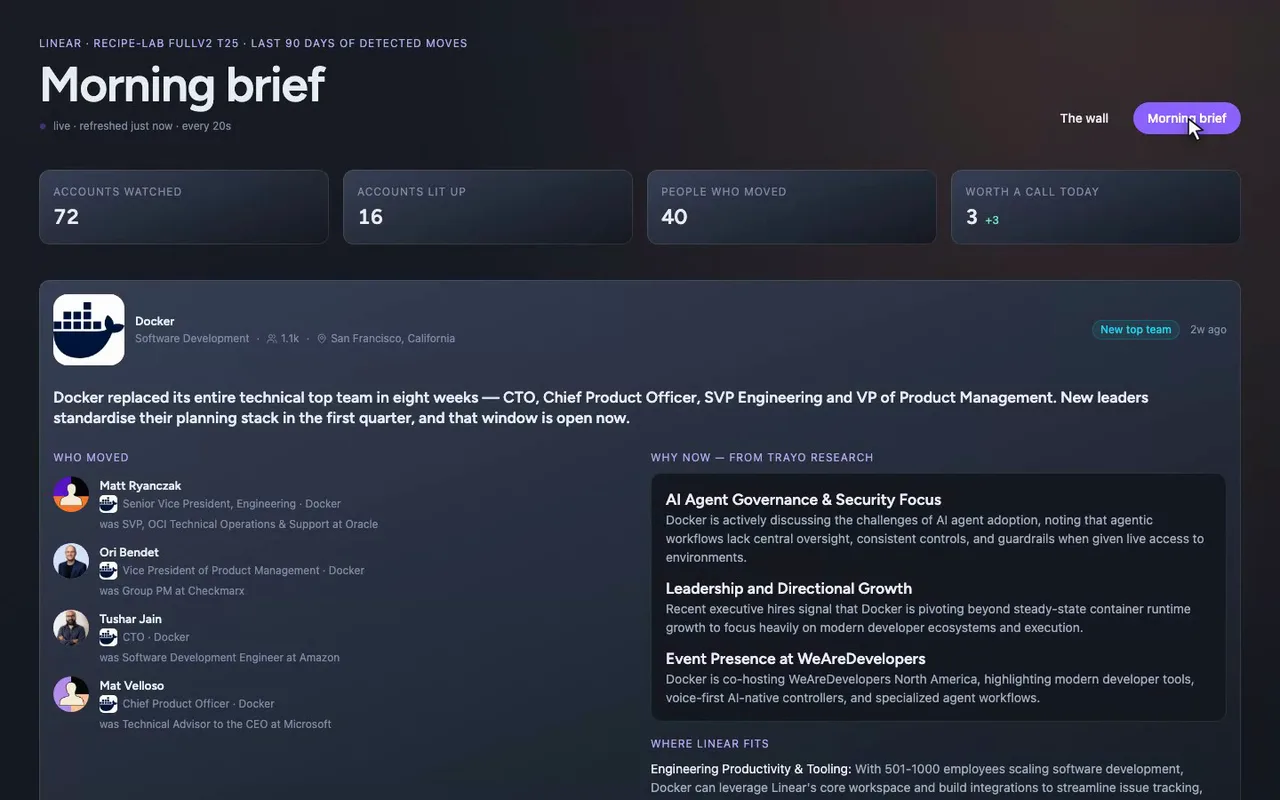
Morning brief is the desk version of those three accounts, with every move spelled out.
How it was built
The data behind each screen, and what's faked for the demo.
Picture a rep walking onto the sales floor at 9am with one question: who do I call first? The signal wall is the TV that answers it. It runs full-screen, in type big enough to read from across the room, and shows 16 real accounts from a Trayo workspace that sells Linear. Each card has the company logo, the faces of the product and engineering leaders who just joined, and one plain-English line on why it matters now. Newest is at the top, and three pinned cards above the stream mark the accounts worth calling this morning. At a desk, /brief opens those same three accounts with every move spelled out and Trayo’s own research beside it. The buttons on each card (push to Salesforce, draft the intro, post to Slack, book a meeting) only open a toast.
What it replaces is the routine of checking job-change alerts, LinkedIn, a target-account spreadsheet and the CRM each morning to work out where to start. The feed re-reads itself every 20 seconds, so nobody refreshes anything. The prioritization is already done and visible to the whole floor, and a rep who wants the detail before dialing clicks through to the brief.
I started from the workspace, because Linear was the customer and its saved ICP and ten saved signals set the target. trayo_find_companies returned 81 ranked companies across three ICP angles, and trayo_import_accounts turned them into 72 accounts. I then ran trayo_search_job_changes against 30 of those 72, one API call per account, which is why I stopped at 30. That returned the 40 people on the wall, with names, titles, LinkedIn photos, the company and title each one left, and the date Trayo detected the move. Sixteen of the 30 had a senior product or engineering joiner, and those are the 16 cards. For the three pinned accounts (Docker, DigitalOcean and Zapier), trayo_research_company supplied the sourced why-now bullets on the brief. Every company, person, title, photo and date came from the API. The one-line “why this matters now” on each card is my own writing over those facts.
Two things didn’t work, and the app shows it. Discovery came back empty. I ran trayo_run_discovery four times, covering all 72 accounts across all ten saved signals at 60- and 90-day lookbacks. Every run settled with eventsNew 0, no blockedSignals and no error. So I built the wall from the direct search tools instead of saved events, and I mapped the signal labels on the cards onto the workspace’s signal definitions by hand. Discovery didn’t return them. The company searches also reported search_degraded, so the account pool is thinner than a healthy run would give. Of the 72 imported accounts, 42 are counted as watched but haven’t been checked for job changes.
The outbound actions are all stubbed. Push to Salesforce, draft the intro, post to Slack and book a meeting each carry a visible “demo” tag and open a toast saying exactly what would have been sent. Nothing is ever sent, and no CRM, mail, calendar or Slack integration is connected. The accounts, people, photos, titles and dates are real, and so is the research on the brief.