Buying committee map
A face-based buying-committee chart for Anchorage Digital — 12 real people grouped as economic buyer, champion, technical evaluator and blocker, each with their career arc and…
- Built in
- 15 min
- Capabilities
- 8
- Live API calls
- 32

The prompt
Paste it into any coding agent with the Trayo MCP connected.
- + any MCP client


Use Trayo to build a face-based org chart for one account. I give you a company name; you map the buying committee as a visual chart with a photo for every person, grouped by their role in the decision — economic buyer, champion, technical evaluator, blocker.

Each person carries their career arc, what they are likely to care about, and anything they have posted recently. Overlay the account's signals from the last 90 days onto the chart so it is obvious what is happening around these people right now, and highlight the one most likely to champion us, with the reason. Say plainly which seats you could not fill.
What this app asked Trayo for
Every name, number and email on the page came back from one of these. None of it was typed in.
- Reads your workspace
What you sell, who you sell to, and the buyer personas already saved in Trayo.
- Finds companies
Surfaces accounts that match your ICP, plus lookalikes of the ones already working.
- Researches an account
A live snapshot per company — size, stack, why-now signals and why it fits.
- Finds the right people
Named stakeholders at an account, matched to the buying roles you care about.
- Gets verified emails
Work addresses with a confidence signal, so a bad match is visible rather than sent.
- Builds your account list
Imports, updates and organises accounts so the work survives the session.
- Watches for buying signals
Standing watches for job changes, funding and the other moments worth a reply.
- Reads social activity
Posts and the people engaging with them, for plays that start from a conversation.
Take the tour
The same run as the video above, one stop at a time.
- 01
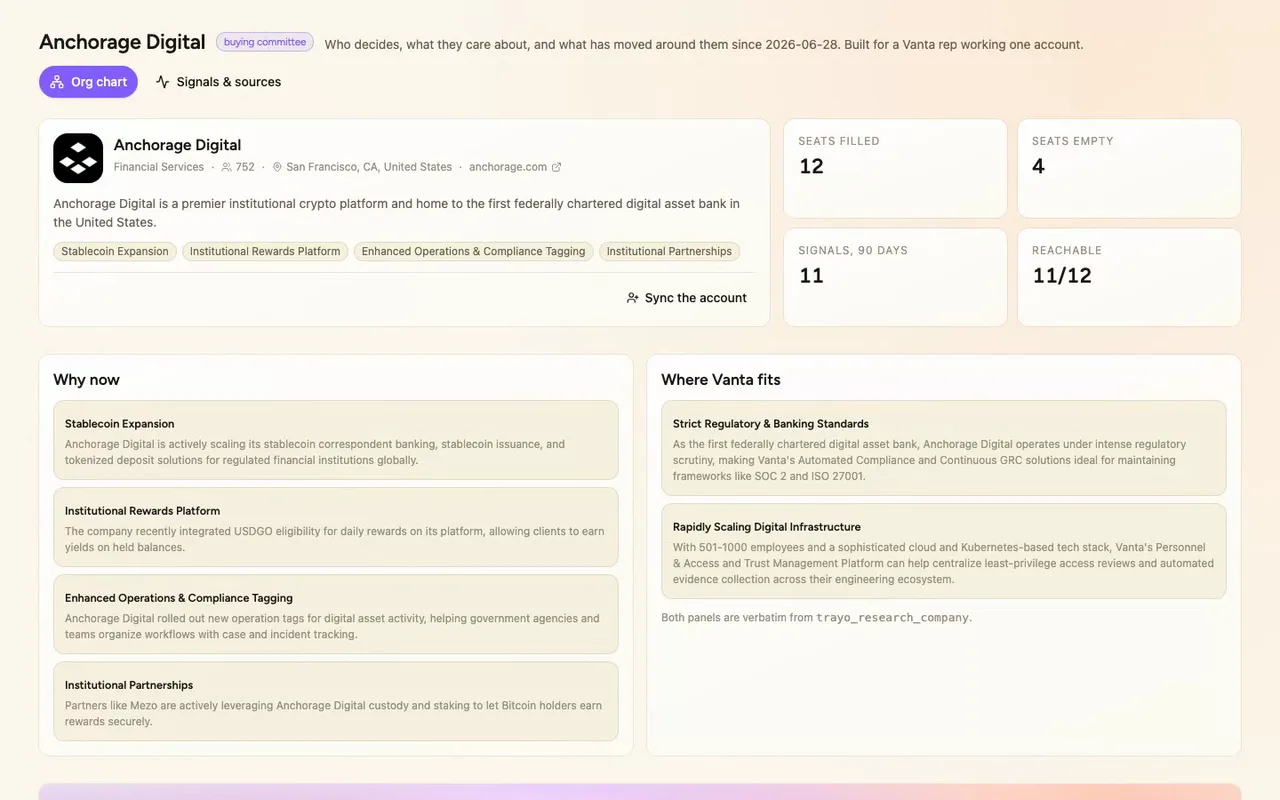
Our reps were pulling buying committees together by hand before every first call. So we built a committee map for any account they work. Here it is on Anchorage Digital, from a real Trayo workspace.
- 02
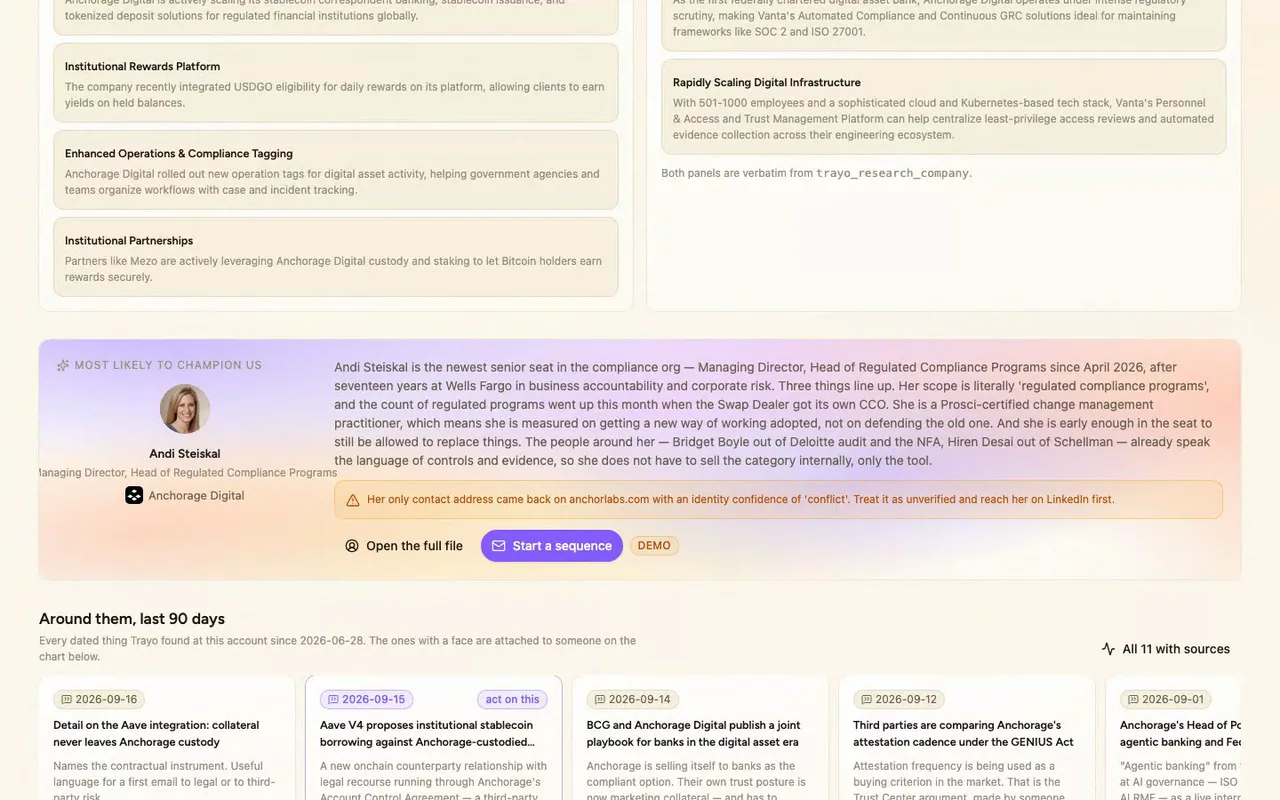
Twelve people, each with a real photo and verified work address, sorted into economic buyer, champion, technical evaluator and blocker.
- 03
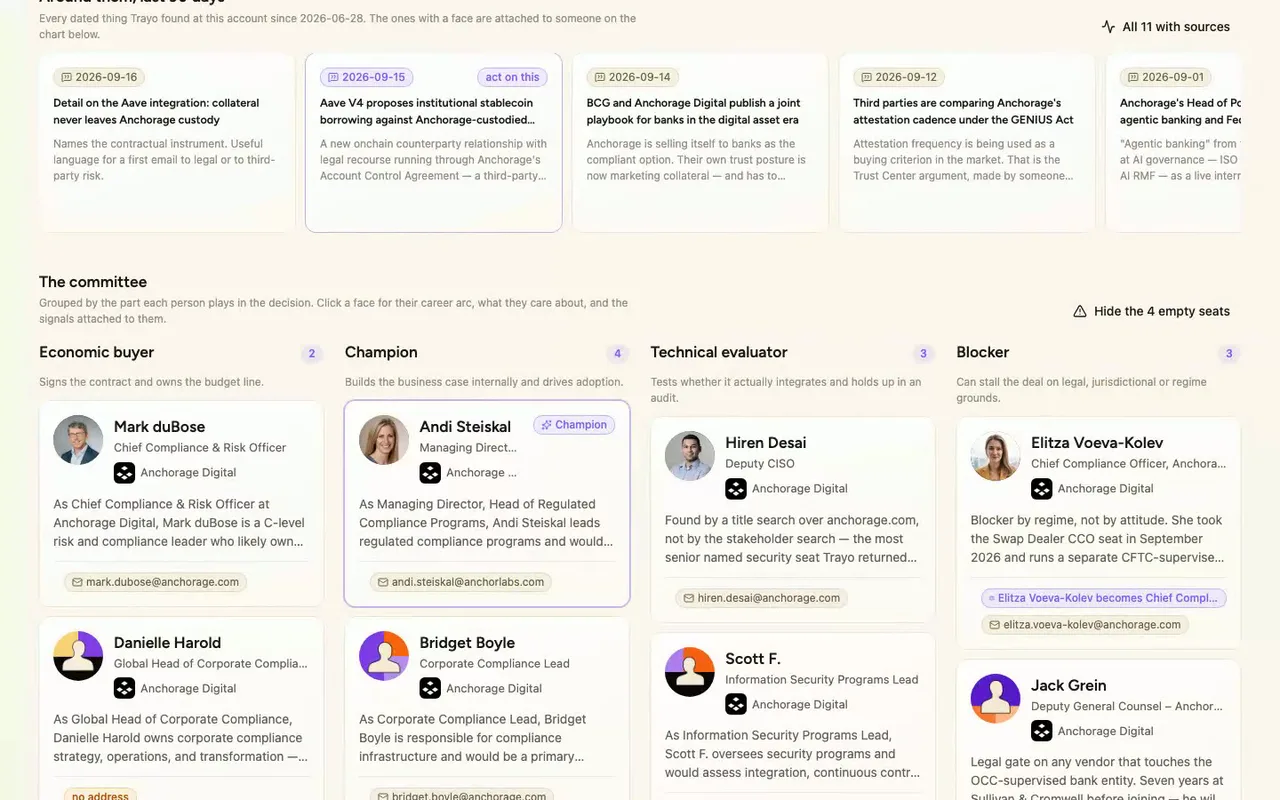
Nine came from Trayo's stakeholder search, scored against our saved persona. Find-people added three more, including the Deputy CISO.
- 04
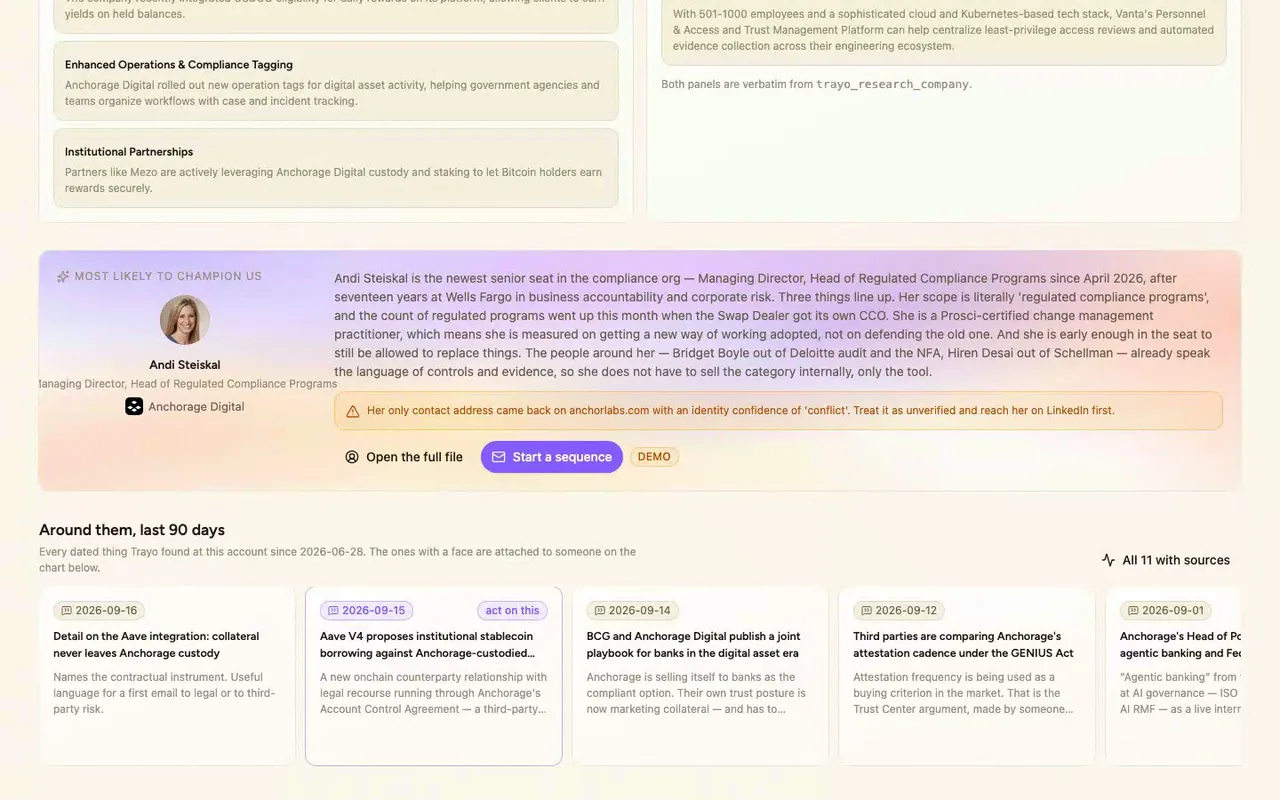
Four seats are empty: no CISO, no CTO, no CFO, nobody in procurement. Neither search returned them, so the chart says so instead of guessing.
- 05
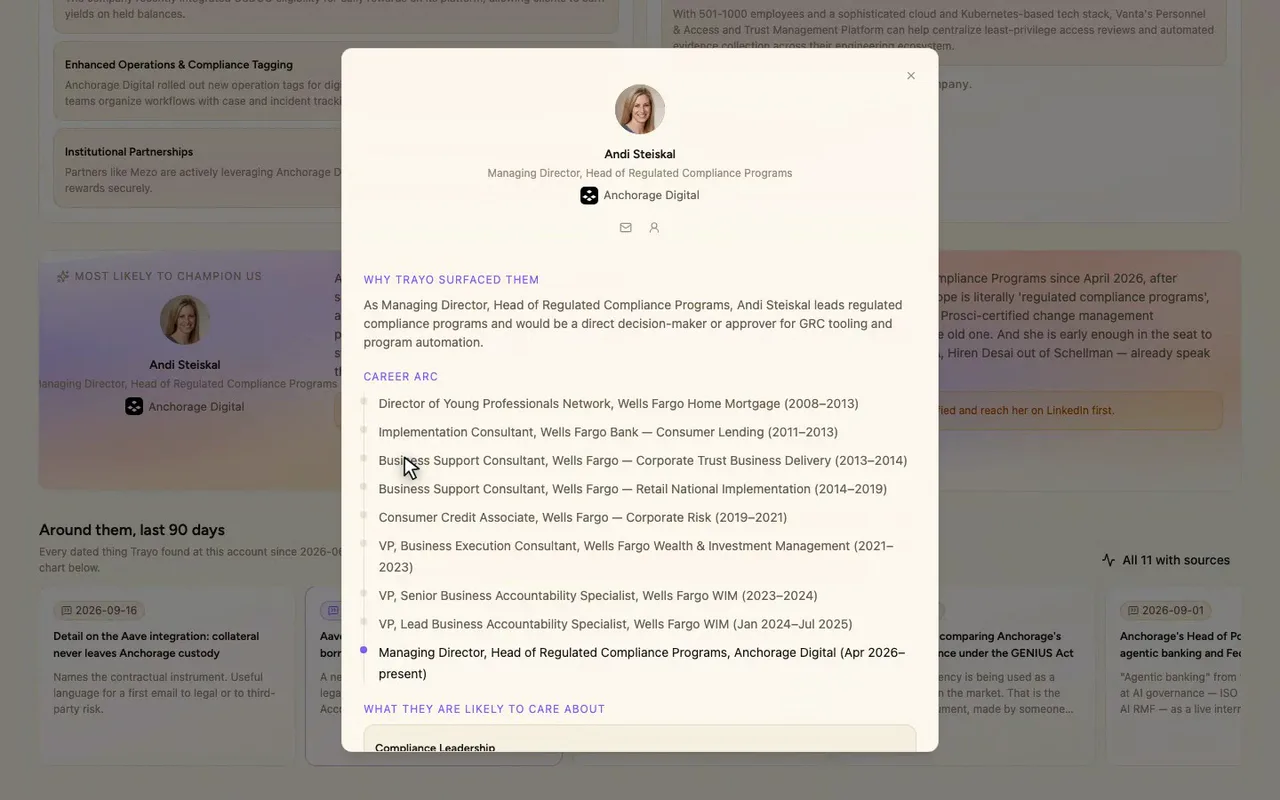
Open the full file and you get their career arc, priorities, and what's hard right now.
- 06
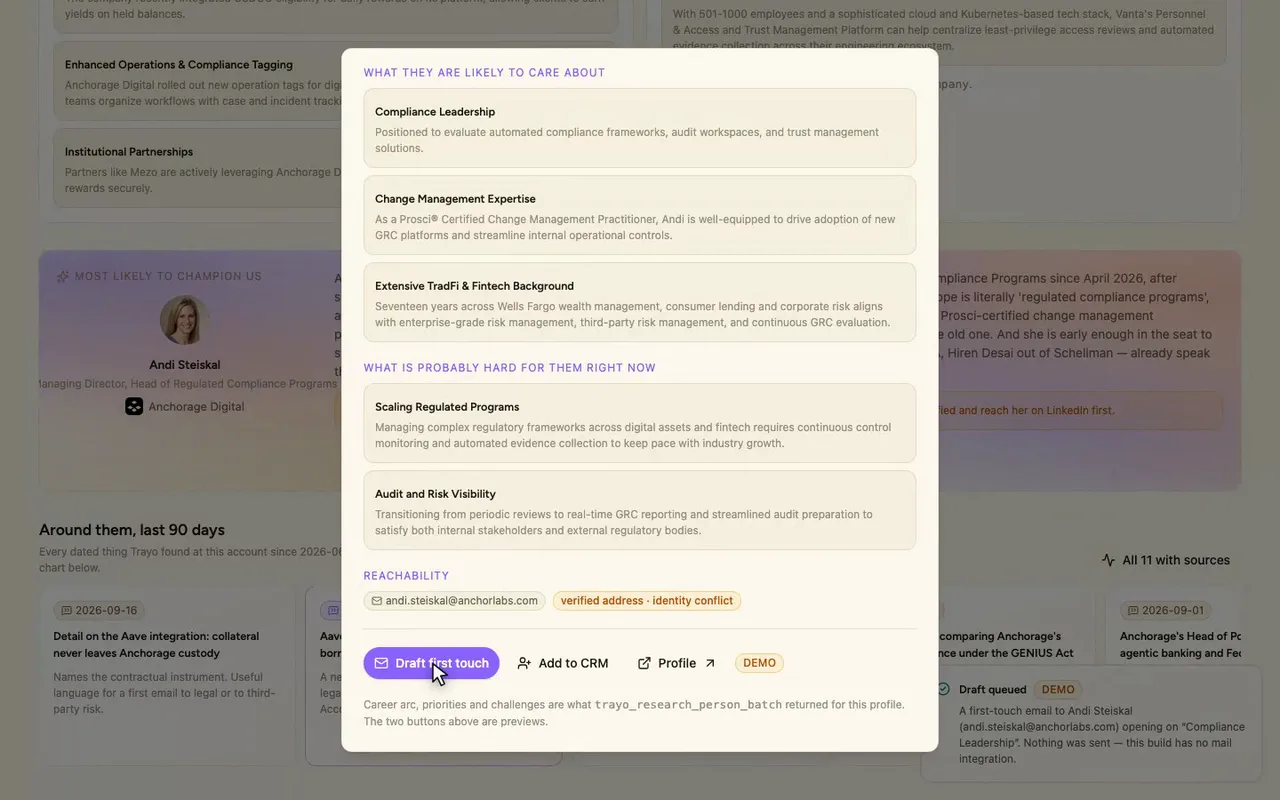
This button is a demo. We stubbed it, so it only shows what it would send.
How it was built
The data behind each screen, and what's faked for the demo.
If you are a Vanta rep about to work Anchorage Digital, this gives you the buying committee on one screen before you write a word to anyone. Twelve people sit left to right in the four seats that decide a GRC purchase: economic buyer, champion, technical evaluator and blocker. Each has a real photo, title and work address. Click a face and you get their career arc as a timeline, what they likely care about, what is probably hard for them right now, and any signal from the last 90 days attached to them. A ticker above the chart carries eleven dated events at the account since 28 June 2026, and a second route lays them out with the exact Trayo call each came from. The champion recommendation sits at the top with its reasoning and its caveat.
The alternative is LinkedIn, a company site, a news search and a spreadsheet, kept in sync by hand. That spreadsheet is stale the day you finish it, and it rarely says who sits in which seat or what changed around them this quarter. Here the roles, the arcs, the recent posts and the dated events are already joined to the same faces. The empty seats are listed too, so you know what you still have to find.
The workspace was empty, so I started with trayo_find_companies, which returned 17 US software and financial-services companies in Vanta’s ICP band. I dropped the seven GRC vendors as Vanta competitors and imported the other ten. I picked Anchorage Digital because trayo_search_job_changes showed four director-and-above arrivals there in the 90-day window, the most of any account. trayo_search_stakeholders ran against the workspace’s own saved Vanta persona definition and returned 9 people from 20 candidates. trayo_find_people added three more by title over anchorage.com, including the Deputy CISO. trayo_research_person_batch produced all twelve career arcs and insight sets with zero errors, and trayo_research_company supplied the why-now and fit panels, which I used verbatim. trayo_search_posts returned 80 posts across two topics, and six were about Anchorage or written from inside it. trayo_enrich_emails found 11 of 12 addresses. Danielle Harold’s came back not_found. Andi Steiskal’s resolved on anchorlabs.com with an identity confidence of “conflict”, which the UI flags instead of hiding.
Discovery found nothing, and that is the main thing that went wrong. I created four signal definitions (jobs, job_change, news, and a deliberately broad catch-all news signal) and called trayo_run_discovery four times: ten accounts by three signals over 90 days, then one account by four signals over a full 365 days. Every run settled with eventsNew: 0, no blockedSignals and no error. An earlier trayo_find_companies call had already come back flagged “search_degraded”, so a data source looks to be off for this workspace. The 90-day overlay is therefore built from the operations that did return data: job changes, post search and person research. Each signal card names which one it came from. Four committee seats are empty and marked as such in the UI, because neither people search returned a CISO, a CTO or VP Engineering, a CFO, or anyone in procurement. The people, the company panels, the posts and the emails are all real and came from Trayo. The buttons that would write to Salesforce, send mail or post to Slack are stubs marked “demo”. They only describe what they would have sent.