Post to pipeline
Takes a LinkedIn post URL, pulls everyone who commented, scores them against the workspace ICP, drops competitors, and lays out each surviving person beside their actual comment…
- Built in
- 11 min
- Capabilities
- 4
- Live API calls
- 14

The prompt
Paste it into any coding agent with the Trayo MCP connected.
- + any MCP client


Use Trayo to build a post-to-pipeline tool. I paste one LinkedIn post URL — mine, a competitor's, or an influencer's — and you pull everyone who engaged with it.

Score each engager against my ICP and drop the ones who do not fit or who work at a competitor. For the ones who do, get their title, company and work email, work out what they care about, and draft a first line that references the specific comment they left. Show a list I can work down, each row carrying the person, their actual comment, and the opener side by side.
What this app asked Trayo for
Every name, number and email on the page came back from one of these. None of it was typed in.
- Reads your workspace
What you sell, who you sell to, and the buyer personas already saved in Trayo.
- Finds the right people
Named stakeholders at an account, matched to the buying roles you care about.
- Gets verified emails
Work addresses with a confidence signal, so a bad match is visible rather than sent.
- Reads social activity
Posts and the people engaging with them, for plays that start from a conversation.
Take the tour
The same run as the video above, one stop at a time.
- 01
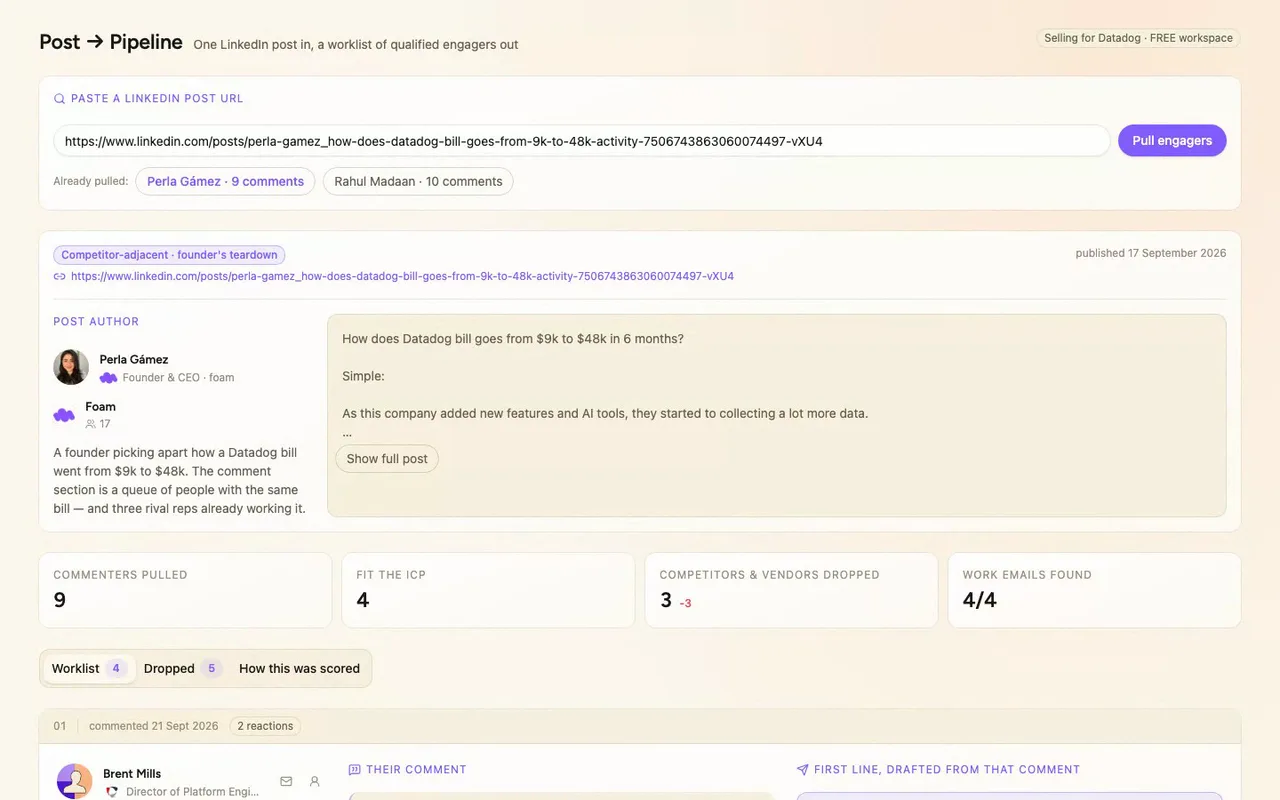
Before a first message goes out, a rep needs to know who actually fits and what they said. Post to Pipeline takes any LinkedIn post URL and turns its commenters into a worklist for our reps. Here it is on a real Datadog Trayo workspace.
- 02
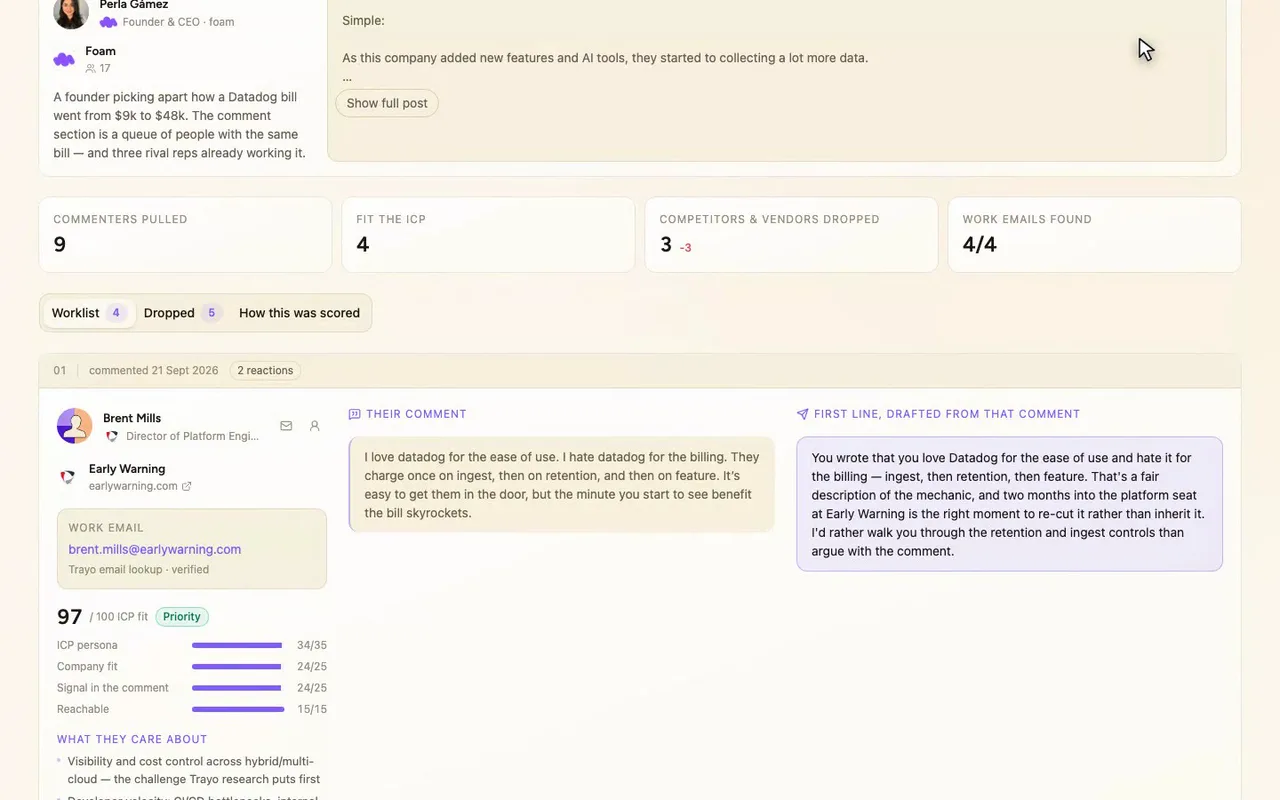
Two topic searches returned 65 posts, and we ran the two with the most comments. Trayo found them and pulled 19 commenters.
- 03
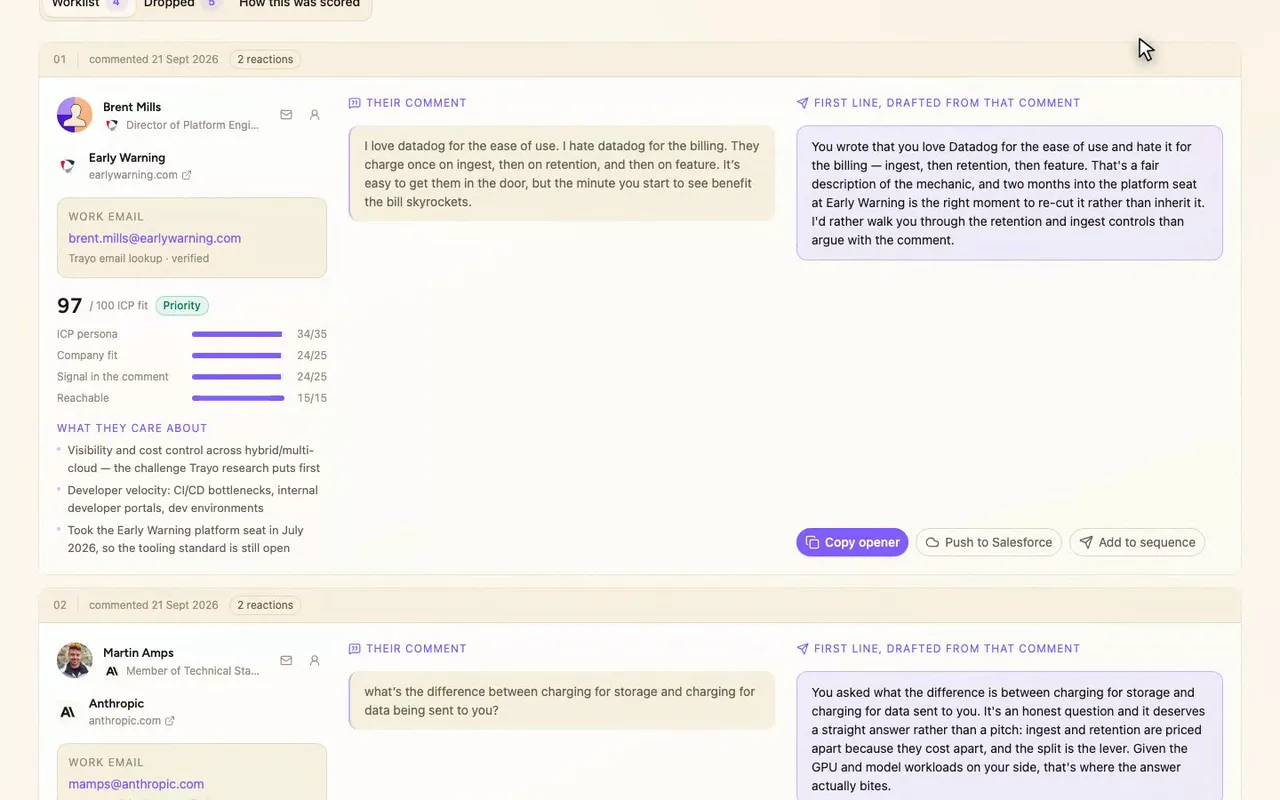
Seven made the worklist, ranked by score. Each row has the person, their real title and employer, and the comment they left.
- 04
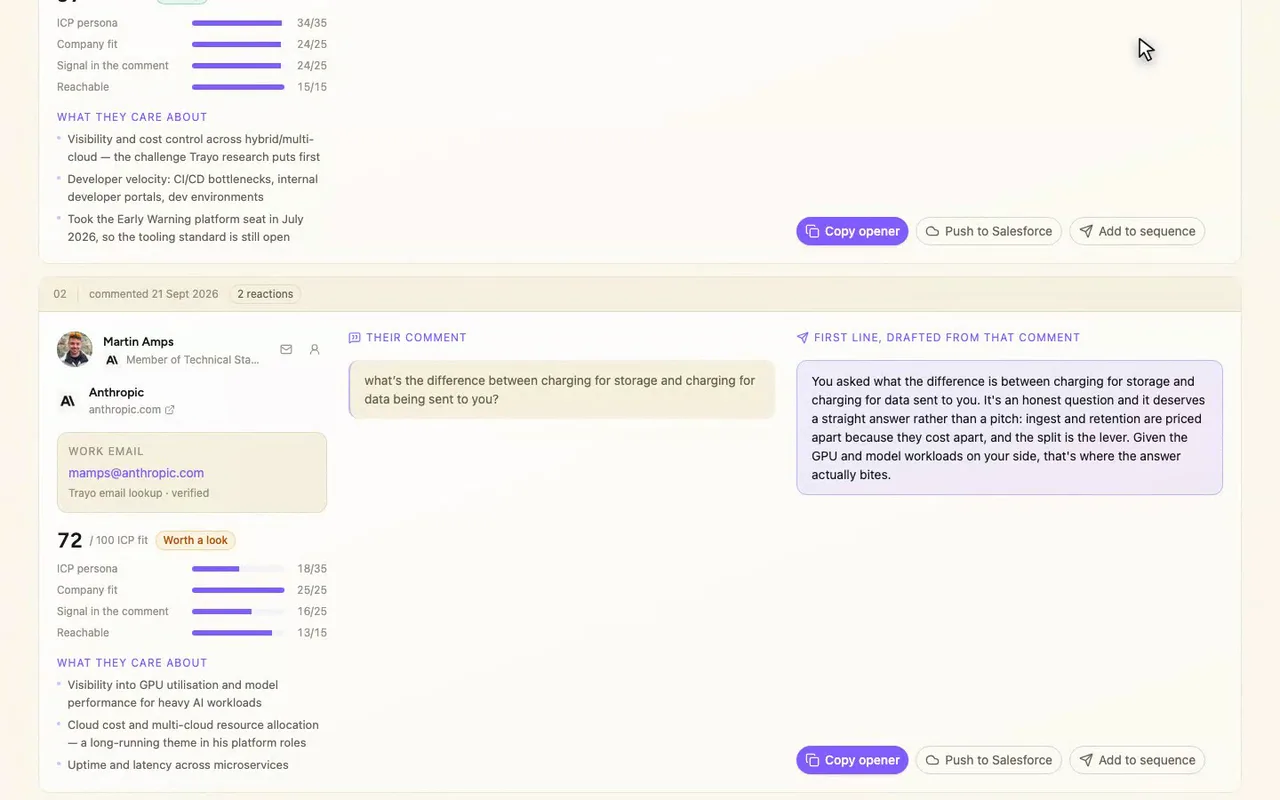
Under each comment is a first line written off that specific comment. Trayo's person research feeds the what-they-care-about lines.
- 05
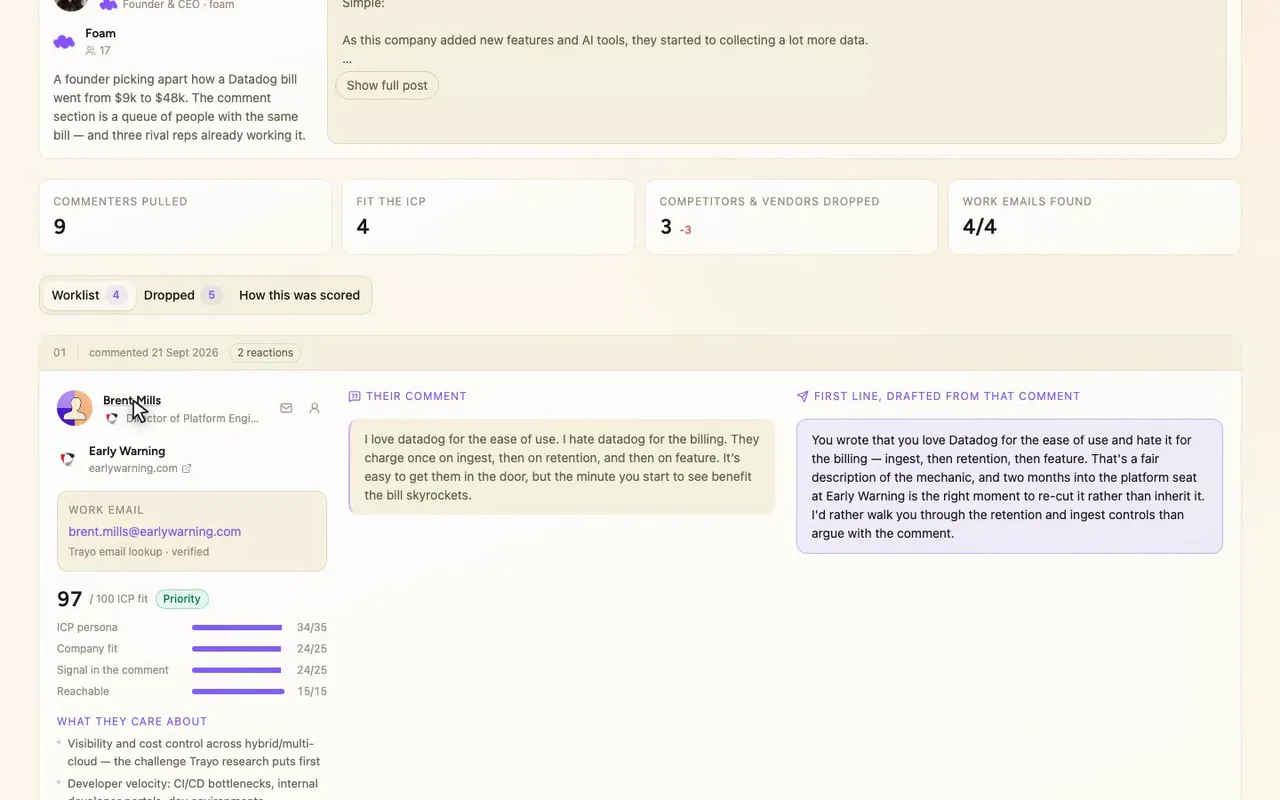
Brent Mills: verified email, a comment with something to reference, and a score you can check against his row.
- 06
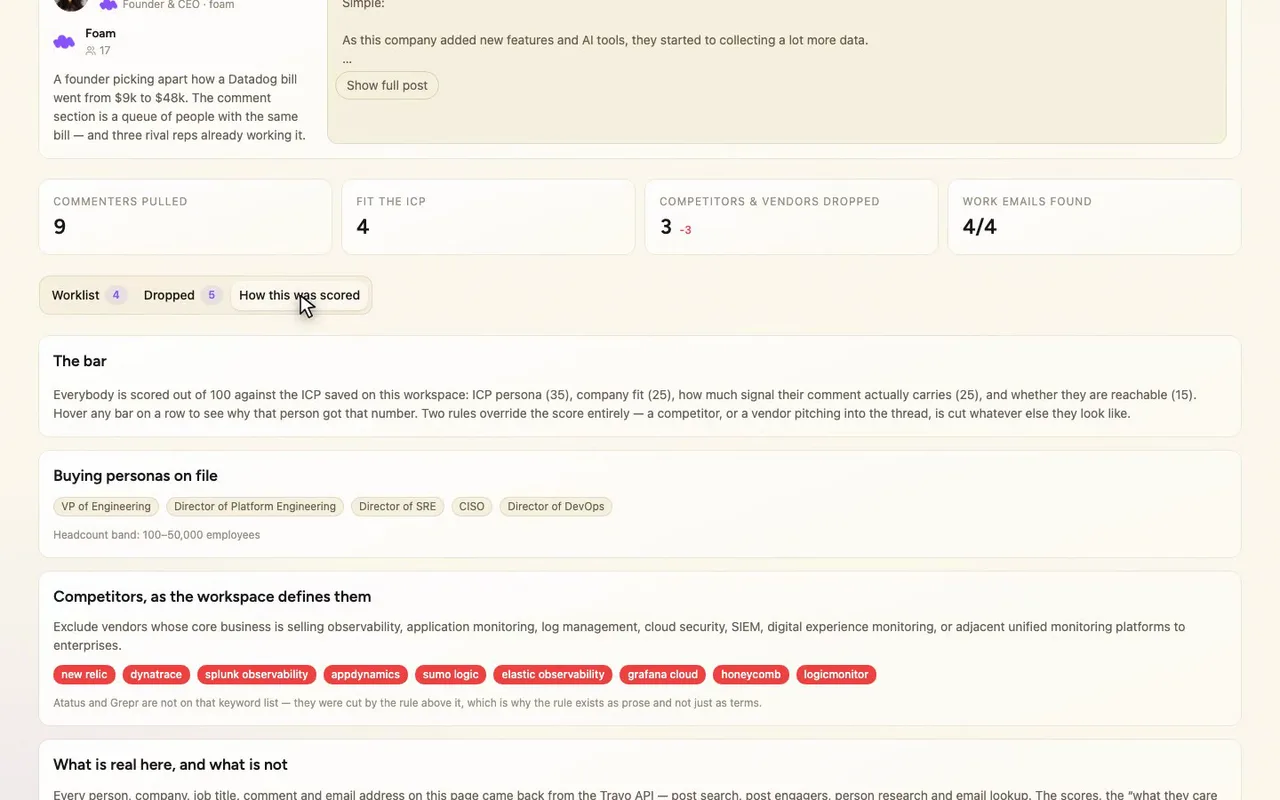
The scoring tab breaks it into persona, company fit, comment signal and reachability, so you can disagree with the ranking.
How it was built
The data behind each screen, and what's faked for the demo.
A rep who has just seen a LinkedIn post that their buyers are arguing under can paste the URL and get a worklist back. Each row is one person who fits the ICP, with who they are, the comment they actually left, and a first line written off that specific comment. Every row also shows its score breakdown: ICP persona, company fit, how much signal the comment carries, and whether the person is reachable. That way you can disagree with the ranking instead of just accepting it. A second tab lists everyone who was cut and why, because the cuts are the part most worth checking.
Without this, you read the comments in LinkedIn, open each profile in another tab, guess whether the person or their company fits, look up an email somewhere else, and then write an opener that usually ignores what they said. The result ends up in a spreadsheet that is stale by the next post. Here the person, the comment and the opener sit side by side, and the reasons for dropping people are visible.
I built it as a demo for Datadog against a real Trayo workspace. trayo_get_workspace came first, because I wanted the ICP to come from the workspace and not from me. It has the workspace selling Datadog, and the persona list, the 100–50,000 headcount band and the competitor rules on the scoring tab are all read from it. Two topic searches with trayo_search_posts returned 65 posts, and I used the two with the most comments. trayo_get_post_engagers returned 19 commenters across them, with names, photos, titles, employers and full comment text. Four of those worked at competitors (New Relic, Grafana Labs, Atatus, Grepr) and two were vendors pitching their own services. The rest were outside the ICP band, not people, or left a comment with nothing to reference. That left 7 on the worklist and 12 dropped. trayo_add_people created the 9 non-competitors in the workspace. trayo_research_person_batch returned career history, professional insights and challenges for all 9, and the “what they care about” lines are built from that. trayo_enrich_emails found verified work addresses for 8 of the 9. The ninth, an Oracle database engineer, came back not_found and is shown that way. For Sean Alexander, the title on his comment (SRE Manager) and the title from research (Principal Architect) disagree. He appears to hold both, so the row shows both instead of picking one.
Two parts are not real. I fetched the data once and baked it into a JSON file that the app reads, so pasting a third URL returns a message saying so and does not call the API live. The “Push to Salesforce” and “Add to sequence” buttons are previews. They show a toast spelling out the exact payload that would be sent and are tagged demo, because no CRM or sending integration is connected. Nothing leaves the browser. Everything factual on the page came from Trayo.