CSV contact enrichment
A contact enrichment desk that turns a CSV of names and companies into matched people with LinkedIn, title, location, work email and a lead angle, keeping the rows that did not…
- Built in
- 25 min
- Capabilities
- 4
- Live API calls
- 7

The prompt
Paste it into any coding agent with the Trayo MCP connected.
- + any MCP client


Use Trayo to build a contact enrichment desk. Let me paste or upload a CSV of names and companies — that is all I have — and for each row find the person, their LinkedIn profile, location, current title and work email.

Then go further: for each person, work out what they are likely to care about given their role and their company's recent activity, and what angle my product should lead with. Show a table I can scan and export, with a detail panel per person carrying the evidence behind each claim. Be explicit about rows you could not match rather than quietly dropping them — a half-matched list I know the shape of is more useful than a clean one I cannot trust.
What this app asked Trayo for
Every name, number and email on the page came back from one of these. None of it was typed in.
- Reads your workspace
What you sell, who you sell to, and the buyer personas already saved in Trayo.
- Finds companies
Surfaces accounts that match your ICP, plus lookalikes of the ones already working.
- Finds the right people
Named stakeholders at an account, matched to the buying roles you care about.
- Builds your account list
Imports, updates and organises accounts so the work survives the session.
Take the tour
The same run as the video above, one stop at a time.
- 01
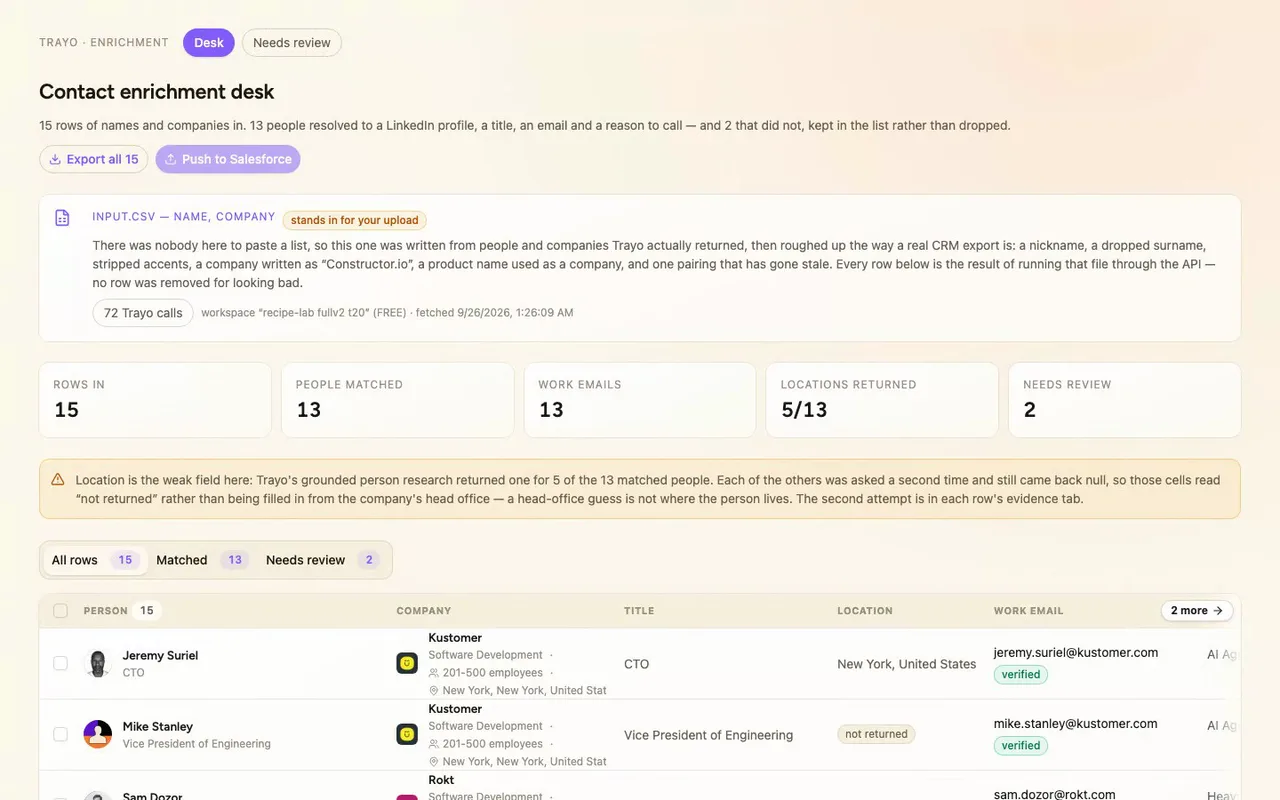
Our reps were taking a list of names and companies and hand-building each person: LinkedIn, title, email, what to say. This is the contact enrichment desk we built instead. Upload a CSV, and every row comes back as a person or as a reason it didn't.
- 02
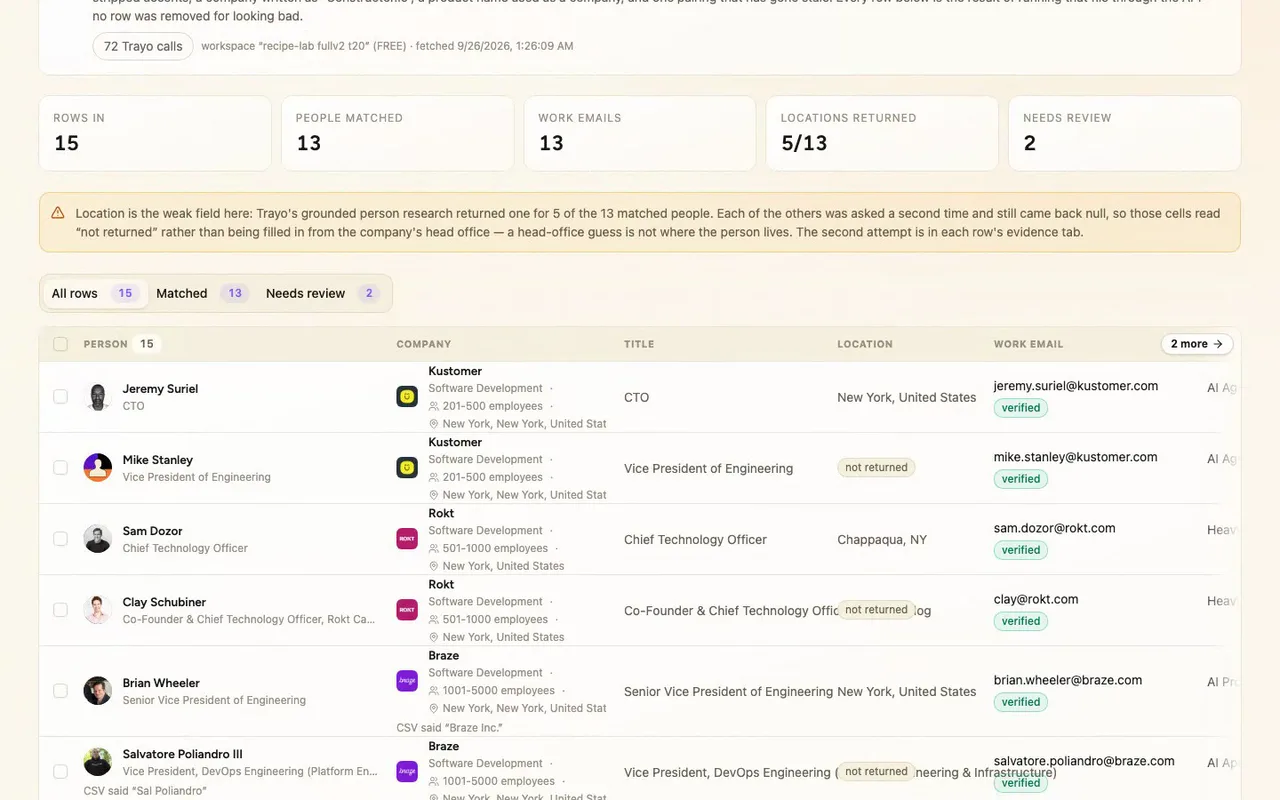
Scroll down and Braze is where the people search hit its cap, so a name-search fallback recovered two people, and those rows say so.
- 03
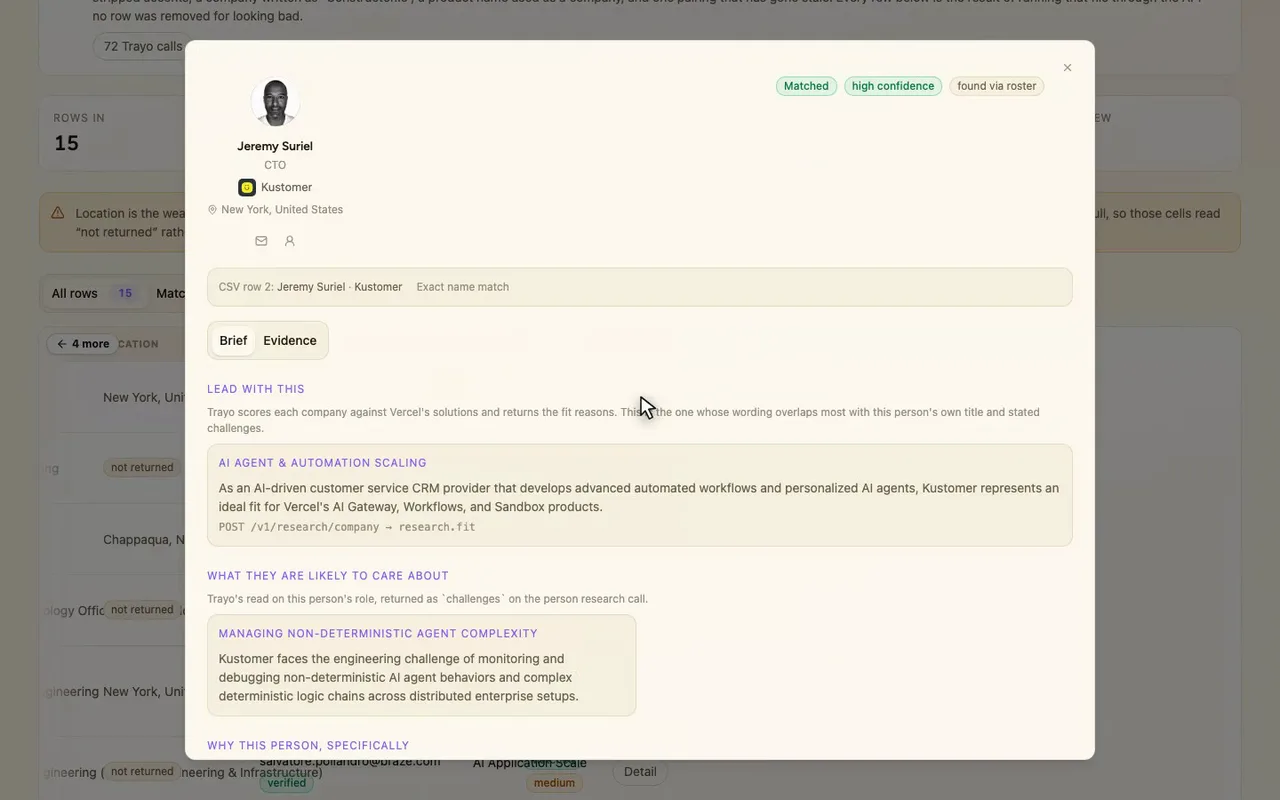
Open a row's detail and every claim shows which Trayo call produced it, so you can check it before you send.
How it was built
The data behind each screen, and what's faked for the demo.
A sales rep who has been handed a list of names and companies and needs to know who these people are before the first call: that’s who this is for. They paste or upload the CSV and get a table with one row per person: LinkedIn profile, current title, location, work email, what that person likely cares about given their role, and the one angle to lead with. The table sorts and exports. Clicking a row opens a panel that shows, claim by claim, which Trayo call produced it. Rows that didn’t resolve stay in the list with their reason attached and get their own route.
The alternative is a stale spreadsheet and a lot of tabs: search each company, find the person on LinkedIn, guess at the email format, skim recent news, then write a guess about what they care about. This does that in one pass and keeps the evidence next to each claim. I chose to show the unmatched rows because a half-matched list whose shape you know is more useful than a clean one you can’t trust.
There was nobody here to upload a file, so input.csv stands in for one. The workspace was empty, so I let its ICP pick the target: Vercel, selling to engineering and platform leaders. I wrote the file from people and companies Trayo actually returned, then roughed it up the way a real CRM export looks: a nickname, a dropped surname, stripped accents, “Constructor.io”, a product name used as a company, and one pairing that has gone stale. Resolving those 15 rows took 72 Trayo calls. research/company turned each company string into a real company plus its recent activity and fit reasons. POST /v1/find listed the people there. research/person with grounded:true added career, challenges and location. people/enrich/batch looked up emails. 13 rows matched, and every one has a verified work email, such as [email protected] and [email protected]. Two did not match. “Chris Fei, Rokt Catalog” failed because Trayo answers company_not_found for a product name. “Nick Popoff, Braze” is flagged for review rather than counted, because a name search found him at Everlaw instead.
Two things went less well, and both show in the app. The per-company people search reads at most 25 people, and at Braze’s 2,376 headcount it missed two people who really do work there. A name-search fallback recovered both, and those rows say they were found that way. Location came back for only 5 of the 13 matched people. I asked again for the other 8 and still got null, so those cells read “not returned” instead of being filled in from the company’s head office.
CSV export is real and runs in the browser. Push to Salesforce, Draft intro email and Share to Slack are stubs, because there is no such connection here. Each raises a toast tagged demo that spells out what would have been sent. The pipeline has one real side effect: it created 8 accounts and 13 people in the Trayo workspace, because saving a person is how an email lookup gets started.