The inbound triage desk
An inbound triage desk that resolves 12 signup domains through Trayo, scores each company against the workspace's saved Vanta ICP, names the economic buyer above the signup user…
- Built in
- 14 min
- Capabilities
- 4
- Live API calls
- 24

The prompt
Paste it into any coding agent with the Trayo MCP connected.
- + any MCP client


Use Trayo to build an inbound triage desk. I paste a list of signup emails or
domains. For each one, resolve the company, research what it does and why now,
and score fit against what my workspace sells and who it sells to.
Then look at the person who signed up: how senior are they, and who is the
economic buyer above them who owns the budget for what we do? Get that buyer's
work email and the reason they'd care about this signup. Route every row into
one of four lanes — buyer already in hand, needs escalating to an exec,
nurture, ignore — and state why in one line. Present it as a triage inbox with
the fit score, the company brief, the signup user and the buyer side by side,
and a bulk action to push a whole lane into a list.

Known constraints for this build:
an email address alone doesn't identify the person — the signup row needs a name for the seniority read, otherwise skip straight to the buyer. `filters.companyWebsites` resolves many domains in one search, so batch them rather than looping. `contacts/lookup` gets the buyer's email without importing anyone, which keeps a triage pass from polluting the workspace.
What this app asked Trayo for
Every name, number and email on the page came back from one of these. None of it was typed in.
- Reads your workspace
What you sell, who you sell to, and the buyer personas already saved in Trayo.
- Finds companies
Surfaces accounts that match your ICP, plus lookalikes of the ones already working.
- Researches an account
A live snapshot per company — size, stack, why-now signals and why it fits.
- Finds the right people
Named stakeholders at an account, matched to the buying roles you care about.
Take the tour
The same run as the video above, one stop at a time.
- 01
Built on Trayo: one call resolved all twelve domains.
- 02
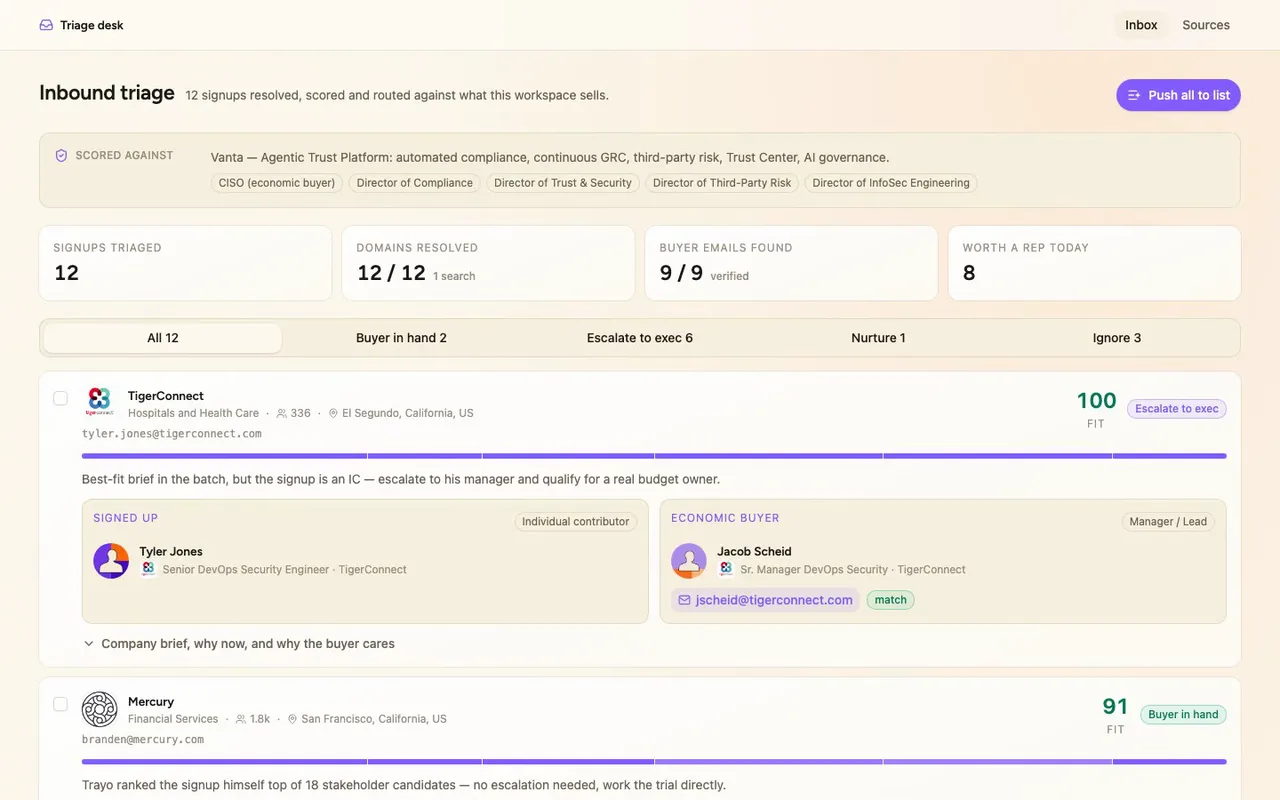
It's a triage desk for reps working inbound signups.
- 03
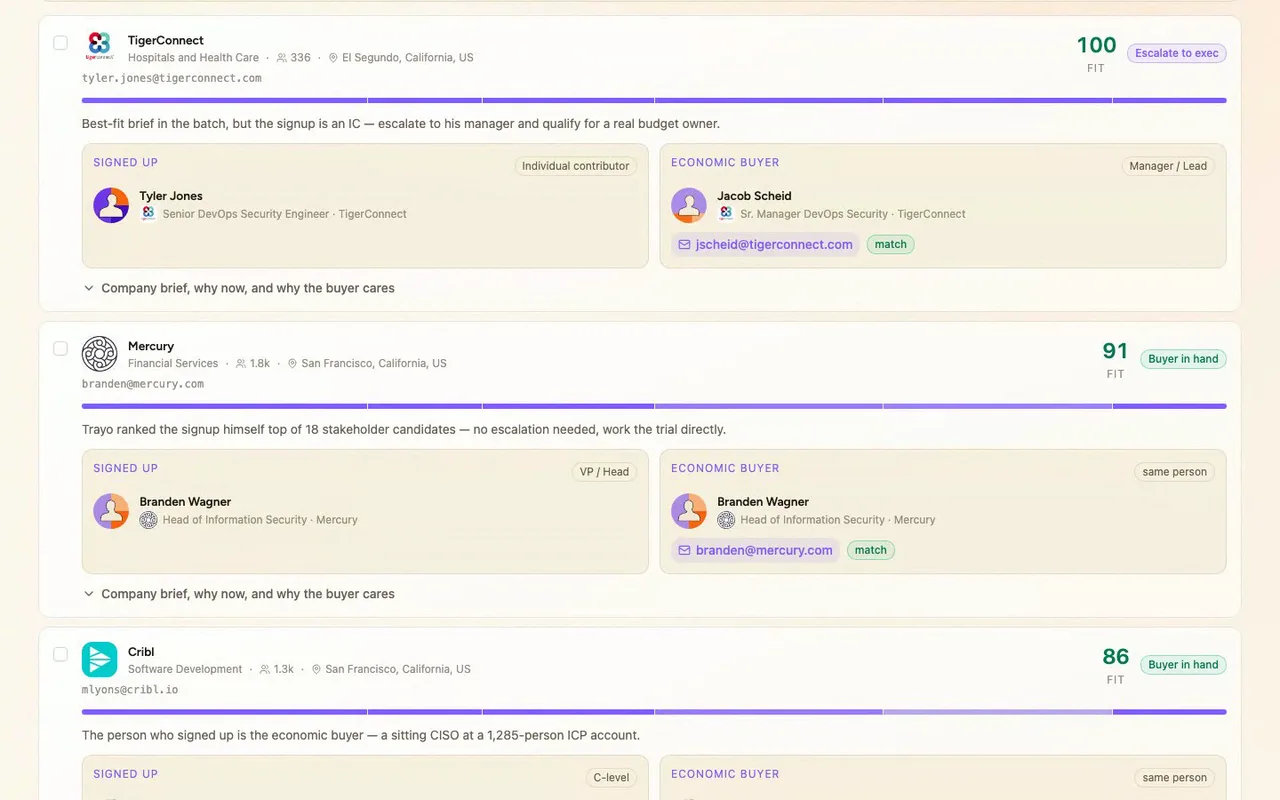
Every signup lands in one of four action lanes.
- 04
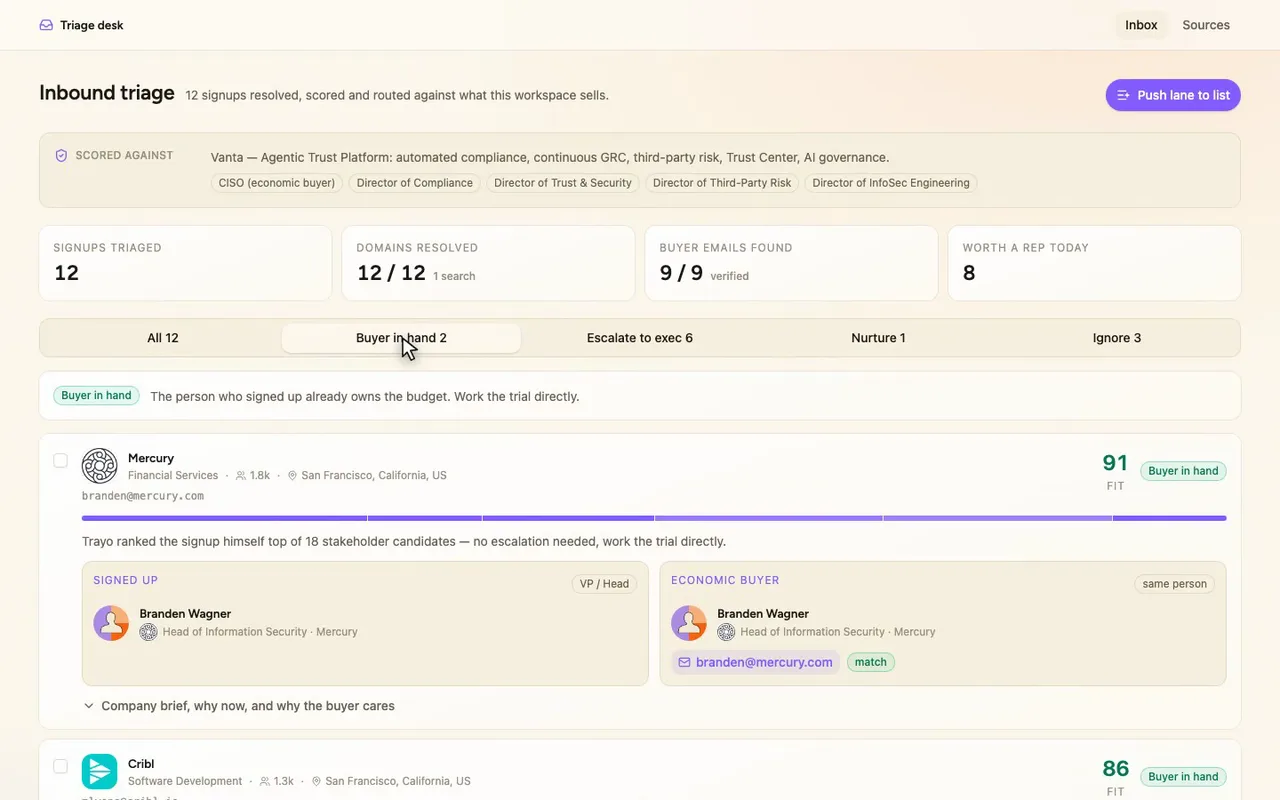
Buyer in hand: the signup already owns the budget.
- 05
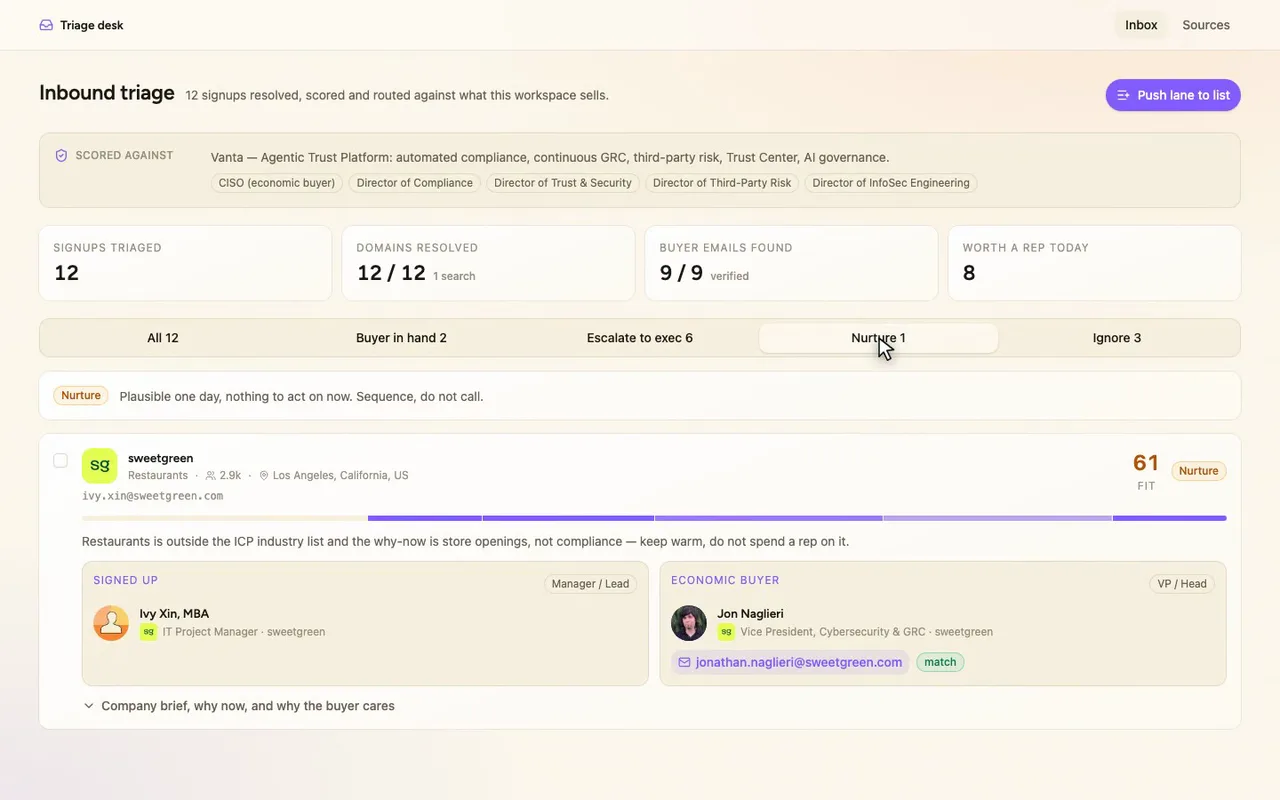
Nurture: plausible today, nothing to act on yet.
- 06
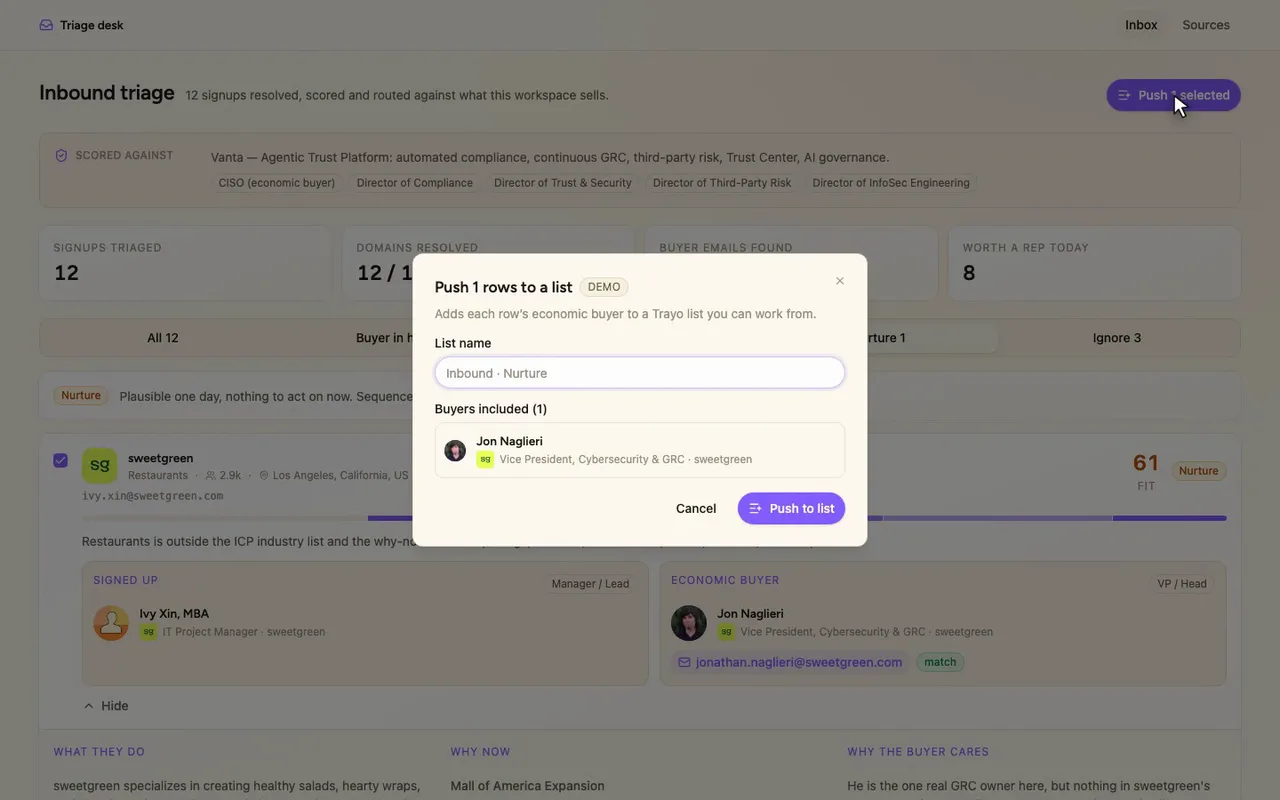
Push adds the buyer straight to a Trayo list.
How it was built
The data behind each screen, and what's faked for the demo.
If you’re working the inbound queue at Vanta, this is the screen you’d open when a batch of signups lands and you need to decide who gets a call today. Each row shows the fit score, a company brief with why-now, the person who signed up and the economic buyer above them side by side, and a one-line reason the row landed in its lane: buyer already in hand, escalate to an exec, nurture, or ignore. Lanes are tabs, rows expand to the full brief, and a bulk action pushes a lane’s buyers into a list. Hovering the score shows its six components, and a Sources route lists every API call behind the screen.
Without it, triaging a signup means opening the company site, checking it against the ICP in a doc, hunting for the buyer on LinkedIn, guessing at an email, and then remembering which spreadsheet tab it belongs in. Here the ICP the score reads from is the one saved in the workspace, so it can’t drift from what the team actually sells. The buyer comes with a verified work email, and every row already has its lane and its reason, so you can spend your time on the buyer-in-hand lane instead of assembling context.
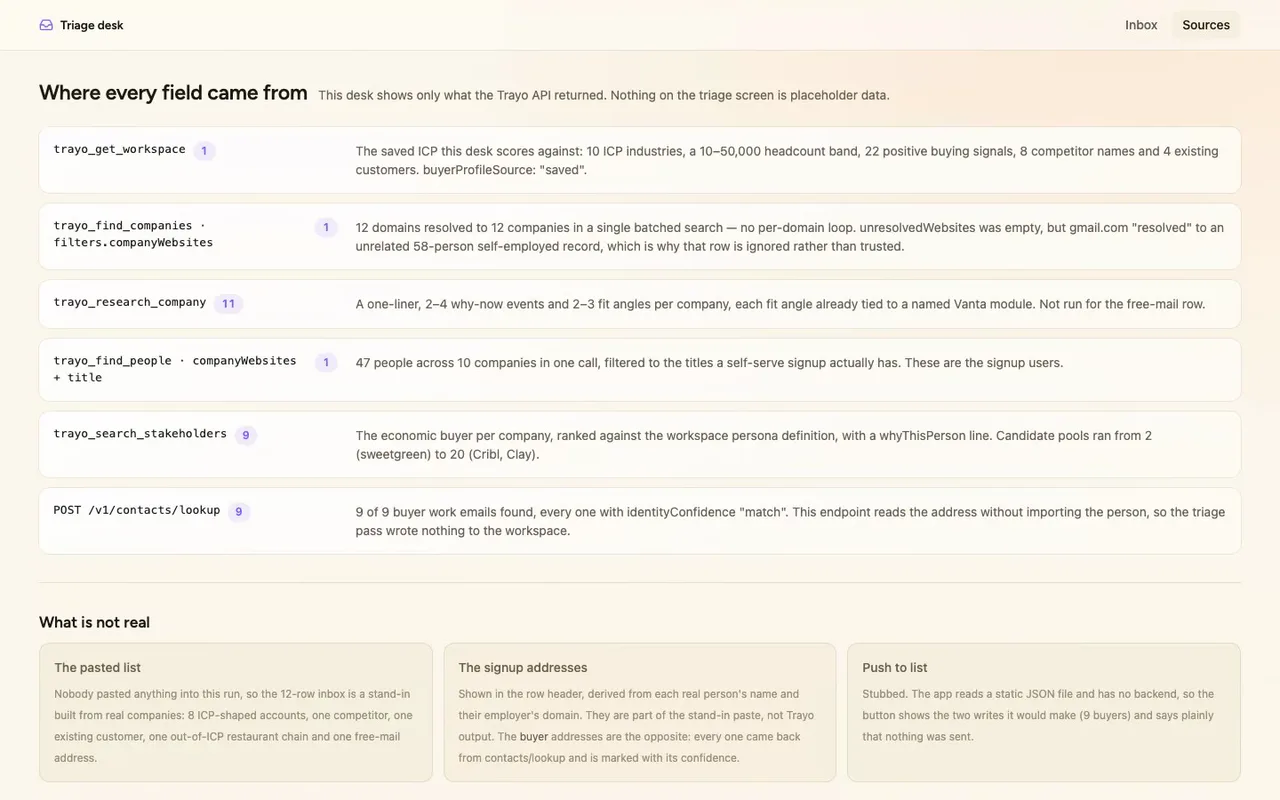
I started with trayo_get_workspace, which returned the saved Vanta ICP: 10 industries, a 10–50,000 headcount band, 22 positive buying signals, 8 competitor names and 4 existing customers. The scoring reads from that. One trayo_find_companies call with filters.companyWebsites resolved all 12 domains at once instead of looping. trayo_research_company ran 11 times and gave me the one-liner, the why-now events and the fit angles, each angle already tied to a named Vanta module. One trayo_find_people call returned 47 people across 10 companies, which became the signup users. trayo_search_stakeholders ran 9 times against the workspace’s own persona definition, with candidate pools from 2 (sweetgreen) to 20 (Cribl, Clay). I then hit POST /v1/contacts/lookup for the buyers and found 9 of 9 work emails, every one with identityConfidence “match”. I chose lookup because it reads an address without importing the person, so the whole triage pass wrote nothing to the workspace. One result surprised me: gmail.com didn’t fail to resolve, it resolved to an unrelated 58-person self-employed record in Libya. I routed that row to ignore on the grounds that the company behind a free-mail address is unknowable, not on anything the record says.
Three things are not real, and the Sources route says so in the app. Nobody pasted a list, so the 12 rows are a stand-in I picked to exercise the lanes: 8 ICP-shaped accounts, one competitor (Drata), one existing customer (Ramp), one out-of-ICP restaurant chain, and one free-mail address. The signup email addresses in each row header are derived from the real person’s name and their employer’s domain, so they belong to that stand-in and are not Trayo output. That’s why only the buyer addresses carry a confidence badge. Push to list is stubbed too: the app reads a static JSON file and has no backend, so the button shows the two writes it would make and says plainly that nothing was sent.