Build your account list
A ranked board of 25 ICP-fit companies that had a senior engineering, security, data or IT-operations leader join in the last 30 days, each with the person, their previous role…
- Built in
- 25 min
- Capabilities
- 5
- Live API calls
- 64

The prompt
Paste it into any coding agent with the Trayo MCP connected.
- + any MCP client


Use Trayo to find 25 companies that match my ICP and had a buying signal in the last 30 days. Add them to my workspace.
What this app asked Trayo for
Every name, number and email on the page came back from one of these. None of it was typed in.
- Reads your workspace
What you sell, who you sell to, and the buyer personas already saved in Trayo.
- Finds companies
Surfaces accounts that match your ICP, plus lookalikes of the ones already working.
- Finds the right people
Named stakeholders at an account, matched to the buying roles you care about.
- Builds your account list
Imports, updates and organises accounts so the work survives the session.
- Watches for buying signals
Standing watches for job changes, funding and the other moments worth a reply.
Take the tour
The same run as the video above, one stop at a time.
- 01
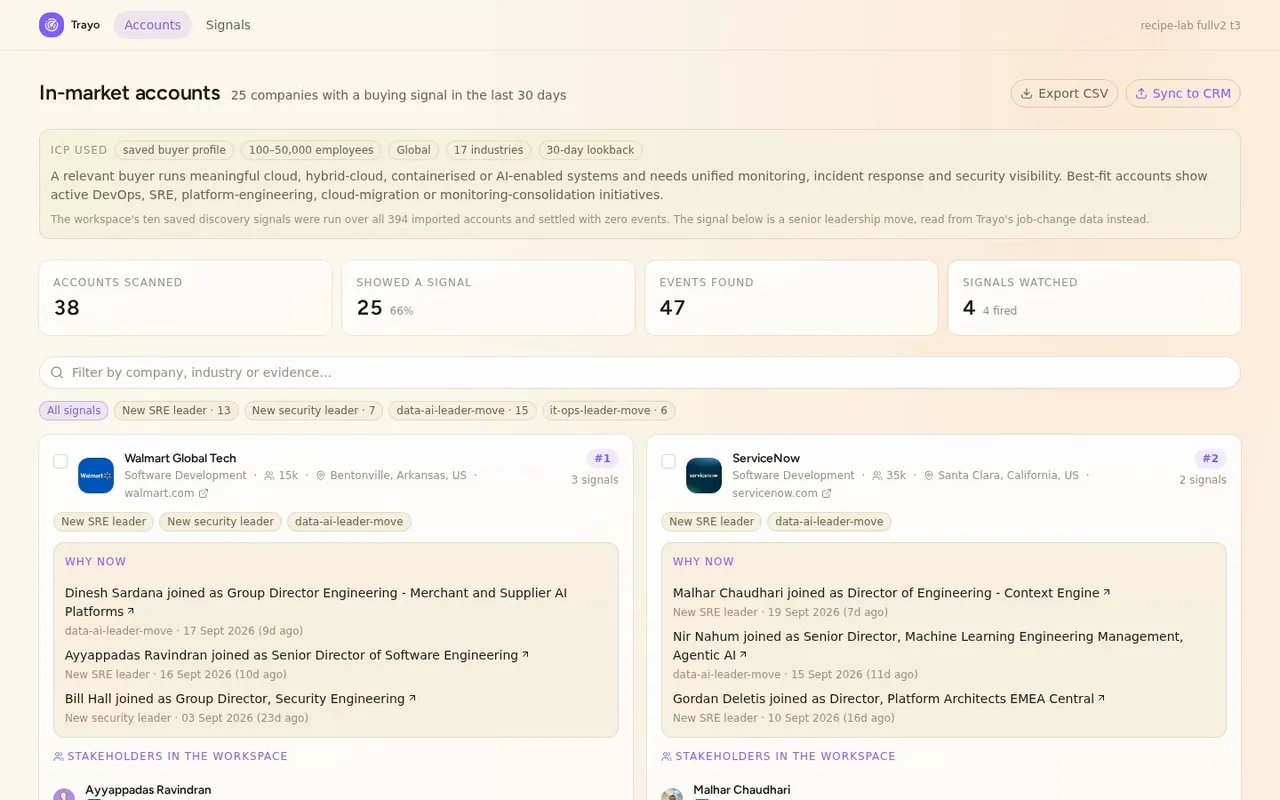
This is the leadership-move board for the Datadog sales team. It ranks ICP-fit companies where a senior engineering, security, data or IT-operations leader just joined, so a rep knows who to call and why now.
- 02
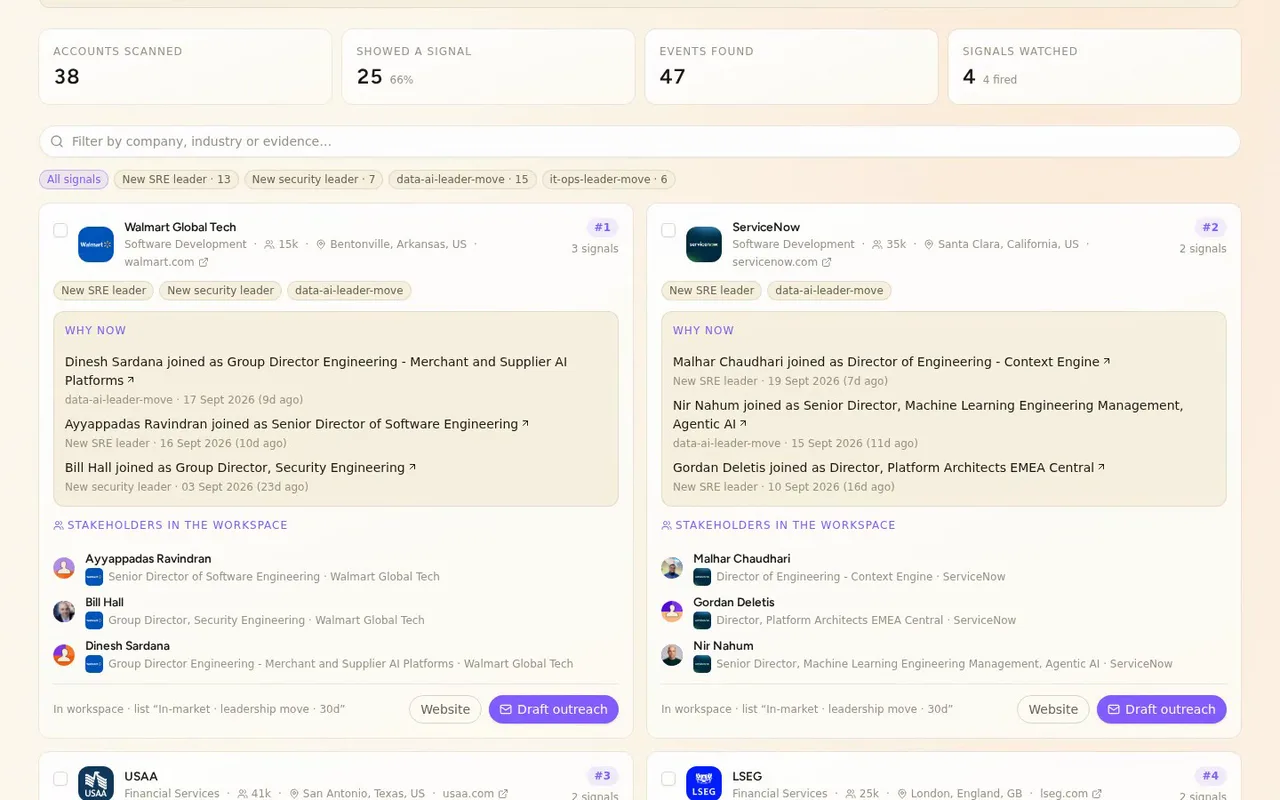
Twenty-five companies, ranked by how many kinds of buying signal each one hit.
- 03

Under each company is the evidence: who joined, their title, and where they came from.
- 04
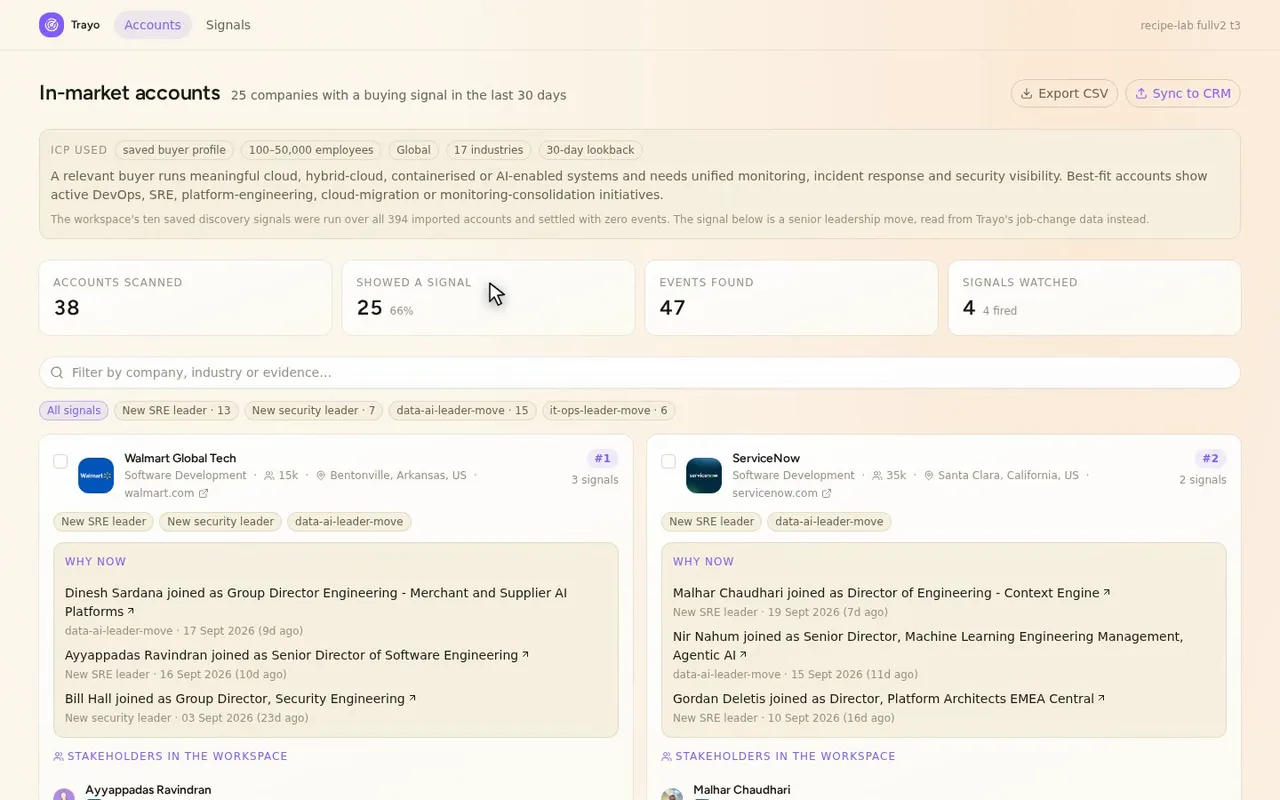
Every signal shows when Trayo detected it, with a link straight to the person's LinkedIn profile.
- 05

Each row carries the real logo and firmographics, so you know the account before you open it.
- 06
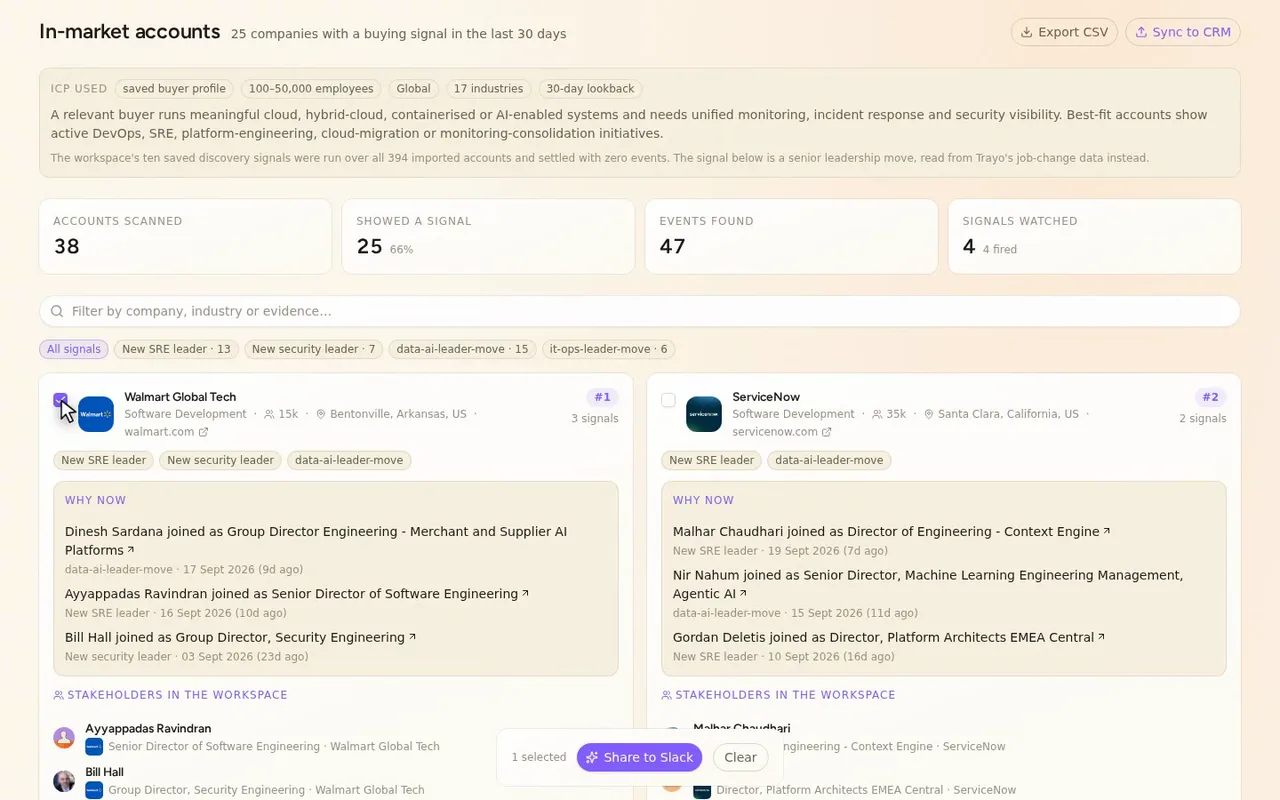
Tick Walmart Global Tech, or as many rows as you want, to act on them together.
How it was built
The data behind each screen, and what's faked for the demo.
A Datadog rep working the workspace’s saved ICP would open this when they want to know which target companies just got a new engineering, security, data or IT-operations leader. They see 25 companies ranked by how many kinds of buying signal each one hit. Under each company is the evidence: who joined, the title they took, where they came from, when Trayo detected it, and a link to their LinkedIn profile. From there they can search, filter by signal, select several companies, and export the visible rows to CSV.
A new leader in those functions is a common reason to reach out, and finding one usually means checking company pages and LinkedIn one account at a time, then pasting the results into a spreadsheet that goes stale. Here the companies, logos, firmographics, the people and the profile links are already on one page. The Signals page shows how often each signal fired across the accounts checked, plus the full event feed, newest first.
I started with trayo_get_workspace, which returned the saved buyer profile: 18 industries, 100-50,000 employees, global. I used that as the filter for trayo_find_companies, which returned 1,000 matching companies. I took 394 of them, evenly across the pool, and imported them with trayo_import_accounts. Then I ran the workspace’s ten saved discovery signals over all 394 accounts with a 30-day lookback, in two trayo_run_discovery runs (c7cc0825 and 05cc598a). Both settled with zero events. No news, jobs or job-change signal fired for any account. A control run over ten well-known technology companies and a 365-day run also came back empty. I didn’t want to ship an empty board, so I rebuilt the signal from trayo_search_job_changes, which does return data. I ran it per account with seniority “director” and detectedSince 2026-08-27. It checked 38 accounts, and 25 of them had a move into an engineering, platform, security, data or IT-operations role, 47 people in total. I wrote those 25 companies back with trayo_import_accounts, added the 47 people with trayo_add_people, and put them on a list called “In-market · leadership move · 30d” with trayo_add_to_list.
Some limits you should know about. Only 38 of the 394 imported accounts were checked for job changes, because that endpoint takes one company per call. The 25 are a real result from a real scan, but they are not the top 25 of the full pool. On the Signals page, two of the four categories, data/AI leader move and IT-operations leader move, are groupings I made for this run and are not saved in the workspace. The other two, sre-leader-move and security-leader-move, are the workspace’s own. Sync to CRM, Share to Slack and Draft outreach are previews. Each shows a confirmation toast tagged “demo” describing what would have been sent, and sends nothing. Everything else on the page is Trayo data.